A bundle step shows no products
Why a Mix & Match step can go empty, how the app warns you, and how to fix it.
 Attravo TeamUpdated 1 min read
On this page
Each step in a Mix & Match bundle shows the products of one collection. A step goes empty when shoppers can't see that collection or its products.
How the app warns you
The Bundles page shows a warning when any step has nothing to pick:

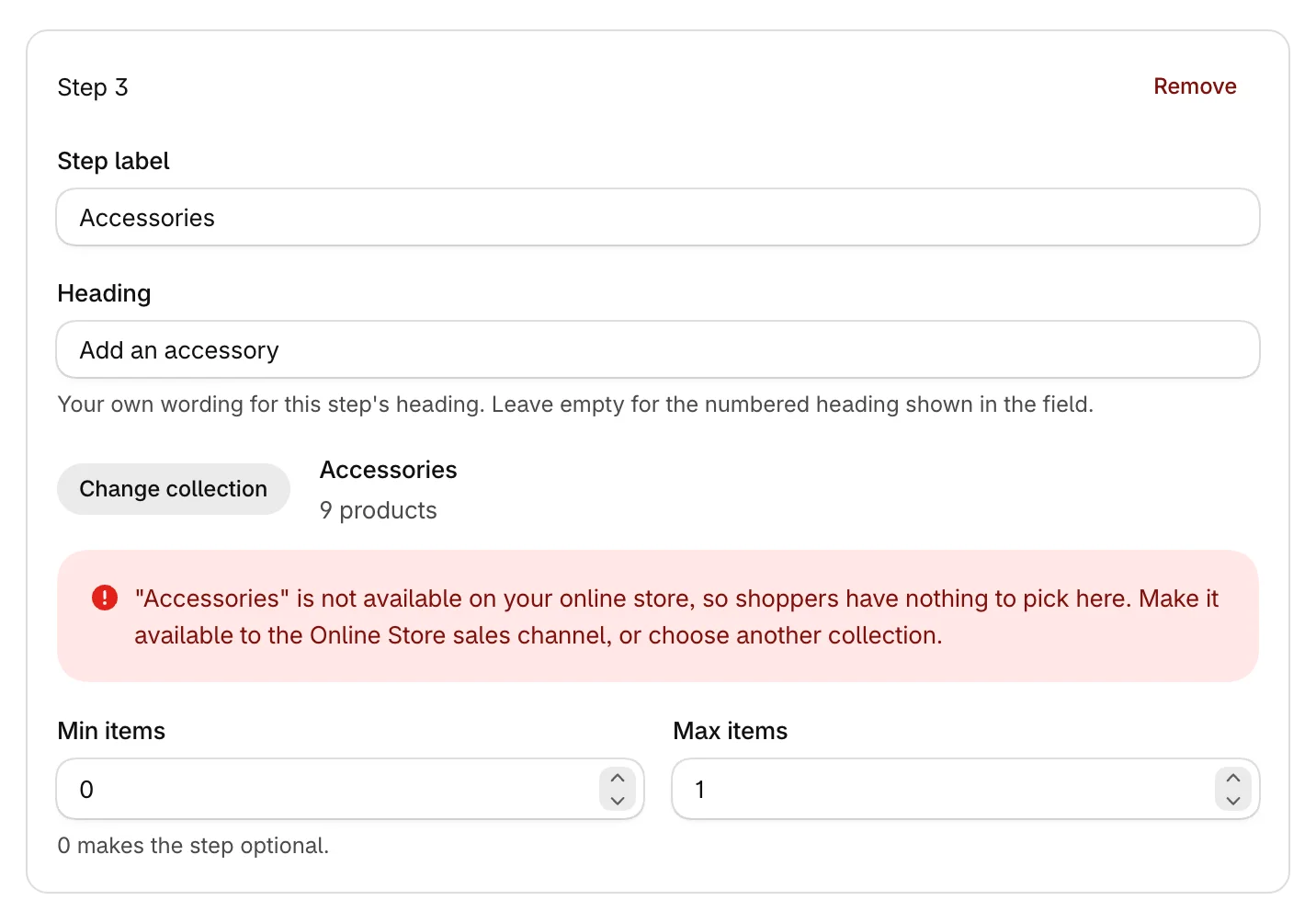
Open the bundle to see which step is affected and why. The step explains what happened to its collection:
Fix it
The warning names one of three causes:
- The collection isn't available on your online store. In Shopify admin, open the collection and make it available to the Online Store sales channel. Or click Change collection in the step and pick another.
- The collection has no products shoppers can see. Add products to it, or make its products available on the Online Store sales channel.
- The collection was deleted. Click Change collection and pick another. If you set up a redirect from the old collection's address, the step offers to use the collection it now points to.
Click Save after changing a step.
Was this helpful?
More in Troubleshooting
- Bundles don't show on my storeWork through these checks when a bundle or offer is missing from your storefront.
- The discount doesn't apply at checkoutFind out why a bundle's discount is missing at checkout, and how to restore it.
- Use the app with other apps and themesHow the app works alongside your theme, review apps, discount apps and cart apps.
- Common questions about Attravo BundlesQuick answers about discounts, themes, stock, plans and getting help.