The discount doesn't apply at checkout
Find out why a bundle's discount is missing at checkout, and how to restore it.
 Attravo TeamUpdated 1 min read
On this page
Bundle discounts are applied for the shopper at checkout. When one is missing, check these in order.
1. Look for a warning on the Bundles page
The Bundles page warns you when an active bundle's discount isn't working, and says why: for example, the discount was deleted in Shopify, or an end date set in Shopify has passed.
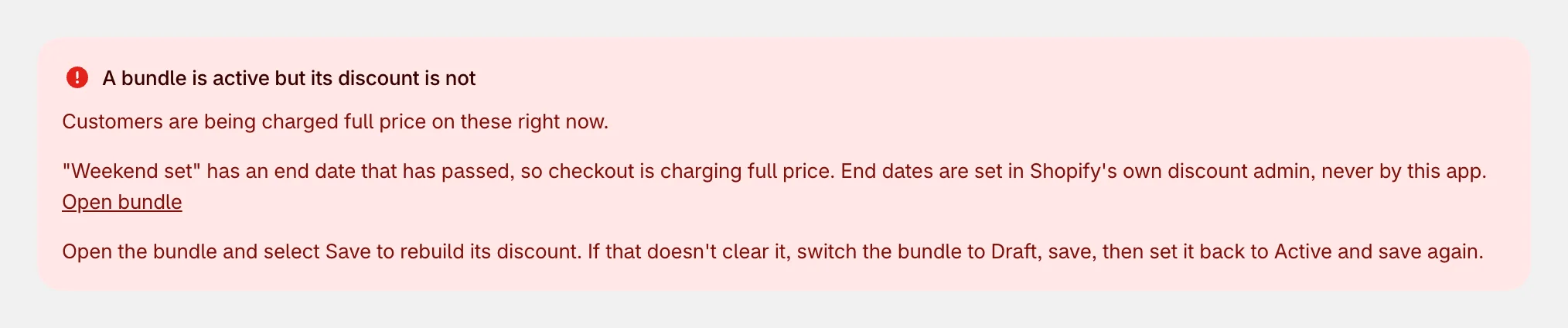
To fix it, open the bundle and click Save: the app rebuilds its discount. If that doesn't clear it, set Status to Draft and save, then set it back to Active and save again.
2. Check that the bundle is active
A bundle's discount is removed while it's a Draft or Archived. Set it to Active and save.
3. Check other discounts
A bundle's discount is exclusive by default. If the cart also has a discount code or another automatic discount, Shopify applies one of them. To let them stack, turn on Combine with other discounts in the bundle, and make sure the other discount allows combining too. See How bundle discounts work at checkout.
4. Check how the items were added
- Bundle discounts apply to items added through the bundle widget. Items added separately, such as from the product's own add to cart button, aren't part of the bundle.
- Quantity breaks apply when a cart line has enough units of the same product to reach a tier.
5. Check your cart app
If another app manages your cart and changes prices on the way through, set After adding a bundle to cart to Go straight to checkout under Settings > Appearance. See Change the add to cart button and wording.
Was this helpful?
More in Troubleshooting
- Bundles don't show on my storeWork through these checks when a bundle or offer is missing from your storefront.
- A bundle step shows no productsWhy a Mix & Match step can go empty, how the app warns you, and how to fix it.
- Use the app with other apps and themesHow the app works alongside your theme, review apps, discount apps and cart apps.
- Common questions about Attravo BundlesQuick answers about discounts, themes, stock, plans and getting help.