How bundles look on phones
What shoppers see on a phone, and the settings that shape it.
 Attravo TeamUpdated 1 min read
Most shoppers browse on their phones, so the bundle page is built for small screens first.
The bundle bar
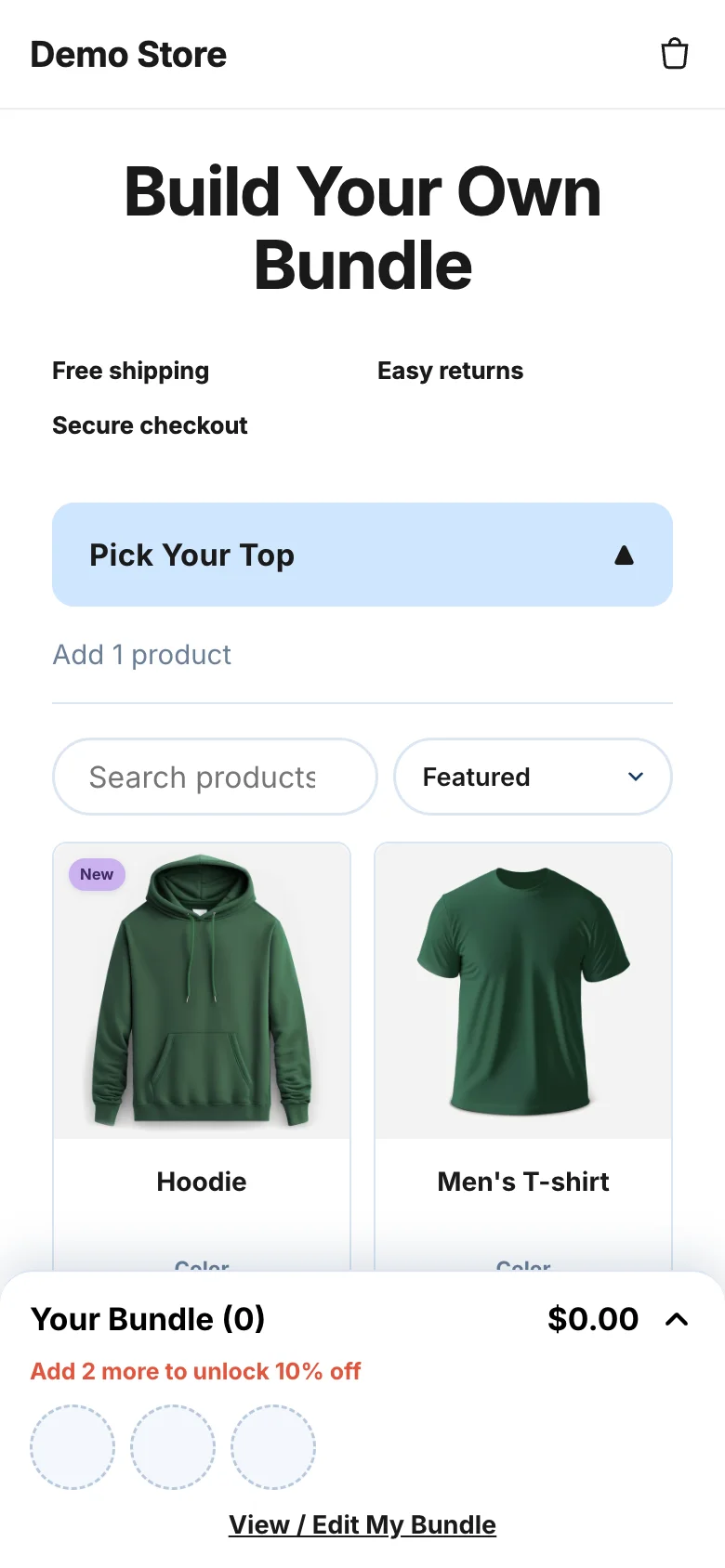
On a phone, the bundle summary docks to the bottom of the screen as a bar. It shows the items picked so far, the running total and the discount reached. Shoppers tap View / Edit My Bundle to open the summary and Hide My Bundle to close it. Once the bundle is complete, the bar shows the add to cart button.
To change the bar's wording, edit Mobile bar link and Mobile bar link when open under Settings > Appearance > Builder text.
Settings that shape the phone view
- Products per row on mobile, in the Bundle Page block: 1 or 2.
- Banner image (mobile), in the Bundle Page block: best at 1200 px wide, up to 1000 px tall.
- Auto-scroll trust points on mobile, in the Bundle Page block.
See Customize the bundle page for where to find them.
Preview a phone while you edit
In each bundle's editor, the Live preview shows the bundle on a phone as you edit it. For bundles without steps, switch between Phone and Computer.
Was this helpful?
More in Design
- Match the widget to your brandSet your brand colors, font and corner radius, and fine-tune the bundle builder's look.
- Change the add to cart button and wordingEdit the bundle builder's button, choose where it takes shoppers, and rewrite the words they see.
- Show badges and star ratings on product cardsTurn product tags into badges and show ratings from your review app on the bundle builder's product cards.
- Turn on the progress bar and discount popupShow shoppers how close they are to the next discount, and celebrate each one they unlock.