Turn on the progress bar and discount popup
Show shoppers how close they are to the next discount, and celebrate each one they unlock.
 Attravo TeamUpdated 1 min read
A progress bar shows shoppers how far they are from the next discount, which nudges them to add one more item.
Turn them on or off
- Go to Settings and open the Display tab.
- Under Display options:
- Show progress bar shows the discount progress in the bundle summary. It's on by default.
- Show a popup when a discount unlocks shows a short celebration each time a shopper reaches a new discount, with the next one to aim for. It's off by default and clears itself after about two seconds.
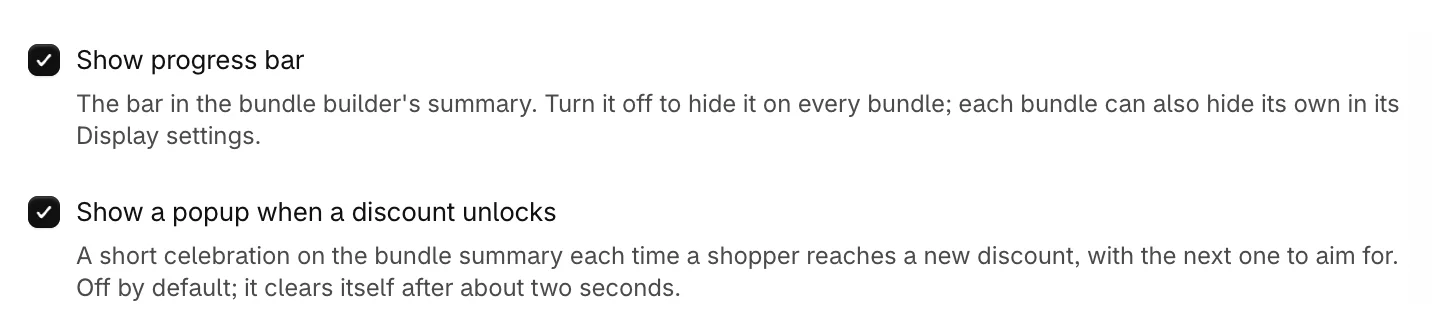
- Click Save.
Here is the popup as a shopper unlocks a discount:
Hide the progress bar on one bundle
Each bundle can hide its own progress bar. Open the bundle and, under Display settings, turn off Show progress bar. With Show progress bar off in Settings, it's hidden on every bundle.
Was this helpful?
More in Design
- Match the widget to your brandSet your brand colors, font and corner radius, and fine-tune the bundle builder's look.
- Change the add to cart button and wordingEdit the bundle builder's button, choose where it takes shoppers, and rewrite the words they see.
- Show badges and star ratings on product cardsTurn product tags into badges and show ratings from your review app on the bundle builder's product cards.
- Customize the bundle pageAdd a banner, heading and trust points to your bundle page, and set its layout.