Set up a fixed bundle
Sell a set of products together at a discount or at a set price, on product pages and your bundle page.
 Attravo TeamUpdated 1 min read
On this page
A fixed bundle sells a set of products together, like a starter kit or a gift set, at a discount or a set price. It raises your average order with products that go well together.
Create the bundle
- Go to Bundles and, under Create a new bundle, click Fixed bundle.

- Enter a Title and set Status to Active.
Add the products
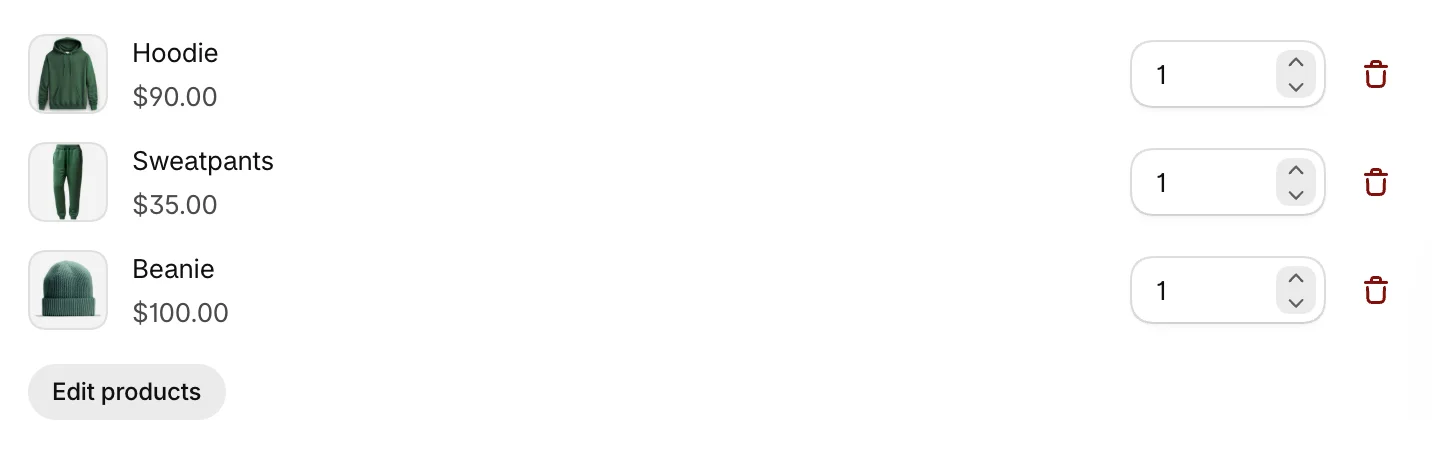
- Under Products, click Add products, pick the products and click Select.
- Set how many of each product the bundle includes.
Set the price
Choose a Discount type:
- Percentage off: enter the Discount, such as 15%.
- Fixed amount off: enter the amount taken off the bundle.
- Fixed price: enter the Bundle price, what the whole bundle costs.

To let this discount stack with your other discounts, see How bundle discounts work at checkout.
Choose how it looks
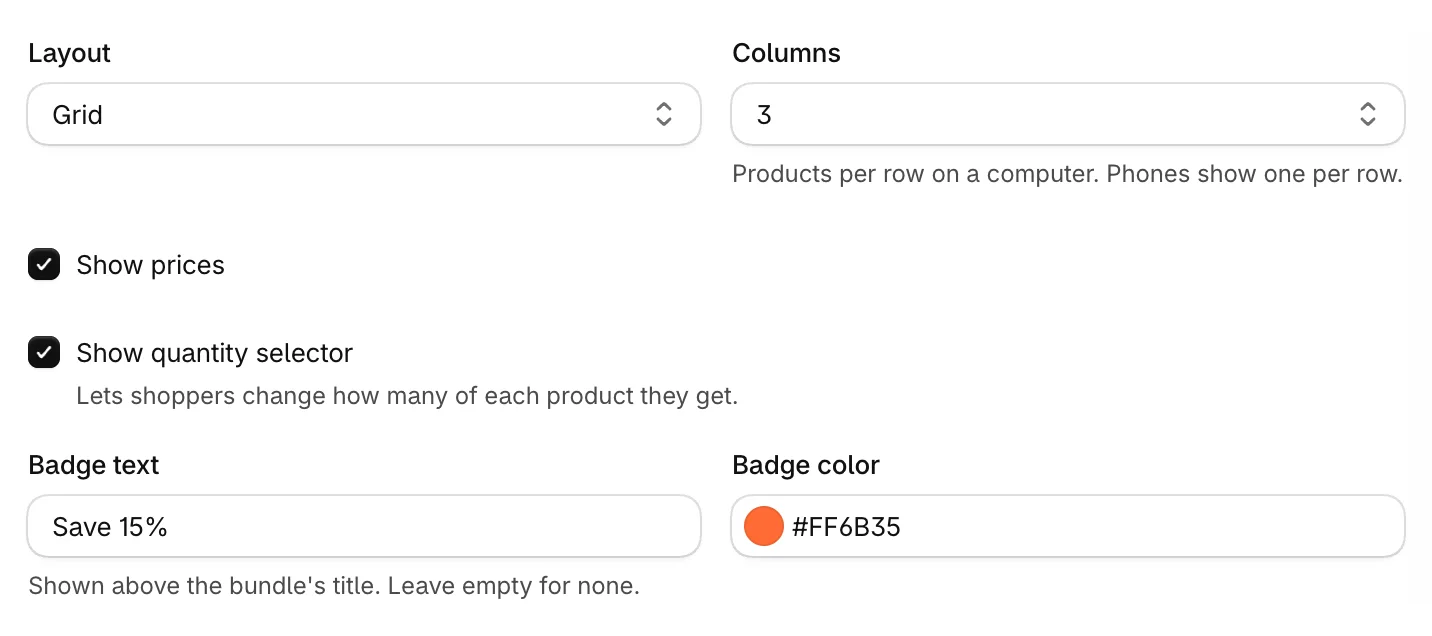
In Display settings:
- Layout: Grid or List.
- Columns: products per row on a computer, from 1 to 6.
- Show prices and Show quantity selector, which lets shoppers change how many of each product they get.
- Badge text and Badge color: a label above the bundle's title, such as Save 15%.
Save and show it
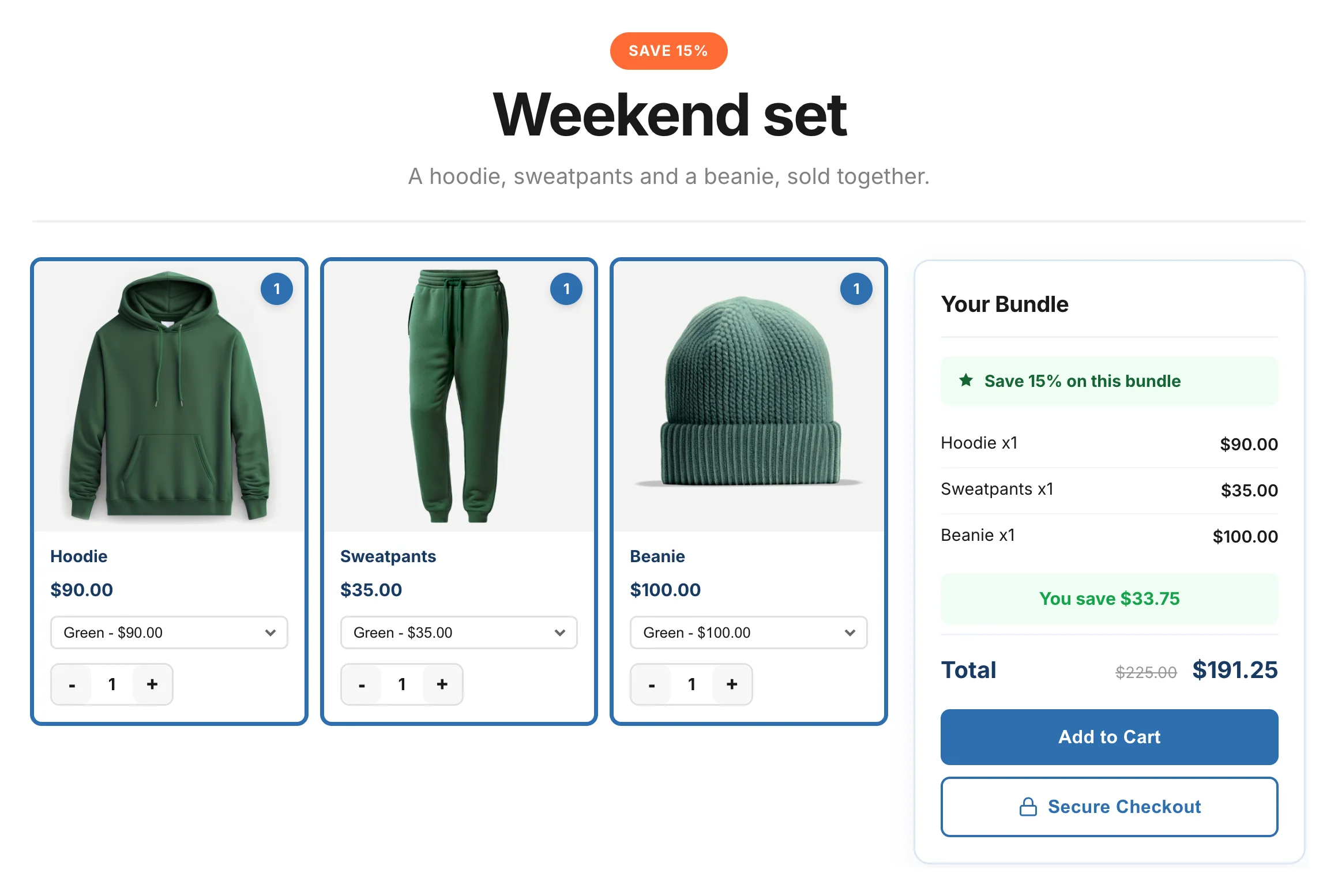
Click Save. Shoppers see the bundle on your bundle page and, with the PDP Bundle Box block, on product pages.
To choose which product pages show it, see Add bundles to product pages.
The bundle product in your catalog
When you save a fixed bundle as Active, the app adds a product for it to your Products list, with the product type Bundle. It isn't published to your sales channels: shoppers still buy the individual products. Its stock follows the product with the least stock, read from each product's first variant at your first location.
Was this helpful?
More in Bundles and offers
- Set up a Mix & Match bundleLet shoppers build their own bundle from your collections, step by step, and save more with every item.
- Set up quantity breaksOffer buy more, save more pricing on product cards and product pages, with pack tiles shoppers can pick.
- Set up a BOGO offerReward shoppers with a free or discounted item when they buy. BOGO offers are part of the Pro plan.
- Manage your bundlesFind, edit, pause and delete your bundles, and check how each one performs.