Install the app and turn on the app embed
Install Attravo Bundles, then switch on the app embed that loads your bundles on the storefront.
 Attravo TeamUpdated 1 min read
On this page
Attravo Bundles adds quantity breaks, ready-made bundles and a build-your-own bundle page to your store, so shoppers buy more in one order. Before any of them can show, the app embed has to be on in your theme.
Install the app
- Go to apps.shopify.com/attravo-bundles-volume-sale and click Install.
- Review the permissions Shopify shows, then click Install again.
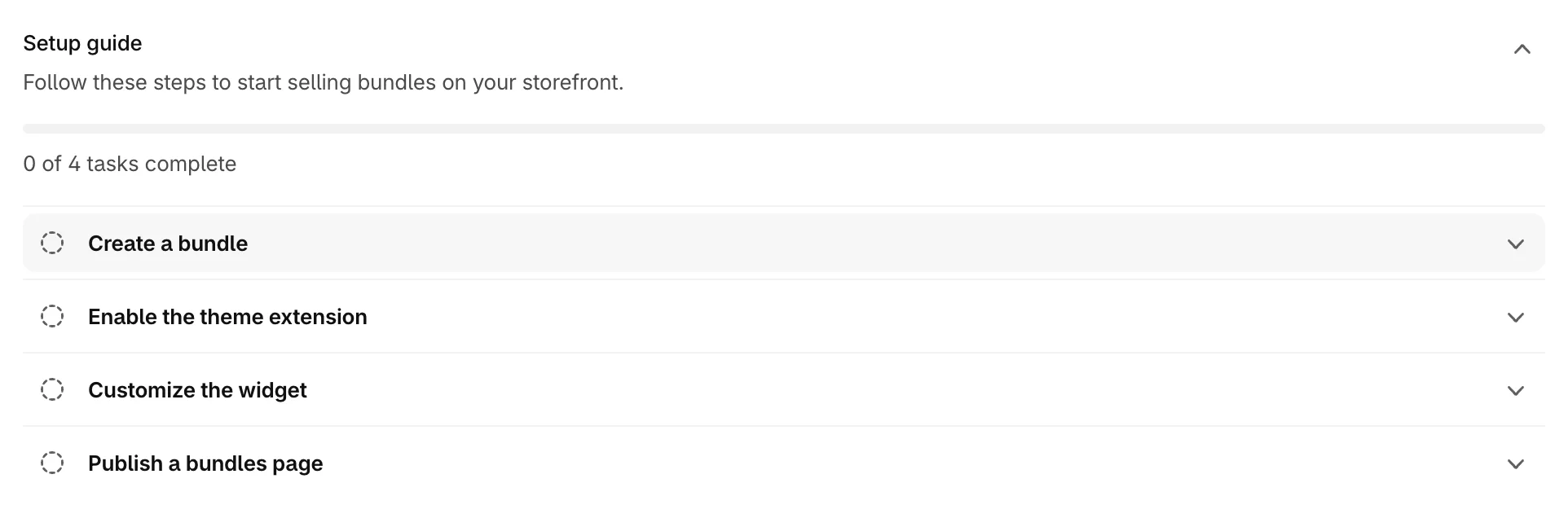
- The app opens on its Dashboard. The Setup guide at the top lists the four tasks that put bundles on your store.
Turn on the app embed
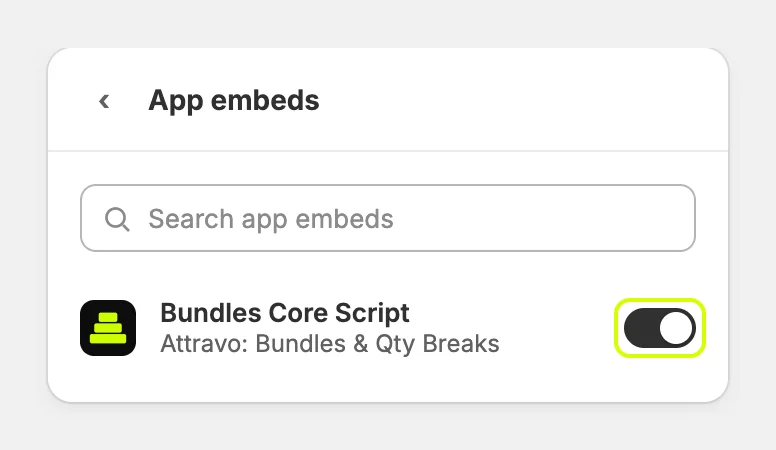
The app embed, Bundles Core Script, loads the bundle widget on your storefront. Bundle pages, bundles on product pages and offers on product cards all need it.
- In the Setup guide, open Enable the theme extension and click Open theme editor.

- The theme editor opens on App embeds. Check that Bundles Core Script is turned on.
- Click Save.

The task ticks itself once shoppers see a bundle on your store. To tick it now, click Mark as done in the task.
Next steps
Was this helpful?
More in Getting started
- Create your first bundleBuild a Mix & Match bundle with steps and a growing discount, and set it live in a few minutes.
- Publish a bundle pageGive your bundles a page of their own with the Bundle Page block, then link it from your menu.
- Add bundles to product pagesShow quantity break packs and bundles on product pages with the PDP Bundle Box block.