Choose a funnel template
Pick the funnel shape that fits your products, from a single offer to an upgrade after a yes.
 Attravo TeamUpdated 2 min read
On this page
Each template is a ready-made funnel shape with its wording written, so you start from something that works and only change the product and the details. Every template can be edited after it is created.
Start a funnel from a template
- Open Funnels and scroll to Start another funnel, or select Create funnel at the top.
- Select a template. Attravo creates the funnel, fills its steps with your products and opens it.
New funnels are created Inactive and placed at the top of the priority order. Check the products, then activate the funnel. See Create your first funnel.
The templates
| Template | What the customer sees |
|---|---|
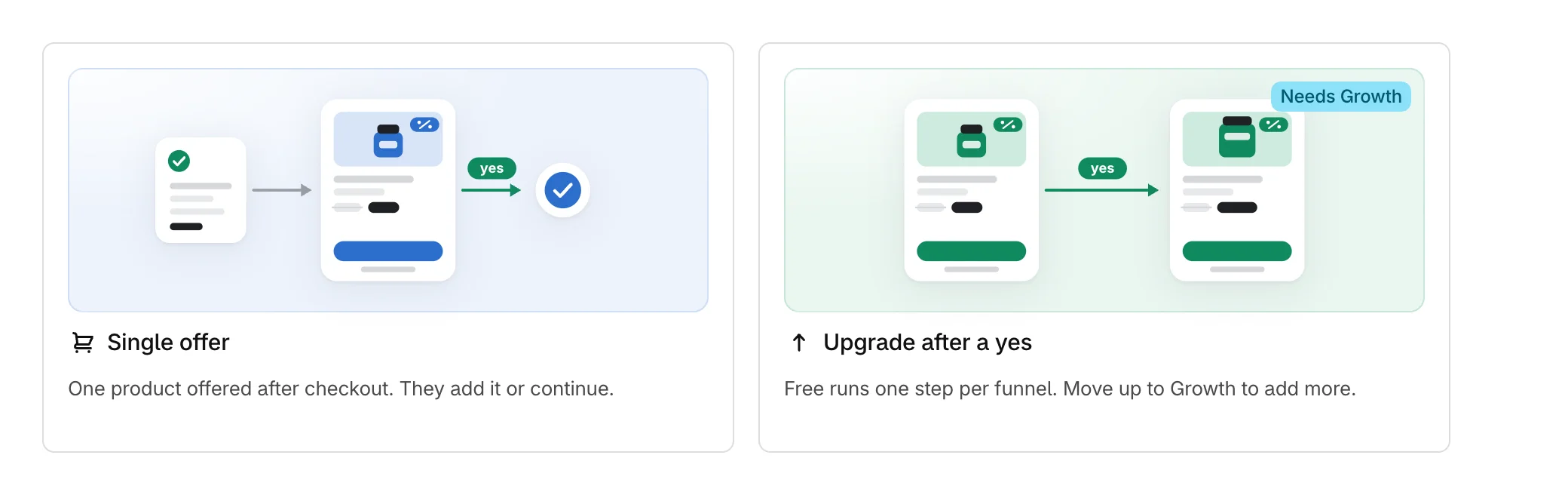
| Single offer | One product offered after checkout. They add it or continue. |
| Upgrade after a yes | One offer, then a larger one for anyone who accepts it. |
| Alternative after a no | One offer, then a lower-priced alternative for anyone who declines it. |
| Two independent offers | One offer, then a second, unrelated one whichever way they answer. |
| High-value order reward | One offer, shown only when the order total is above a threshold you set. |
| Complete the set | One offer for the piece that finishes what they just bought. |
| Buy more, save more | One offer for more of what they just bought, at a lower price each. |
| Limited-time offer | One offer on a countdown. It leaves the page when the time runs out. |
| Founder's message | One offer introduced by a message from your founder, with room for a video. |
| Offer feed | Several products on the post-purchase page, picked for each order. Customers add one with a tap. |
Templates choose from products you updated most recently. Complete the set and Buy more, save more do not pick the product the customer bought, so choose the right one yourself.
Settings > What you sell changes which templates are listed first. It does not change what you can use.
Templates your plan does not run
A template with more steps than your plan allows shows the plan that runs it, such as Needs Growth, and cannot be selected. On Free, every funnel has one step.
Start from scratch
Below the templates, Start from scratch creates a funnel with one step, the standard blocks and a 10% discount, using one of your products.

Was this helpful?
More in Funnels
- Manage your funnelsFind, switch on, duplicate and delete funnels from the Funnels list, and read what each row tells you.
- Choose which funnel runs firstSet the priority order that decides which funnel a customer sees when more than one could match.
- Build a multi-step funnelFollow a yes with an upgrade and a no with a cheaper offer, and see the whole path as a flow.
- Choose where a funnel runs and who sees itPick the pages a funnel appears on and the order totals it is shown for.