Turn on Core Script in your theme
Turn on the Core Script app embed so Attravo can confirm it is installed and read your theme's fonts and colours.
 Attravo TeamUpdated 1 min read
Core Script is Attravo's app embed. It lets Attravo confirm the app is switched on in the theme your customers see, and reports the fonts and colours that theme renders. It shows nothing on your storefront and does not change how offers look.
Turn it on
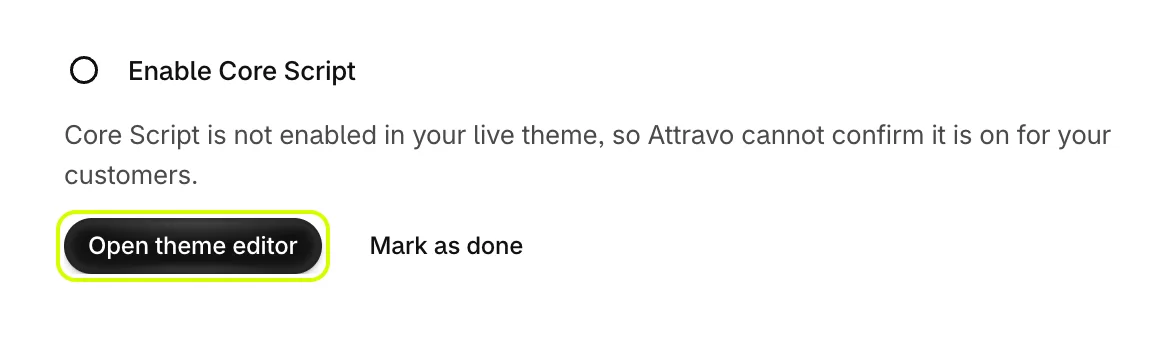
- On Home, under Enable Core Script, select Open theme editor. The theme editor opens on App embeds for your live theme.
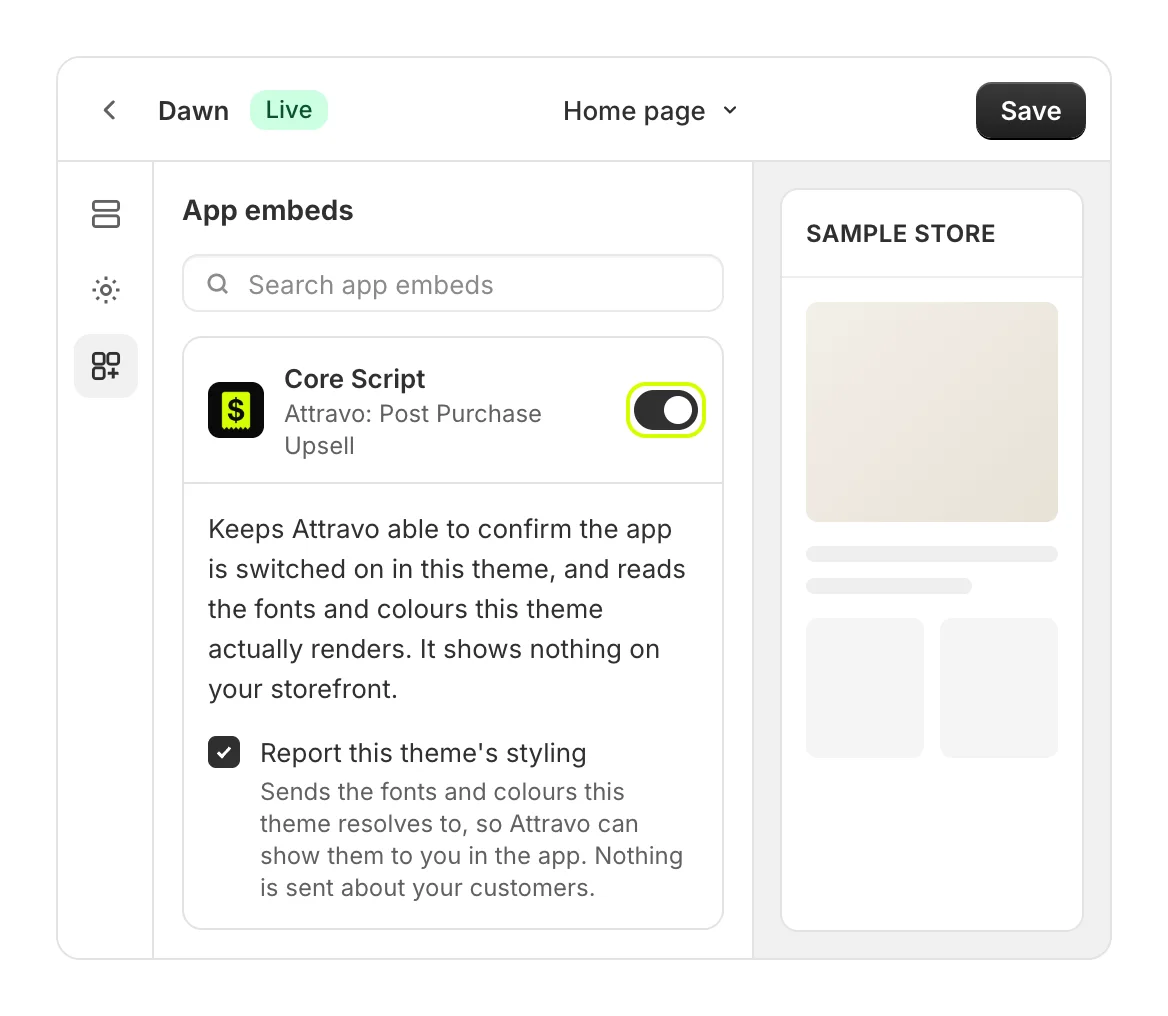
- Turn on Core Script, then select Save.
- Return to Attravo. Live status on Home now reads that Core Script is on in your live theme. If it still shows the old state, select Check again.

Report this theme's styling
Core Script has one setting, Report this theme's styling, on by default. It sends the fonts and colours your theme resolves to, so Settings can show them under Your theme. Nothing is sent about your customers.
If you turn it off, Settings stops showing when Core Script last ran.
Good to know
- Offers on checkout pages take their look from your checkout's branding, not from Core Script. See Match your store's look.
- Uninstalling Attravo removes Core Script from your themes.
Was this helpful?
More in Getting started
- Install AttravoInstall Post Purchase Upsell from the Shopify App Store and finish its one-page welcome.
- Finish the setup guideWork through the setup guide on Home until your first offer is live for customers.
- Create your first funnelPick a template, choose the product it offers, and activate your first funnel.
- Add the Upsell Offer block to your pagesPlace the Upsell Offer block on the thank you and order status pages so your funnels can show there.