Set up the post-purchase page
Turn on the one-click post-purchase page, shown between payment and the thank you page.
 Attravo TeamUpdated 1 min read
The post-purchase page appears after payment and before the thank you page. A customer adds your offer in one tap and their card is charged straight away, with no second checkout and nothing to type.
Before you start
Shopify only shows the post-purchase page when the customer paid with a card that can be charged again. Cash on delivery and payment methods that redirect to another site never see it. Those customers still see offers on the thank you and order status pages.
Turn it on
- Open your funnel, go to Targeting, and under Where it can appear tick Post-purchase page. Select Save.

- In your Shopify admin, go to Settings > Checkout, find Post-purchase page, choose Attravo: Post Purchase Upsell and save. On Home, Open checkout settings takes you there.
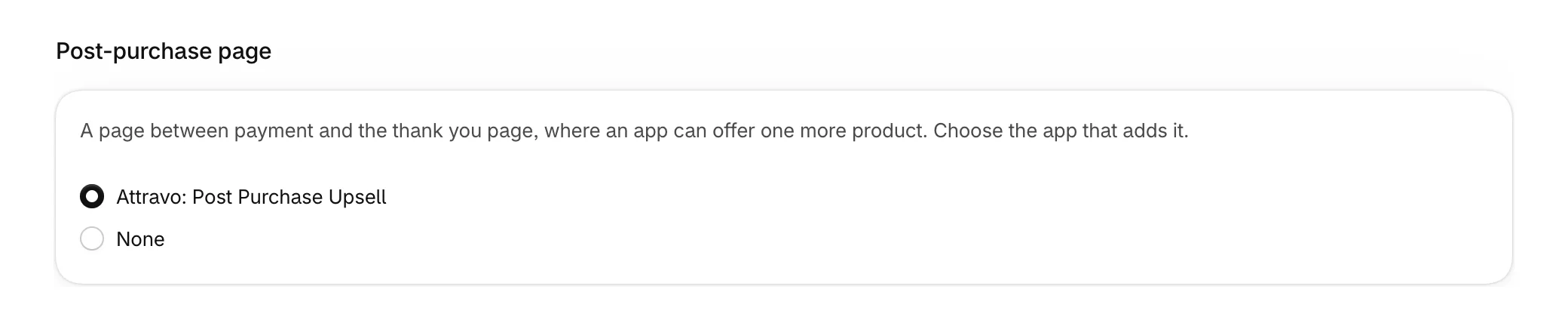
- Make sure the funnel is Live.
Check that it is working
On Home, under Checkout blocks, the Post-purchase page row reads Not seen yet until an order reaches the page. It turns Active after the first one, and stays Active for 30 days after the last.

What the page shows
- Your offer's heading, text and button labels around the product, its price and the saving. Other blocks show only on the order pages.
- Up to three offers in a row for one order.
- The first version of each step. A/B tests run on the other pages.
- A quantity of one.
If the funnel continues after the post-purchase page, the thank you page picks it up at the next step.
Was this helpful?
More in Getting started
- Install AttravoInstall Post Purchase Upsell from the Shopify App Store and finish its one-page welcome.
- Finish the setup guideWork through the setup guide on Home until your first offer is live for customers.
- Create your first funnelPick a template, choose the product it offers, and activate your first funnel.
- Turn on Core Script in your themeTurn on the Core Script app embed so Attravo can confirm it is installed and read your theme's fonts and colours.