Choose a plan
Compare Free, Growth, Scale and Enterprise, and see how included revenue works.
 Attravo TeamUpdated 2 min read
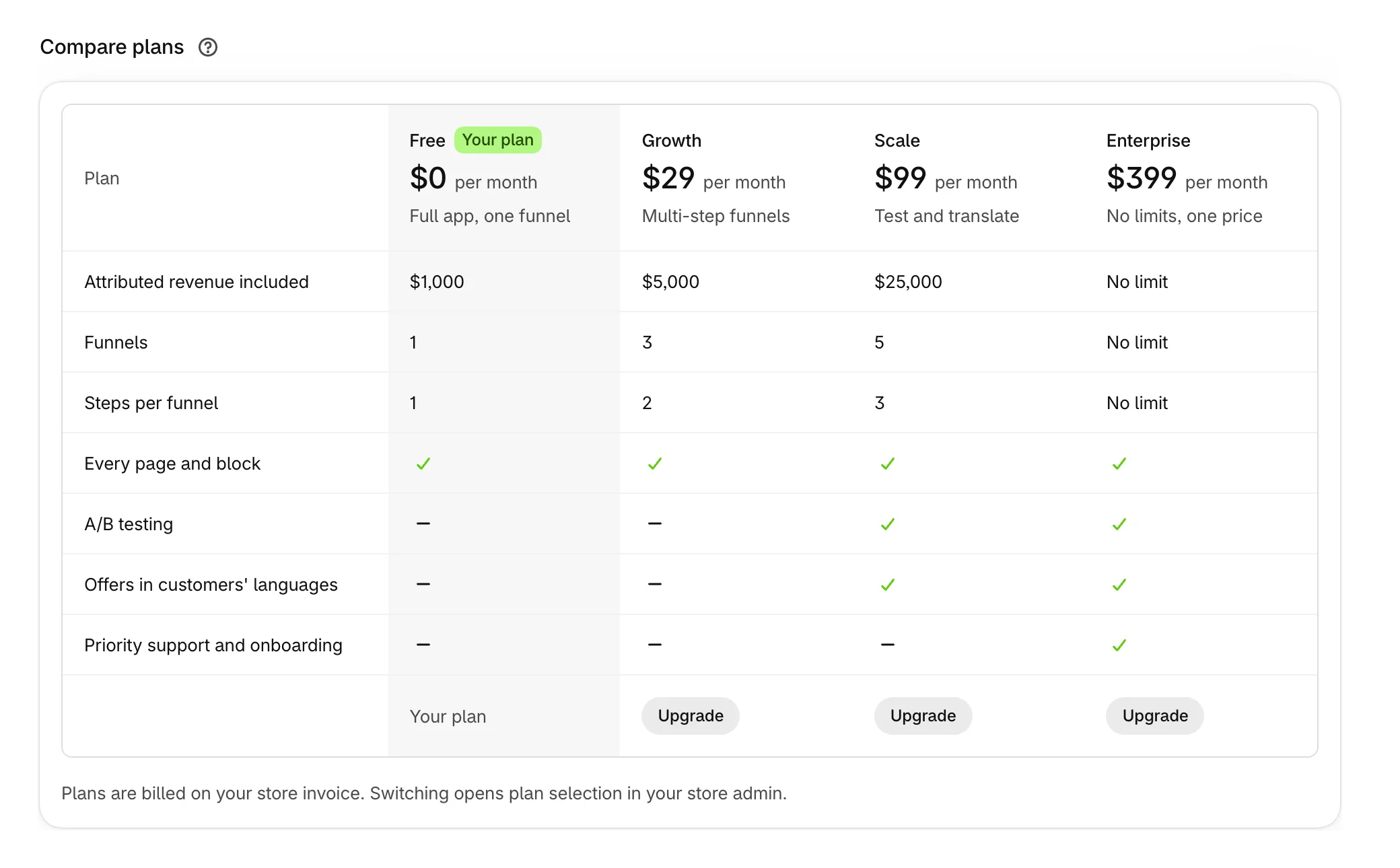
Every plan is one flat monthly price, with no share of what your offers earn. Plans differ in how much offer revenue they include each month, how many funnels and steps they run, and whether you can A/B test and translate.
The plans
| Free | Growth | Scale | Enterprise | |
|---|---|---|---|---|
| Price | Free | $29 / month | $99 / month | $399 / month |
| Attributed revenue included | $1,000 | $5,000 | $25,000 | No limit |
| Funnels | 1 | 3 | 5 | No limit |
| Steps per funnel | 1 | 2 | 3 | No limit |
| Every page and block | Yes | Yes | Yes | Yes |
| A/B testing | No | No | Yes | Yes |
| Offers in customers' languages | No | No | Yes | Yes |
| Priority support and onboarding | No | No | No | Yes |
All charges are billed in USD, on your Shopify invoice. Included revenue is set in US dollars too: if your store sells in another currency, your earnings are converted at the day's exchange rate to measure them against your plan.
See your plan in Attravo
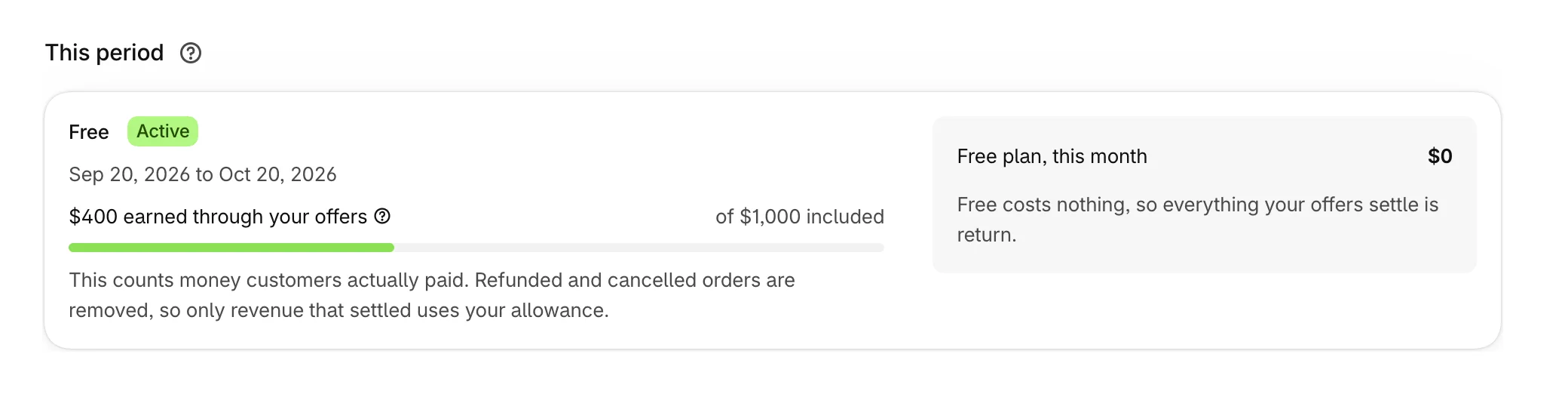
Open Plans. This period shows your plan, the dates of the current period, and how much of its included revenue your offers have earned. In a store that sells in another currency, both figures are in your store's currency with US dollars beside them, such as Rs.112K (US$400). Plan prices stay in US dollars.
Compare plans sets the four plans side by side, with your plan marked.
What included revenue means
Included revenue is the money your offers earn in a period, counted the same way as Earned on Performance: only what customers paid for, with refunds and cancellations taken out. Your ordinary store revenue never counts.
Your period starts on the day you installed Attravo, not on the first of the month. When the period's included revenue is used up, offers pause until the next period or a bigger plan. You are never charged extra. See When offers pause at your plan's included revenue.
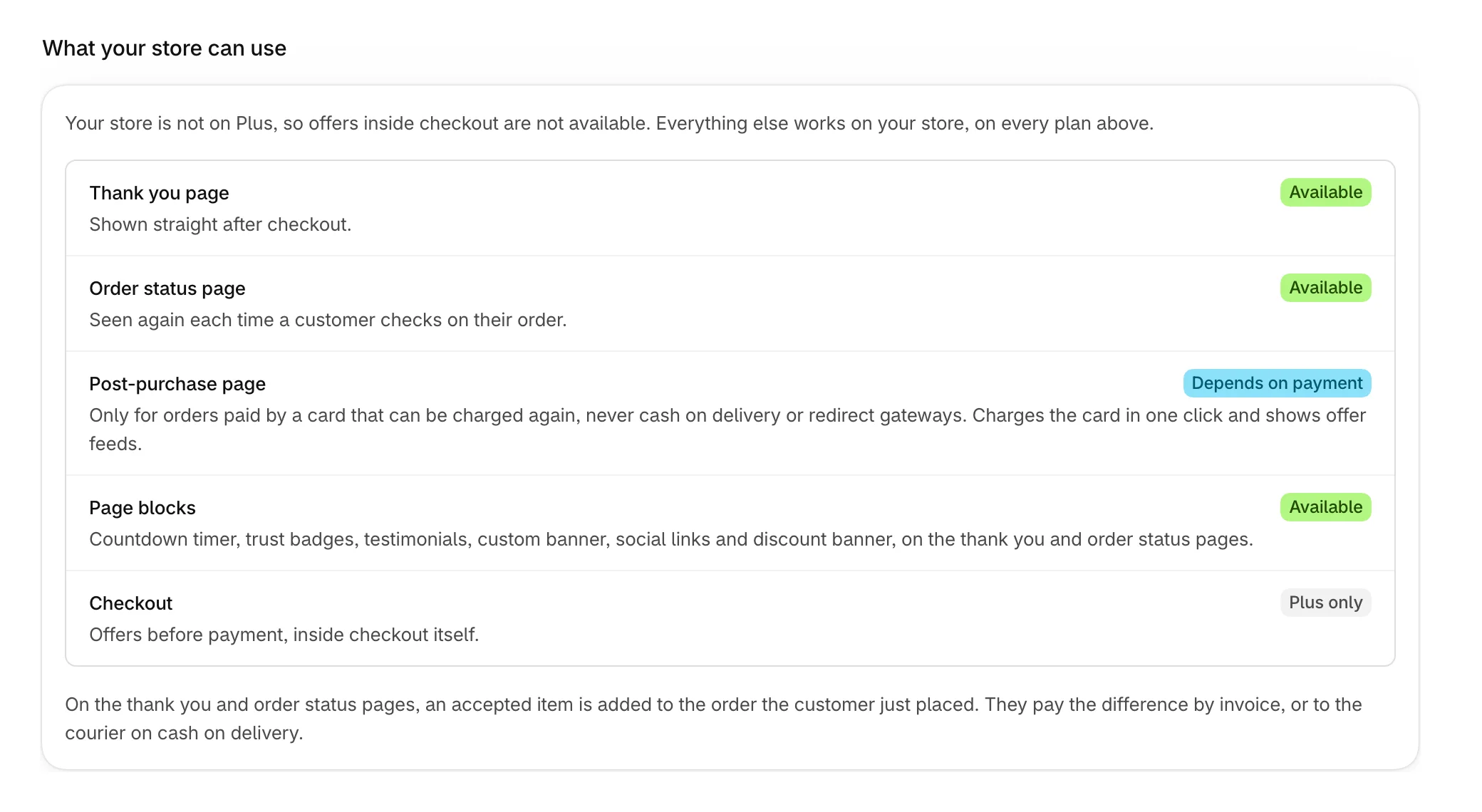
What your store can use
Stores not on Shopify Plus see What your store can use on Plans. Checkout offers need Plus, and the post-purchase page depends on how customers pay. Everything else works on every plan.
To move to another plan, see Change or cancel your plan.
Was this helpful?
More in Plans and billing
- Change or cancel your planMove to another plan from Attravo, see what a smaller plan would switch off, or cancel.
- When offers pause at your plan's included revenueWhat happens when your offers earn more than your plan includes, and how to start them again.
- Uninstall AttravoWhat uninstalling removes, what stays on your orders, and how to keep your funnels instead.