Offers don't show on my store
Work through the checks that decide whether a customer sees an offer, starting with Live status on Home.
 Attravo TeamUpdated 2 min read
On this page
When an offer does not appear, one of a few checks has stopped it. Live status on Home names most of them, so start there and work down this list.
1. Read Live status on Home
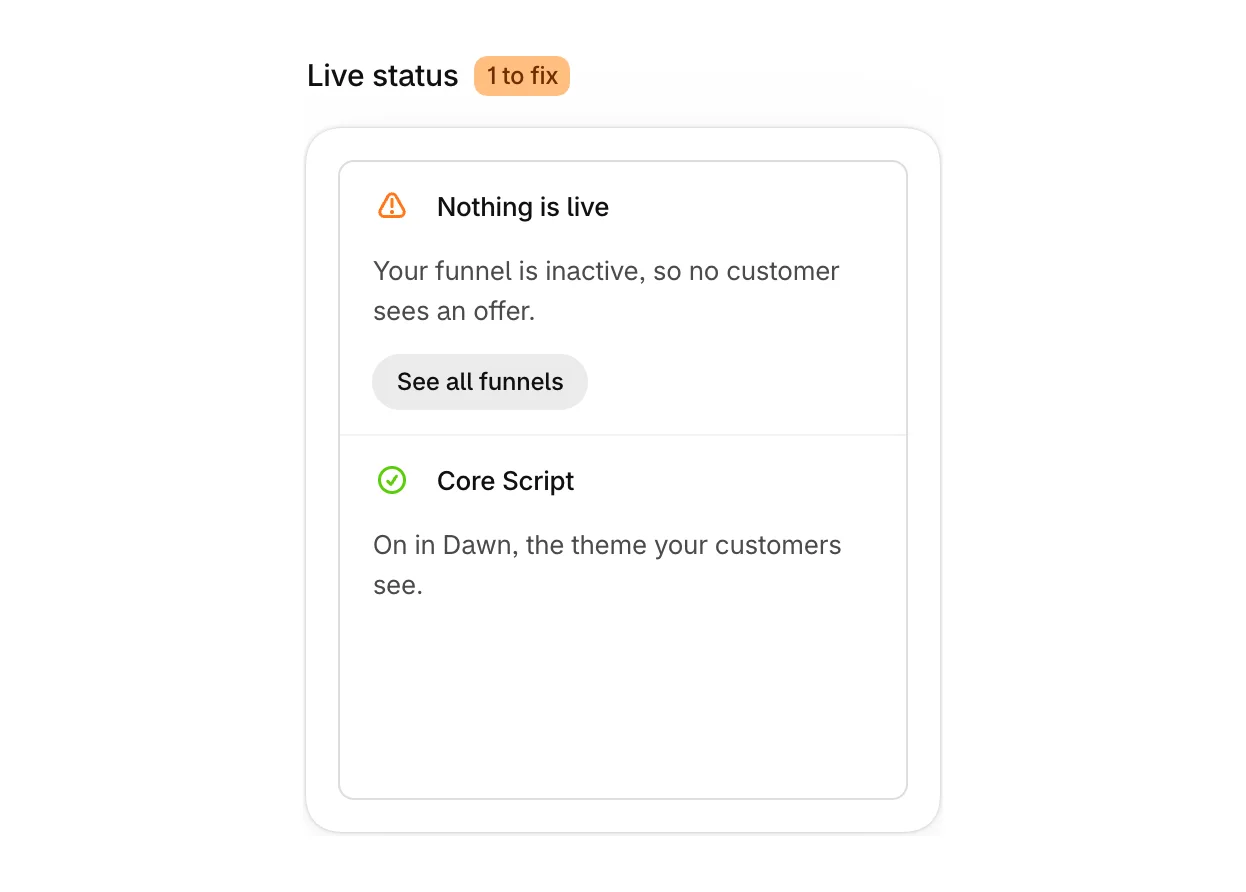
Live status lists what is stopping your offers, each with a button to fix it.
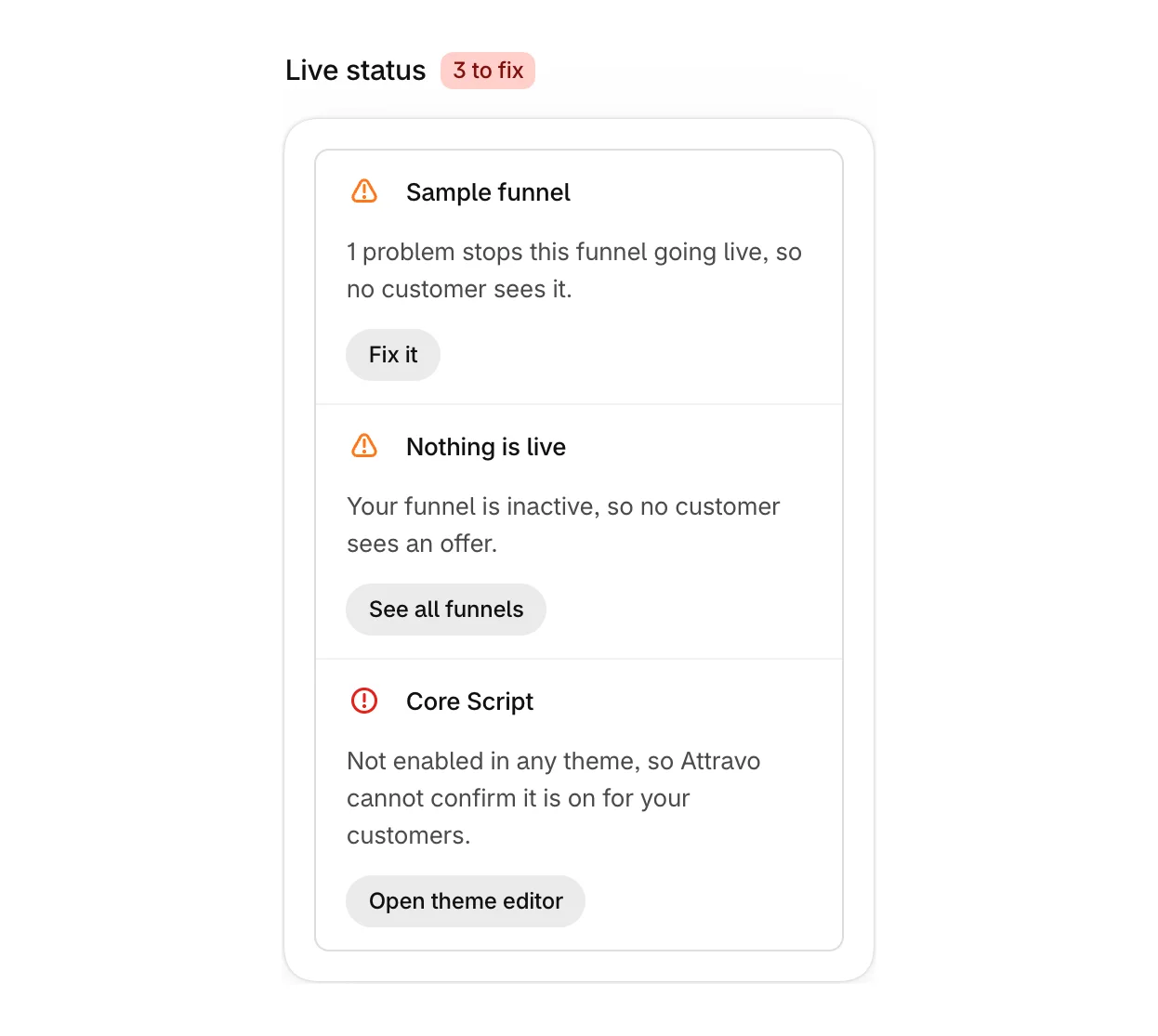
- Problems stop this funnel going live: select Fix it to open the funnel and see them.
- Nothing is live: every funnel is inactive. Select See all funnels and switch one on.
2. Check the block is on the page
The thank you, order status and checkout pages need the Upsell Offer block. On Home, open Checkout blocks and check the page shows it Active.
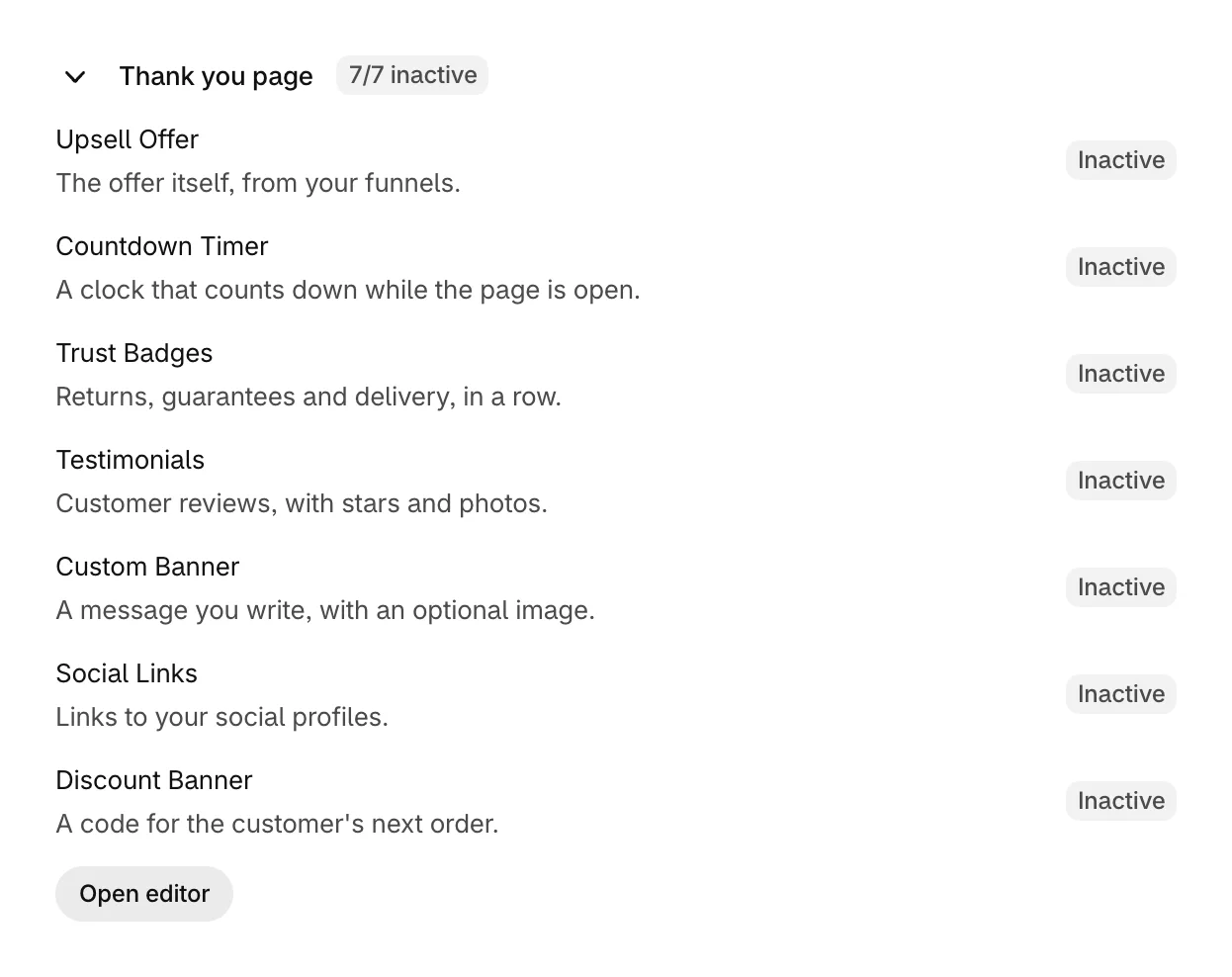
Select Open editor to place it. See Add the Upsell Offer block to your pages.
3. Check your plan has not paused offers
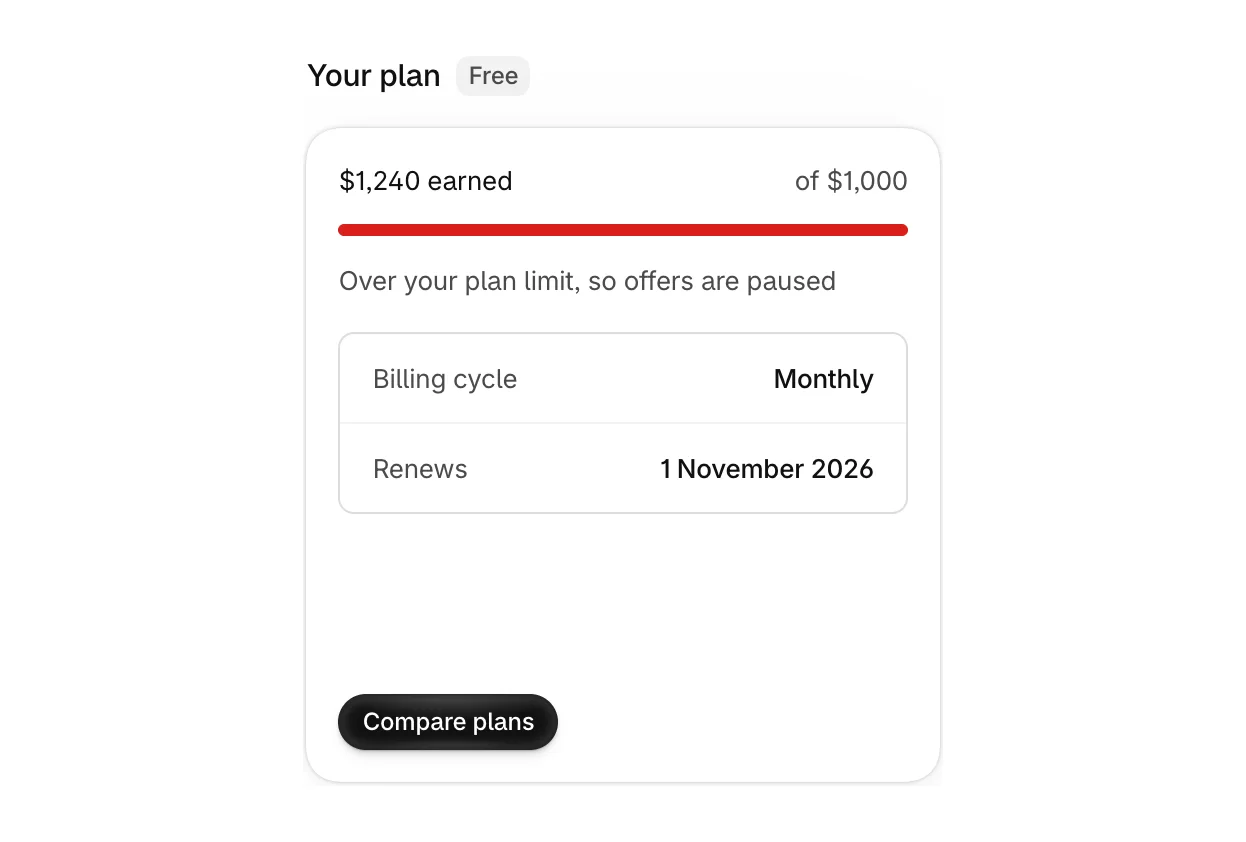
If your offers earned more than your plan includes this period, Your plan on Home says they are paused. See When offers pause at your plan's included revenue.
Funnels past your plan's funnel limit show Paused, funnel limit reached on the Funnels list.
4. Check the funnel matches the order
- The page is ticked under Targeting > Where it can appear.
- The order total is within the funnel's minimum and maximum.
- A funnel higher in the priority order is not taking the page. Each page shows one funnel, the first that matches. See Choose which funnel runs first.
5. Check the order itself
- Already answered. A funnel never shows twice on the same order. Test with a new order.
- Cancelled or fully fulfilled. Attravo cannot add to these orders, so it does not offer.
- Still being paid. Right after checkout, an order can take a few seconds to be ready. The thank you page waits briefly, and the order status page offers once it is.
6. Check the offer can be shown
- Every step needs a product, and the product must still exist.
- A step with no Product block, such as an Offer feed step, is skipped on the thank you and order status pages.
If the first matching funnel cannot show its offer, the page shows nothing, even when a lower funnel could.
7. Check your storefront password
If your online store has a password, offers on the thank you and order status pages cannot load until it is removed. Opening Attravo once after installing helps offers find the app.
Still stuck? Email support@attravo.io with the order number and the page you expected the offer on.
Was this helpful?
More in Troubleshooting
- The post-purchase page doesn't appearThe reasons Shopify skips the post-purchase page, and how to check each one.
- A customer's accept didn't go throughWhat the customer sees when an accepted offer cannot be added, why it happens, and what to do.
- Other apps and themesHow Attravo works alongside your theme and other checkout and post-purchase apps.
- Common questions about Post Purchase UpsellQuick answers about pricing, payments, cash on delivery, customer data, testing and support.