A discount code won't apply
Why a shopper's code can be refused alongside the cart's offers and rewards, and the settings that let it through.
 Attravo TeamUpdated 1 min read
When a shopper's code is refused in the cart, the message says why. A code that does not exist, has not started or has ended is refused by your store. If the code is fine but still refused, the app's own discounts are usually in the way.
Why it happens
An order line can carry one product discount. Cross-sell offers, free gifts and quantity breaks are all product discounts on their lines. If every line in the cart already has one, a code that discounts products has nowhere to go, and checkout refuses it with a message that it cannot be combined.
A cart with at least one line the app has not discounted takes the code on that line.
Let codes through
- On Cart settings, open Quantity breaks.
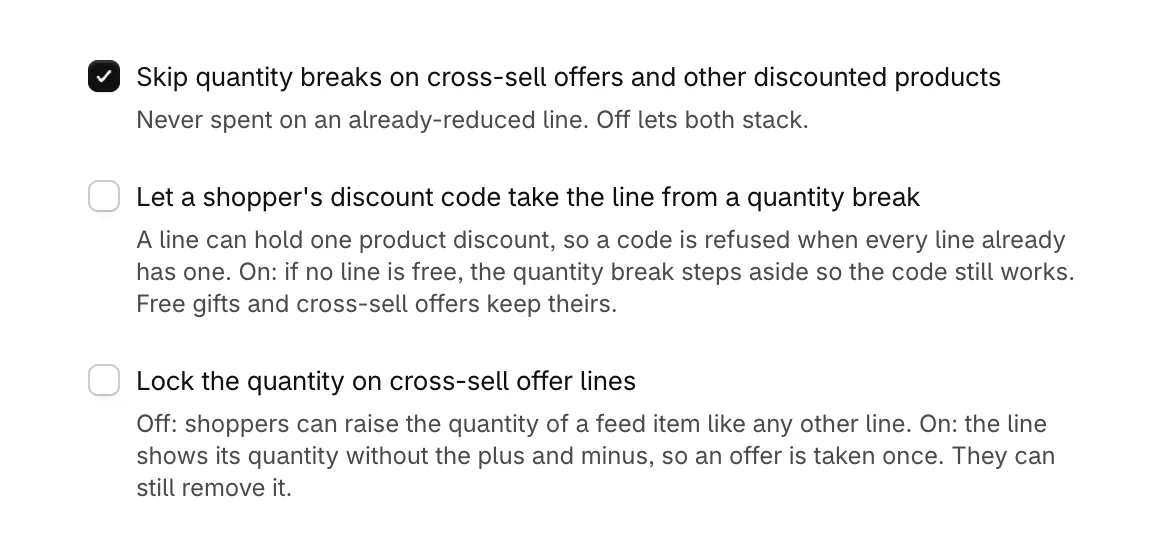
- Turn on Let a shopper's discount code take the line from a quantity break. When a code would otherwise be refused, the quantity break steps aside so the code works. Free gifts and cross-sell offers keep their discounts.
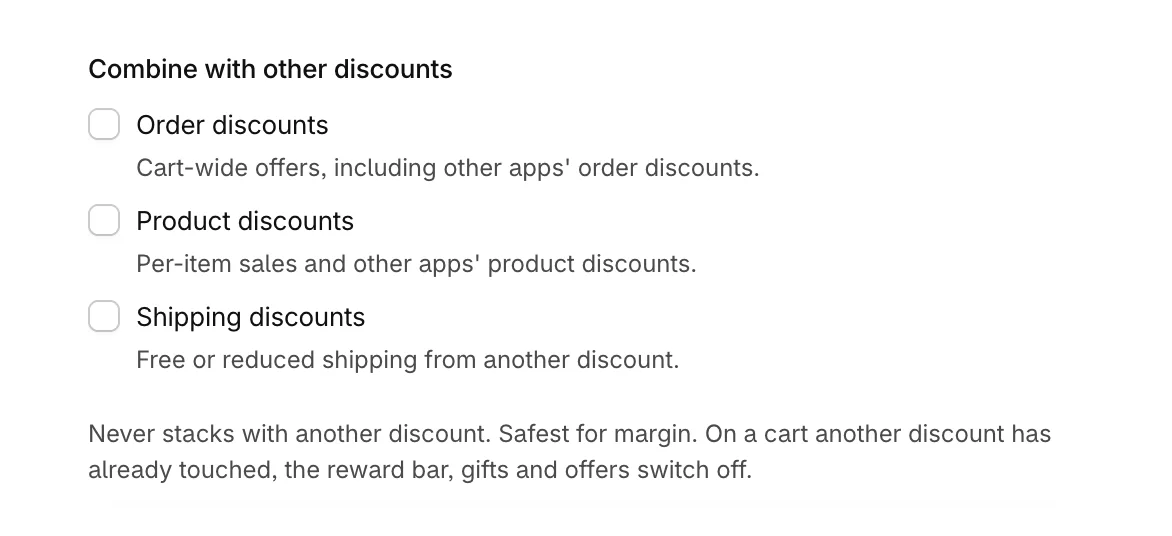
- Under Combine with other discounts, tick the types of discount the app's discounts may stack with. Your code must also be set to combine with product discounts, in Discounts in your Shopify admin.
- Select Save, then try the code on a test cart.
When a code turns off the cart's rewards
With nothing ticked under Combine with other discounts, a cart that already has a discount from elsewhere turns off the reward bar, gifts and offers, so the cart never promises what checkout would not give. Ticking the code's discount type lets both work together.
Was this helpful?
More in Troubleshooting
- The cart doesn't show on my storeWork through the usual reasons the new cart is not appearing, from the app embed to a draft theme or a cached page.
- What the warnings on Cart settings meanEach note Cart settings can show at the top of the page, what causes it, and how to clear it.
- Use the cart with other apps and themesHow the cart takes over your theme's cart, works with other apps' add-to-cart buttons and discounts, and what to do when two carts open.
- Work with the cart in your theme codeFor theme developers: open the cart from your own buttons, keep counts in step, and style it safely.