Upgrade, downgrade or cancel
Move to Pro, back to Free, or stop paying, and what changes for your cart each way.
 Attravo TeamUpdated 1 min read
You can change plans any time from Plans in the app. Charges go through your Shopify bill, like any other app.
Upgrade to Pro
- Open Plans and select Upgrade to Pro. The Upgrade to Pro button in the Free plan note on Cart settings goes to the same place.

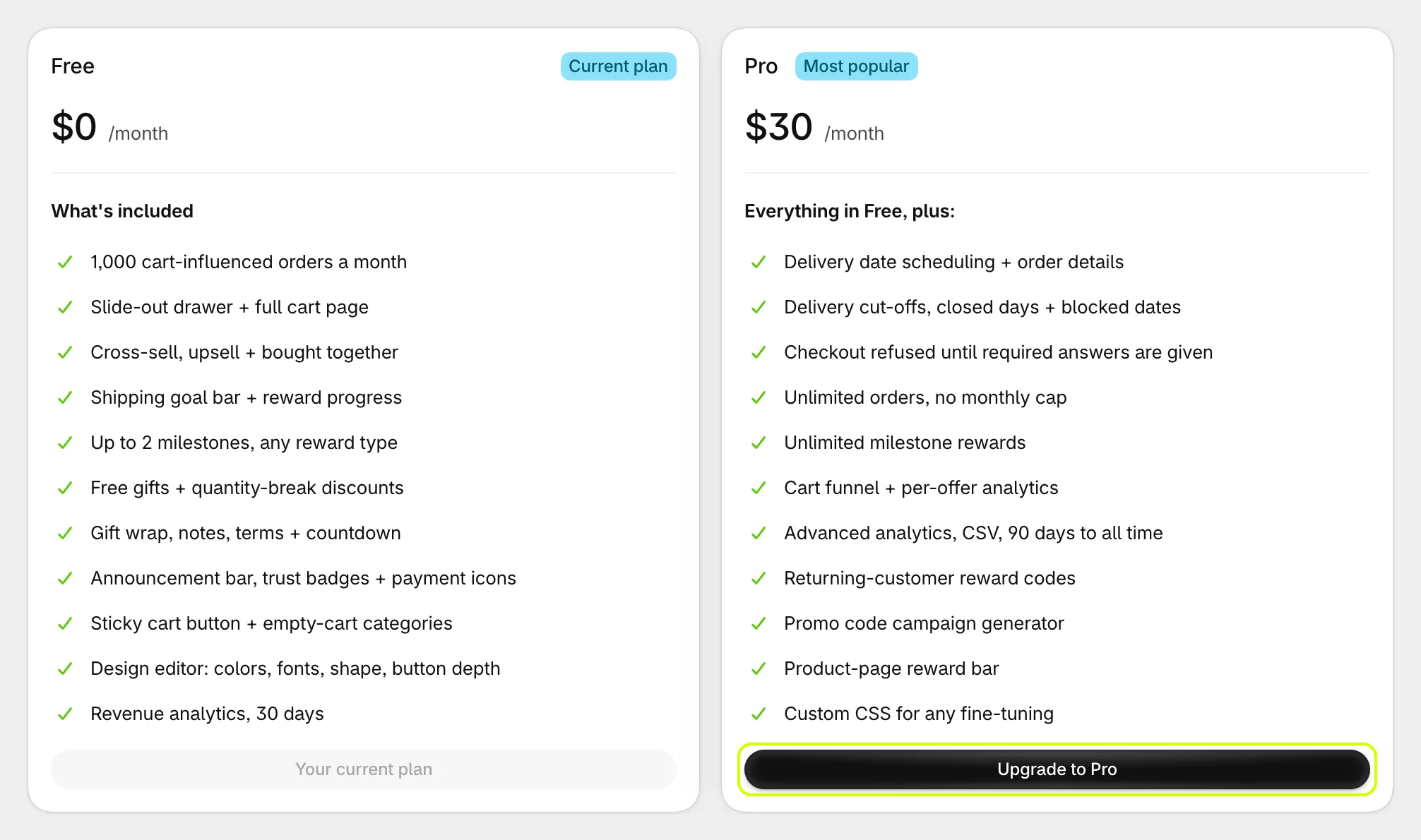
- Approve the charge on the page that opens.
- You are back in the app on Pro, and every Pro section is unlocked.

Pro is charged as soon as you approve it. There is no trial.
Move back to Free
- Open Plans and select Switch to Free.
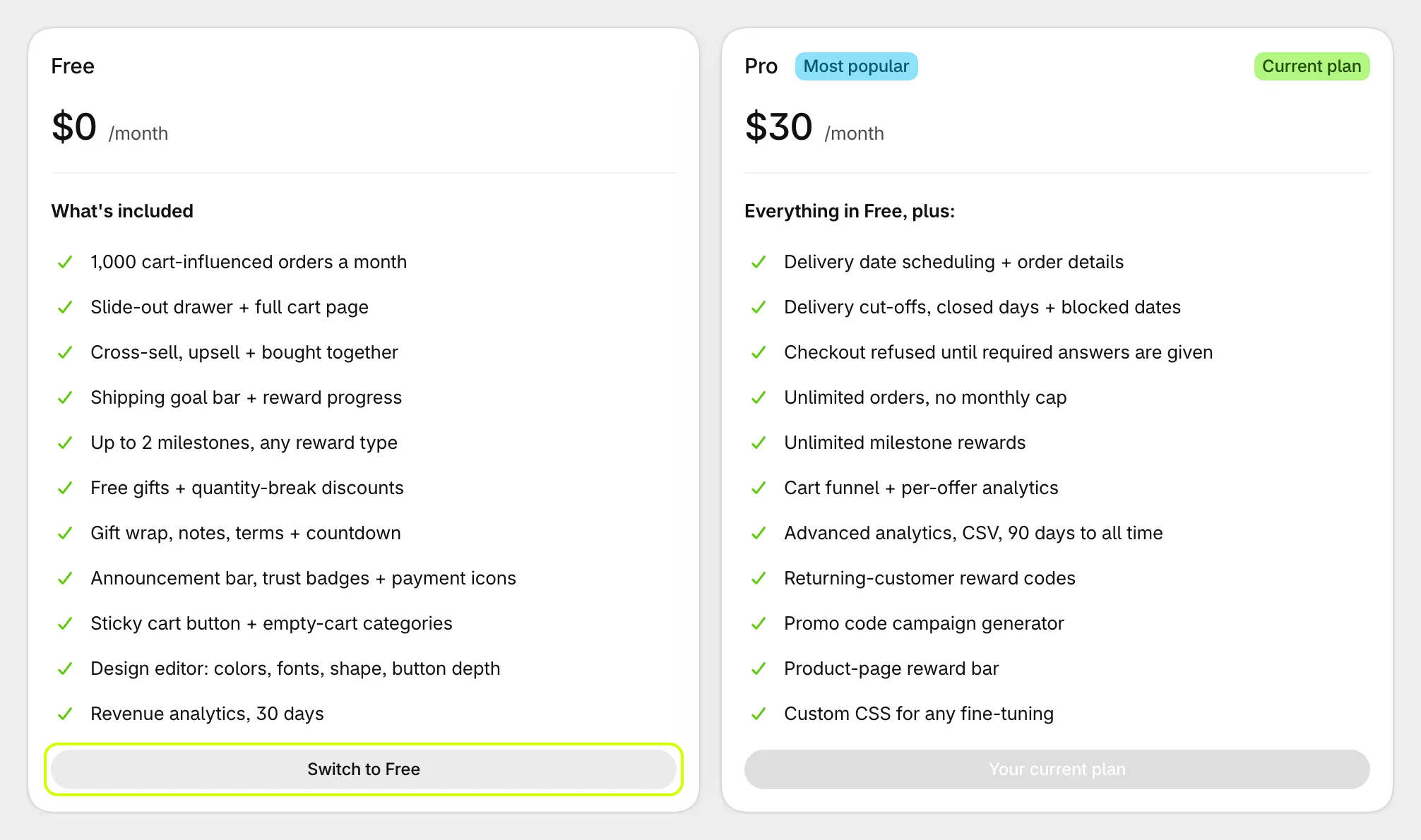
- Read what changes, then select Switch to Free to confirm, or Keep Pro.
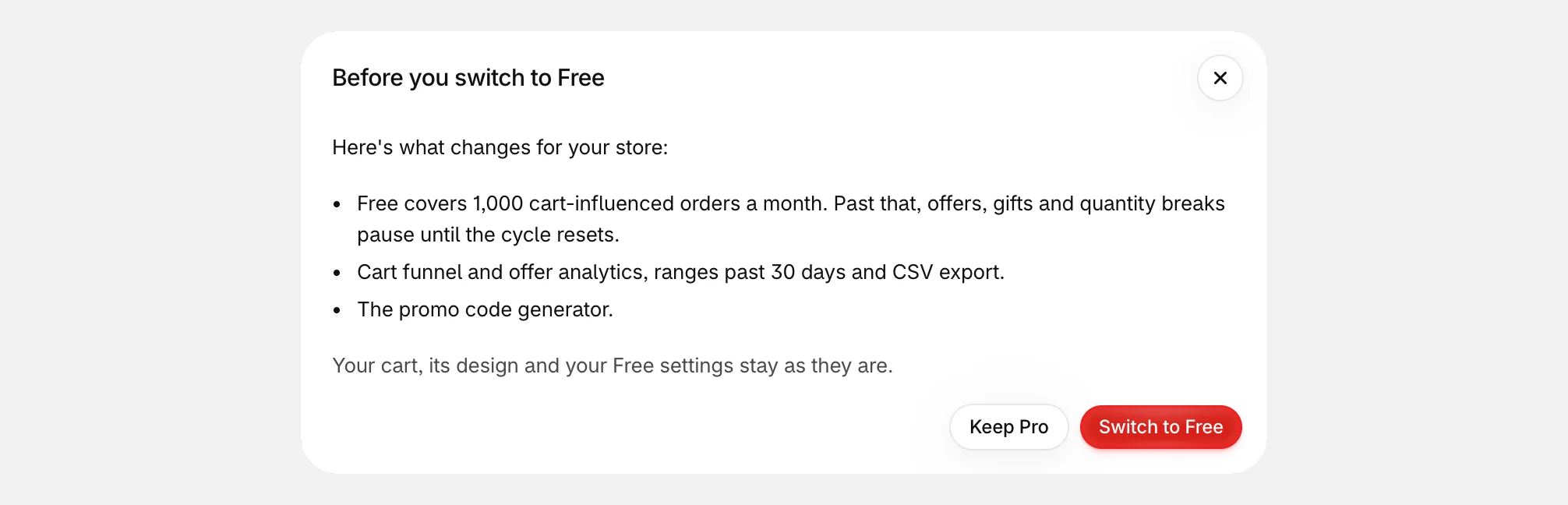
When you move to Free:
- Pro-only settings stop and are cleared: order questions switch off, reward goals past the first two are dropped, and the product-page bar and custom CSS turn off.
- The cart funnel, offer performance, ranges past 30 days, the CSV export and the promo code generator are locked.
- Your cart, its design and your Free settings stay as they are, and the 1,000-order monthly allowance applies.
Stop paying altogether
Moving to Free stops Pro's charge and keeps your cart running. To remove the app entirely, see Uninstall Cart Drawer Upsell.
Was this helpful?
More in Plans and billing
- Choose a planWhat Free and Pro include, what each costs, and how to see which features need Pro.
- How the Free plan's 1,000 orders workWhich orders count toward Free's 1,000 a month, where to see the count, and what happens if you pass it.
- Uninstall Cart Drawer UpsellWhat uninstalling removes, what stays on your orders and in your store, and how to keep the cart without paying.