The cart doesn't show on my store
Work through the usual reasons the new cart is not appearing, from the app embed to a draft theme or a cached page.
 Attravo TeamUpdated 1 min read
On this page
If shoppers still see your theme's cart, or nothing opens when they add a product, check these in order.
1. Is the app embed on in your live theme?
Look at the top of Cart settings. Active in theme means the cart is on. Not in theme means it is off in the theme your shoppers see.

Select the badge to open the theme editor, turn on Cart Drawer under App embeds, and select Save.
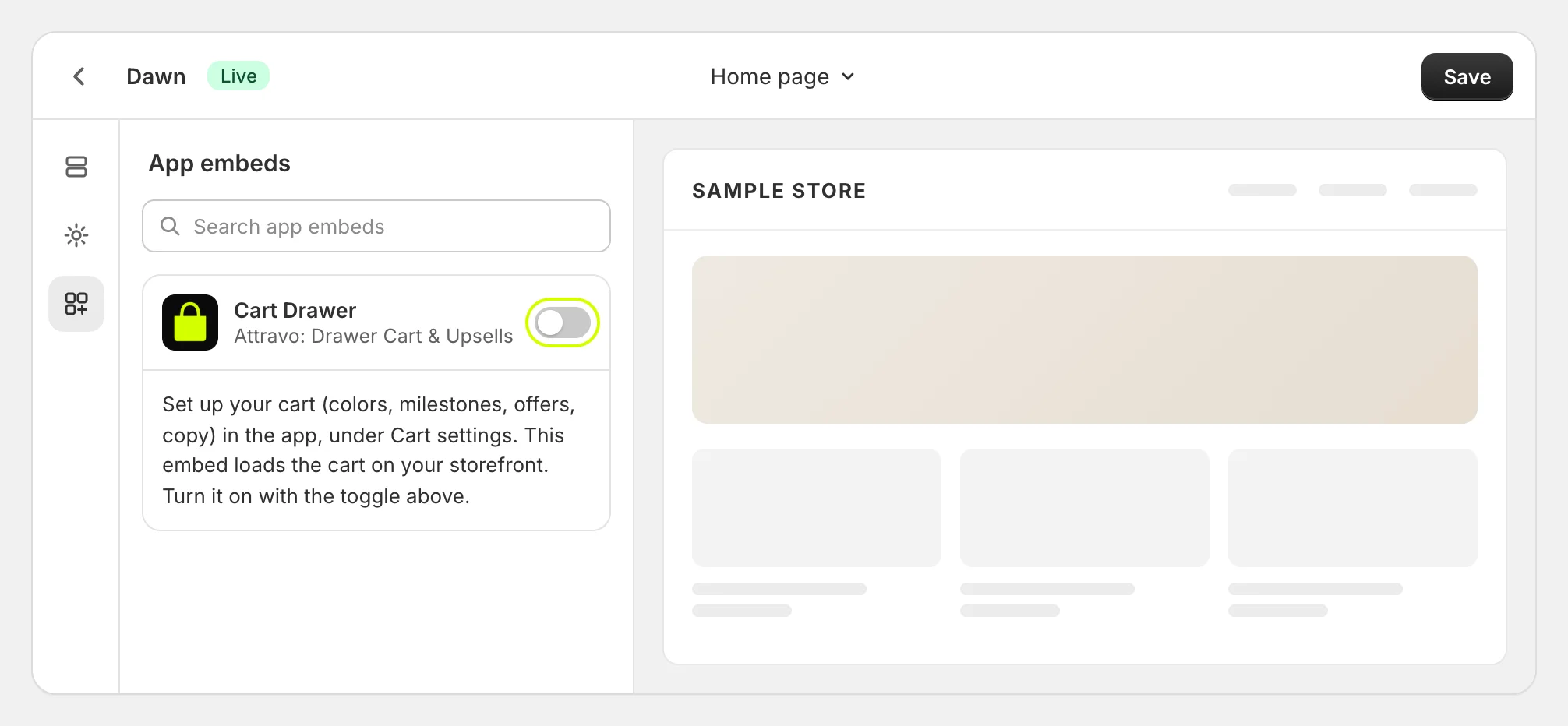
While the embed is off, Cart settings also shows this note, with a button that opens the theme editor:

2. Did you turn it on in a different theme?
If the embed is on in a theme you have not published, Cart settings says so. Shoppers get the new cart once you publish that theme.

3. Have you saved your settings?
Changes reach your store only after you select Save in the bar at the top of the admin. Check that the bar has gone.
4. Is the page cached?
Reload your store with the cache cleared, or open it in a private window. If you use a page speed app that delays scripts, add the cart's script to its exceptions.
5. Does your theme open its own cart first?
The cart takes over your theme's cart icon, cart links and add-to-cart buttons. A theme or app that opens its own drawer in an unusual way can get there first. See Use the cart with other apps and themes.
Still not showing?
Email support@attravo.io with your store's address and the page where it does not show, and we will look.
Was this helpful?
More in Troubleshooting
- What the warnings on Cart settings meanEach note Cart settings can show at the top of the page, what causes it, and how to clear it.
- A discount code won't applyWhy a shopper's code can be refused alongside the cart's offers and rewards, and the settings that let it through.
- Use the cart with other apps and themesHow the cart takes over your theme's cart, works with other apps' add-to-cart buttons and discounts, and what to do when two carts open.
- Work with the cart in your theme codeFor theme developers: open the cart from your own buttons, keep counts in step, and style it safely.