What the warnings on Cart settings mean
Each note Cart settings can show at the top of the page, what causes it, and how to clear it.
 Attravo TeamUpdated 2 min read
On this page
- Your cart is not on your live theme
- Your cart is set up on a draft theme
- This store has not granted the app all its permissions
- A gift product needs attention
- This app's automatic discount is not in place
- Required fields are not being enforced at checkout
- On a cart that already has a discount from elsewhere
Cart settings checks your store every time you open it, and says so at the top of the page when something needs you. Each note has a close button; closing one hides it for a day, and it comes back if the problem is still there.
Your cart is not on your live theme
The Cart Drawer app embed is off in the theme shoppers see, so they get your theme's cart and the app's discount is paused. Select Turn it on, switch on Cart Drawer in App embeds and save.

Your cart is set up on a draft theme
The embed is on in a theme you have not published. Shoppers get the new cart once you publish that theme. Until then, you can place test orders from the draft and rewards apply to them.

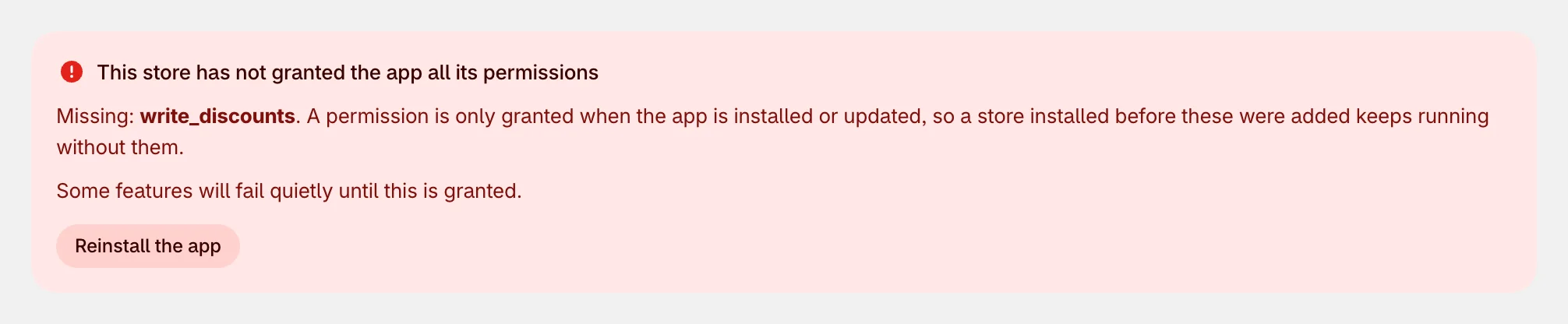
This store has not granted the app all its permissions
The app was installed before it needed a permission it now uses, so some features fail quietly. The note names what is missing. Select Reinstall the app and approve the request.
A gift product needs attention
A gift in Milestone rewards or Free gifts points to a product the cart cannot add: it cannot be found, it is not on your Online Store, or it is out of stock. The note names the gift and the reason. Fix the product, or pick another one, and save.

This app's automatic discount is not in place
The discount the app creates in your store, which applies its offers, gifts and rewards at checkout, is missing or could not be created. Shoppers would see offers in the cart but pay full price. Select Save on Cart settings to put it back, then check Discounts in your Shopify admin for the app's automatic discount.

Required fields are not being enforced at checkout
Refuse checkout until required fields are answered is on, but the checkout rule that enforces it is not set up in your store, so an order can still be placed without the answers. The cart still asks for them and still holds back its own checkout button. The note gives the reason it could not be set up.

On a cart that already has a discount from elsewhere
Shown under Milestone rewards: with nothing ticked under Combine with other discounts, a cart another discount has already touched turns off the reward bar, gifts and offers. See Set up quantity breaks.

Was this helpful?
More in Troubleshooting
- The cart doesn't show on my storeWork through the usual reasons the new cart is not appearing, from the app embed to a draft theme or a cached page.
- A discount code won't applyWhy a shopper's code can be refused alongside the cart's offers and rewards, and the settings that let it through.
- Use the cart with other apps and themesHow the cart takes over your theme's cart, works with other apps' add-to-cart buttons and discounts, and what to do when two carts open.
- Work with the cart in your theme codeFor theme developers: open the cart from your own buttons, keep counts in step, and style it safely.