Add more reward goals
Stack goals on the reward bar, such as free shipping first and a free gift after it, or a percent or amount off the order.
 Attravo TeamUpdated 1 min read
On this page
A second goal gives a shopper who has already earned free shipping a reason to add one more thing. The bar shows every goal as a marker along it, placed by its amount, so a goal at half the last one sits in the middle.
Add a goal
- On Cart settings, open Milestone rewards and select Add milestone.
- Set Unlock at cart total higher than the goal before it.
- Under Reward, choose what it gives:
- Free gift: a product added free once the cart reaches the amount. Select Browse beside Free gift product to pick it, or type its handle. Use a real product that is active and in stock.
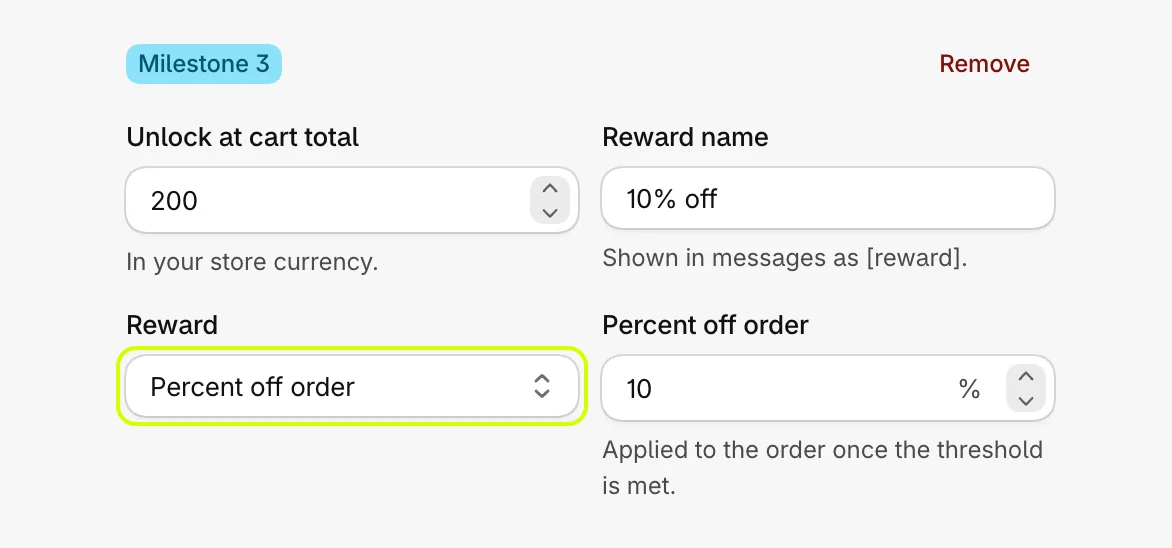
- Percent off order: set the percent.
- Amount off order: set the amount, in your store's currency.
- Free shipping: see Set up the free shipping bar.
- Set Reward name. For a free gift it is the name shoppers read in the message, where
[reward]appears.
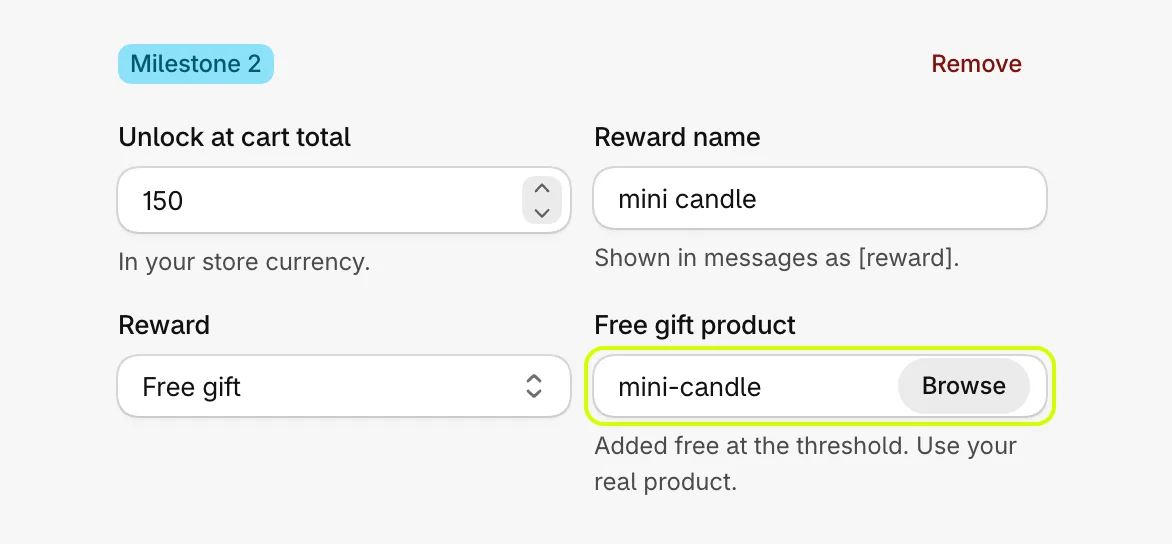
- Select Save.
A percent or amount off works the same way, with the value beside it:
What shoppers see
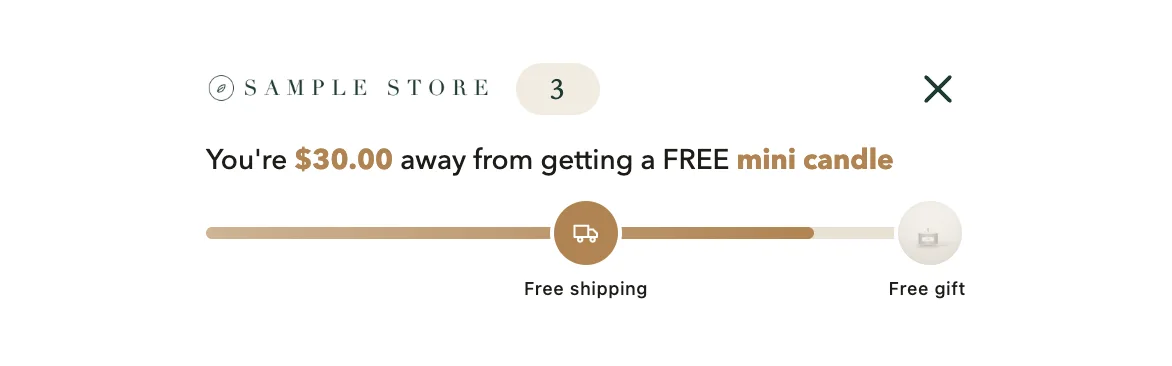
With free shipping earned, the message moves on to the next goal:
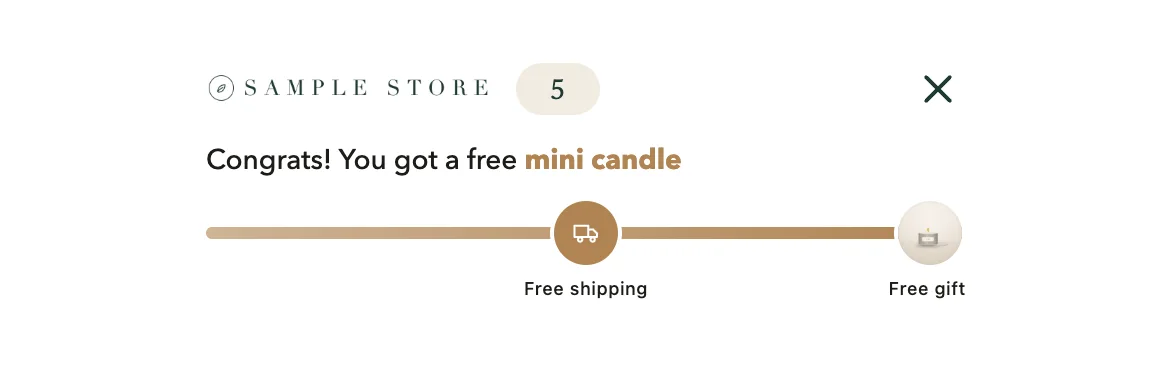
When the last goal is reached, the bar reads the unlocked message and a free gift appears in the cart as its own line, marked Free gift:

If the cart drops back below a goal, its reward comes off again.
How many goals
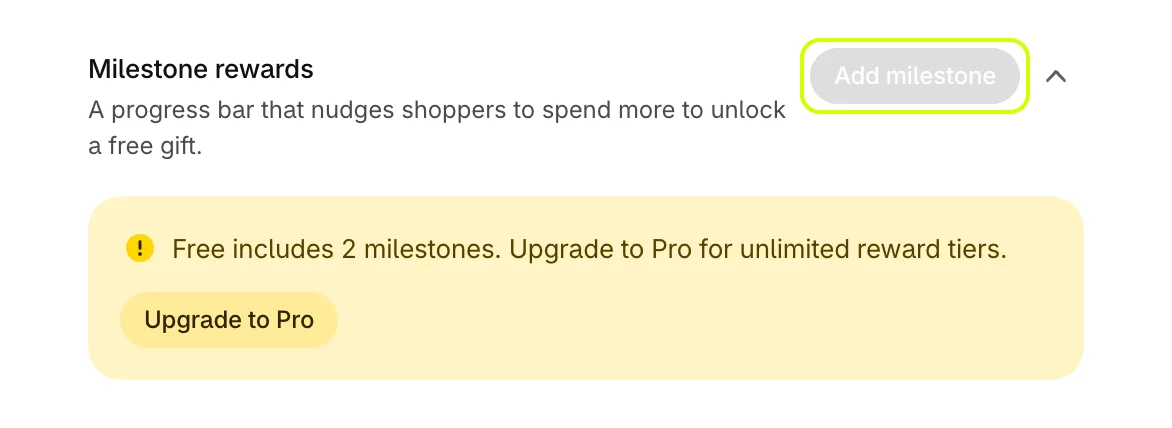
- Free includes 2 goals. When you have two, Add milestone is turned off and Cart settings says so.
- Pro has no limit.
To remove a goal, select Remove at the top of its box, then save.
Was this helpful?
More in Offers and rewards
- Recommend products in the cartShow products to add in one tap, from a collection you choose or ones that pair with the cart, with an optional discount.
- Set up the free shipping barShow shoppers how far they are from free shipping, apply it at checkout when they get there, and raise your average order.
- Give free gifts with an orderAdd a free gift to every order, or only when the cart holds products you choose, and checkout takes its price off.
- Set up quantity breaksGive a percentage off when a shopper buys more of the same product, and choose what the app's discounts may combine with.