Ask shoppers questions before checkout
Ask for a city, a gift message or anything else in the cart, make answers required, and find them on every order.
 Attravo TeamUpdated 2 min read
On this page
On Pro, the cart can ask up to four questions before checkout, such as which city to deliver to or what to write on a card. Answers arrive on the order, so nothing has to be chased by email.
Add a question
- On Cart settings, open Delivery scheduling & order details and turn on Collect order details in the cart.
- Select Add a field and choose its Type:
- Short text or Paragraph for a written answer.
- Date for a delivery date. See Collect delivery dates in the cart.
- Dropdown or Choose one to pick from a list.
- Tick box for a yes or no.
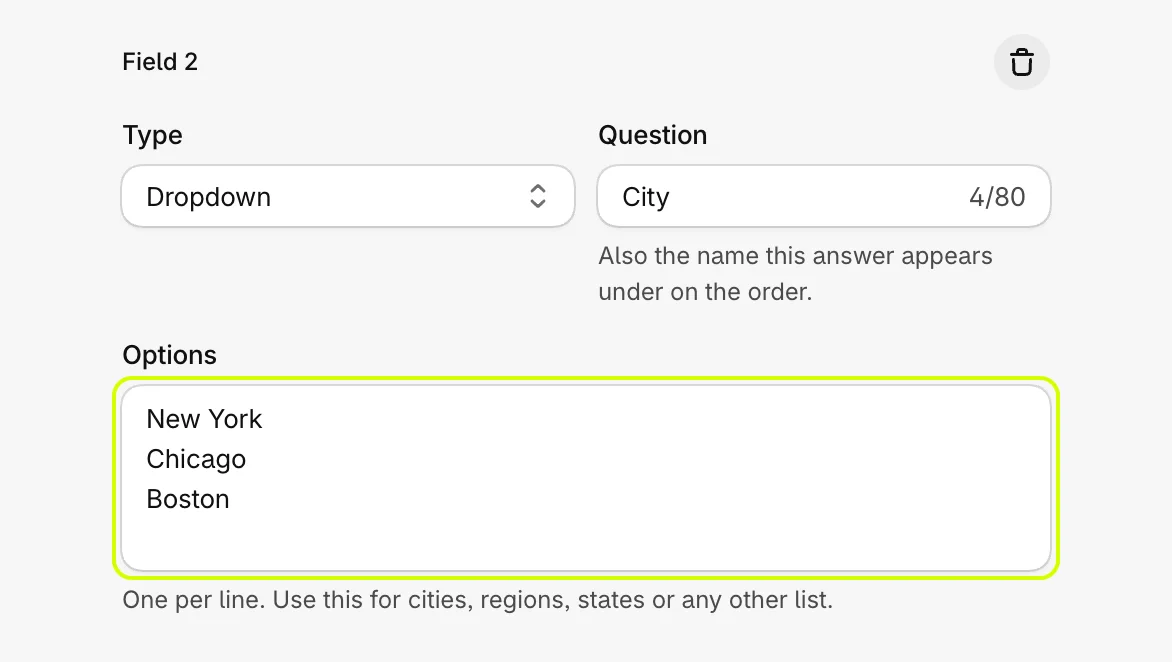
- Set Question. It is also the name the answer appears under on the order.
Offer a list of cities
- With Dropdown or Choose one, type the choices into Options, one per line.
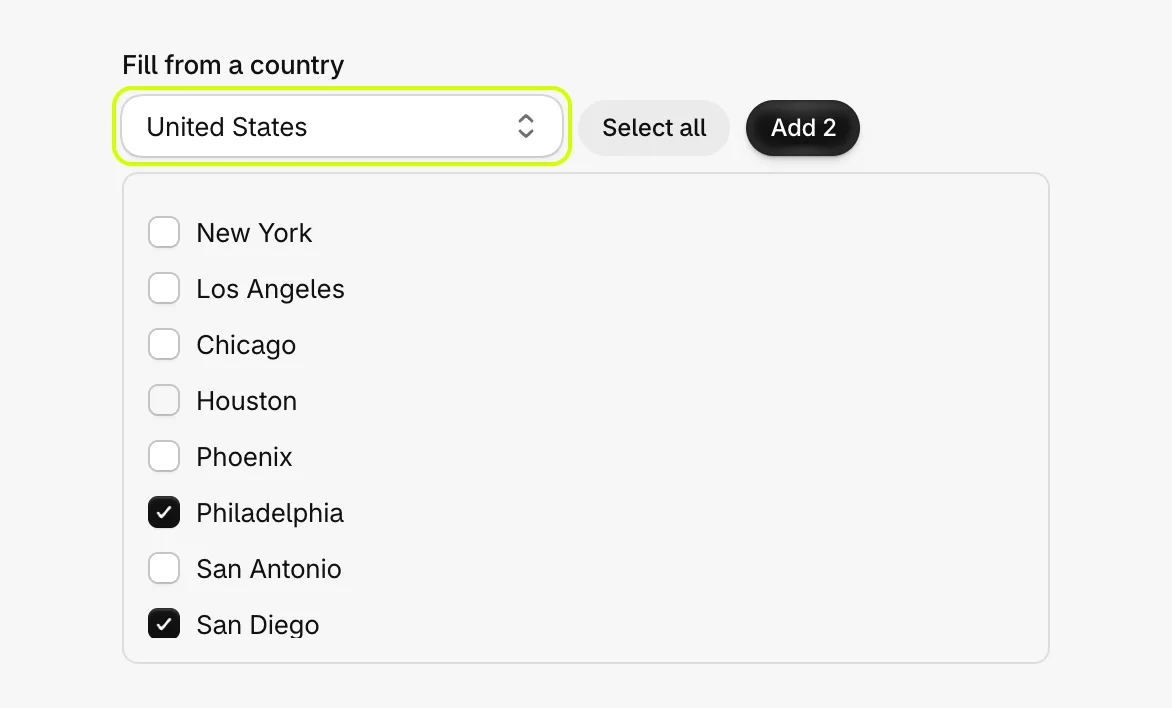
- To fill a list of cities quickly, choose a country under Fill from a country, tick the cities you deliver to, or use Select all, then select Add. They join the list, which you can still edit.
- Set Empty option text, what the list shows before a choice, such as Select city.
Make an answer required
- Turn on Required for a question. The cart will not go to checkout until it is answered.
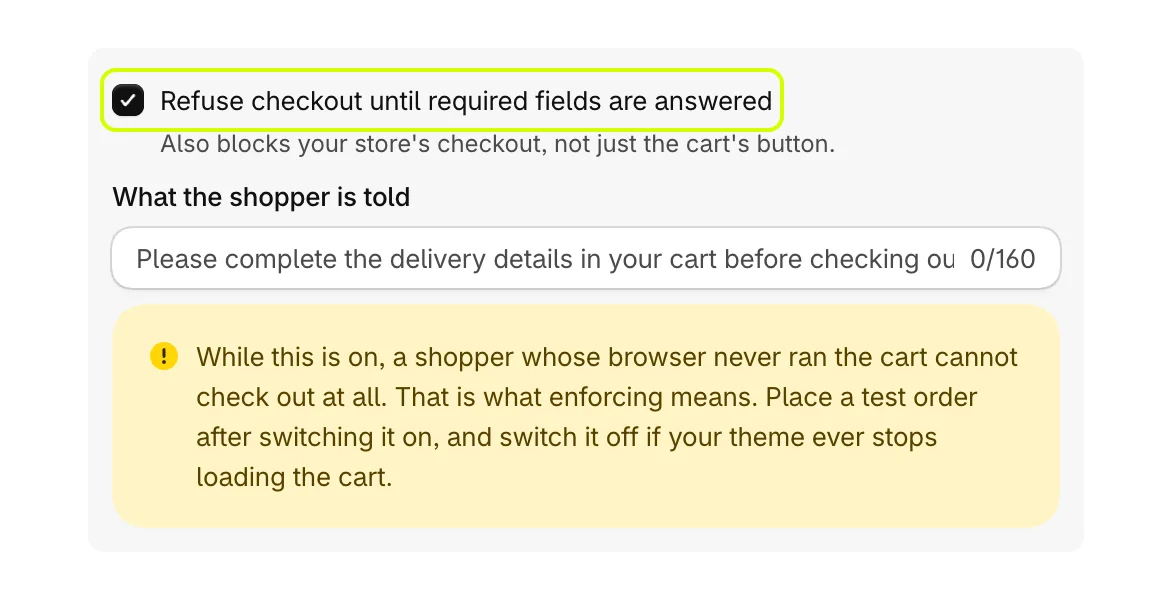
- To refuse checkout itself, not only the cart's button, turn on Refuse checkout until required fields are answered and set What the shopper is told.
- Select Save.
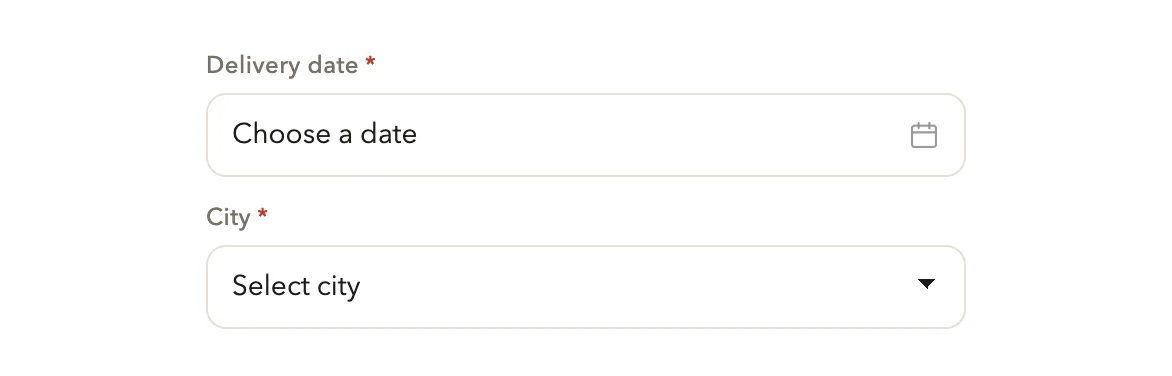
In the cart, the questions sit above the order note:
Where the answers go
- Each answer is saved on the order under its question, in the order's additional details.
- A copy of the answers is added to the order's note, so they survive even if another app rewrites the order's details. If a required answer is missing, the note says so.
Good to know
- You can ask up to four questions. Select Add a field to add one, and the bin on a question's box to remove it.
- A question with no wording is dropped when you save, and so is a second question worded the same as an earlier one, since both answers would land under the same name.
- If refusing checkout is on but the checkout rule cannot be set up in your store, Cart settings warns you. See What the warnings on Cart settings mean.
Was this helpful?