Change the cart's wording and language
Every word shoppers read in the cart is yours to change, and here is how the cart handles stores in more than one language.
 Attravo TeamUpdated 1 min read
The cart's wording is set on Cart settings, next to the part it belongs to, so you can make it sound like your store. What you type is what every shopper reads.
Change the wording
Each piece of text has its own field. The main ones:
- Cart title, Empty-cart text and Continue shopping button: see Set up the empty cart.
- Total label and Checkout button: see Set up the total and checkout button.
- Announcement bar: see Add your logo and an announcement.
- Reward messages: see Set up the free shipping bar.
- Offer headings and Add button label: see Recommend products in the cart.
- Note, discount box, terms, countdown and add-on wording: in General.
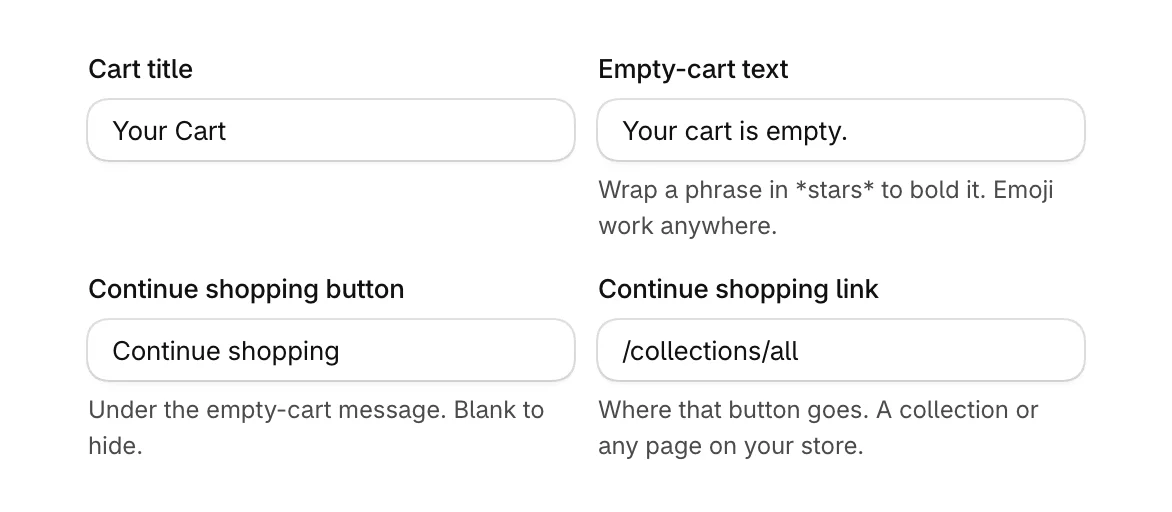
Emoji work in any of these, and in Empty-cart text a phrase wrapped in stars, like *free shipping*, shows in bold.
Stores in more than one language
Cart settings holds one version of each piece of text, and the cart shows it to every shopper, whatever language your store is shown in. A few built-in lines the cart writes for itself, such as the date picker's hints and the message for a required question, are in English.
If your store sells in several languages, write the cart's wording in the language most of your shoppers read.
The app's own language
Cart settings and Analytics are in English.
Was this helpful?