Choose how the cart opens
Use the drawer alone or with a full cart page, keep it above chat widgets, and decide where Buy it now and wallet buttons show.
 Attravo TeamUpdated 1 min read
On this page
The cart can open as a drawer only, or as a drawer plus a full cart page that replaces your theme's. These settings sit at the top of General on Cart settings.
Choose drawer or drawer and page
- On Cart settings, open General.
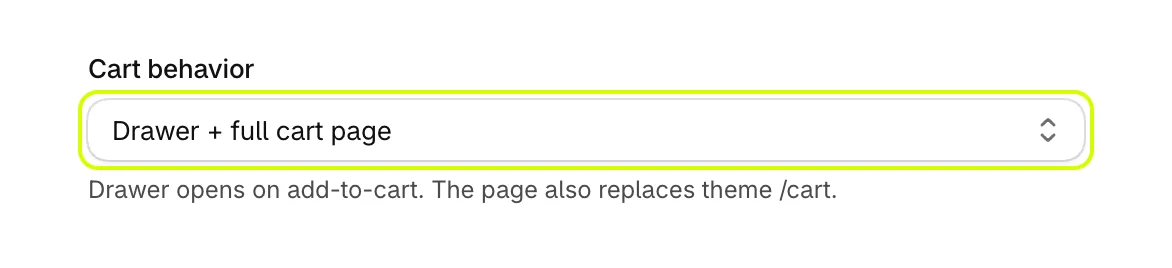
- Under Cart behavior, choose one:
- Drawer + full cart page: the drawer opens when a shopper adds a product or taps the cart icon. A text link to your cart page, such as View cart, opens the app's full cart page, which also replaces your theme's cart page.
- Drawer only: every cart link and the cart icon open the drawer.
- Select Save.
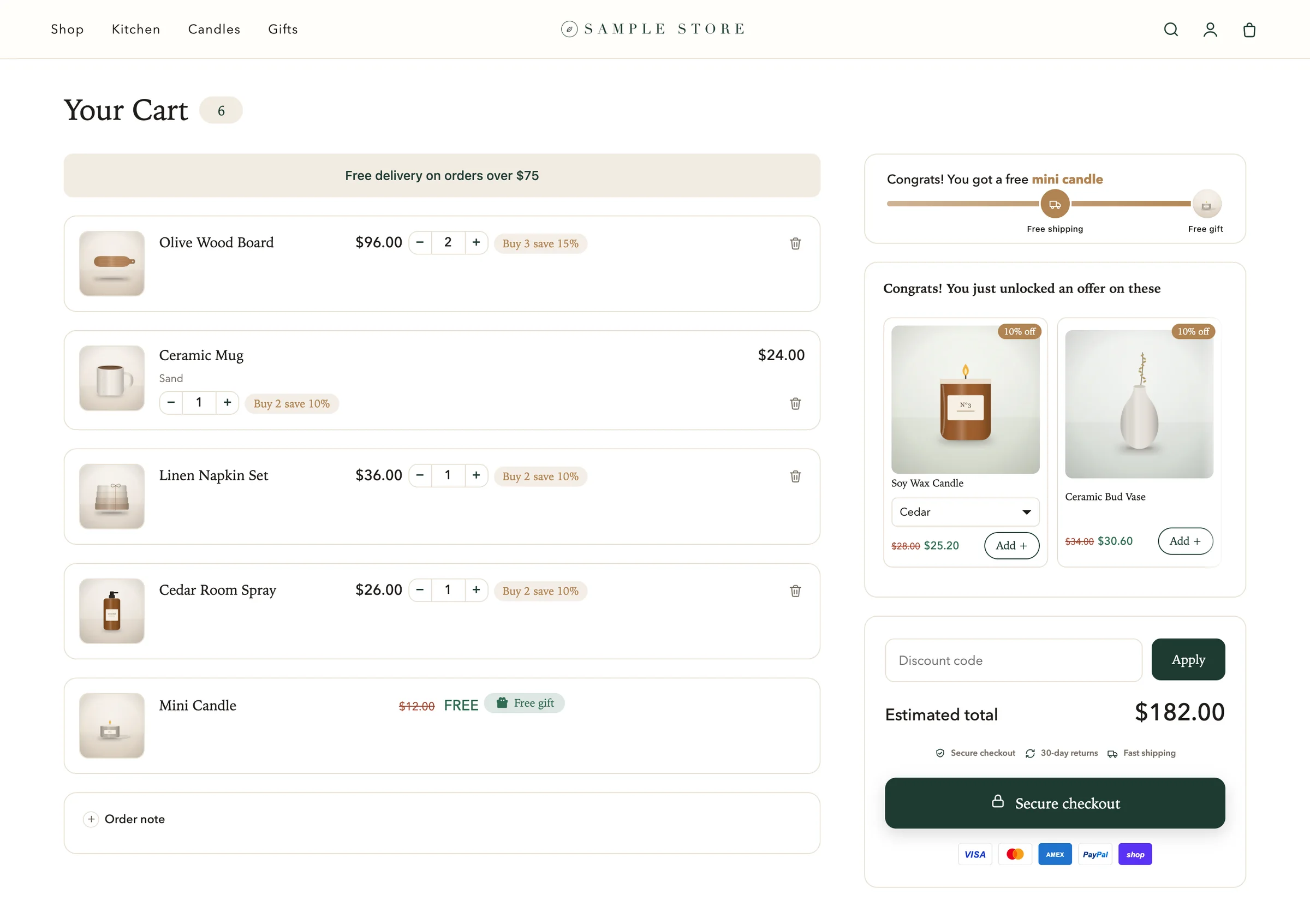
The full cart page lays the same cart out in two columns on a computer.
Keep the cart above chat bubbles
Keep the cart above other floating widgets is on by default. While the drawer is open, chat bubbles and other floating buttons move behind it, and they come back when the cart closes.

Turn it off only if a widget must stay on top of the open cart.
Buy it now and wallet buttons
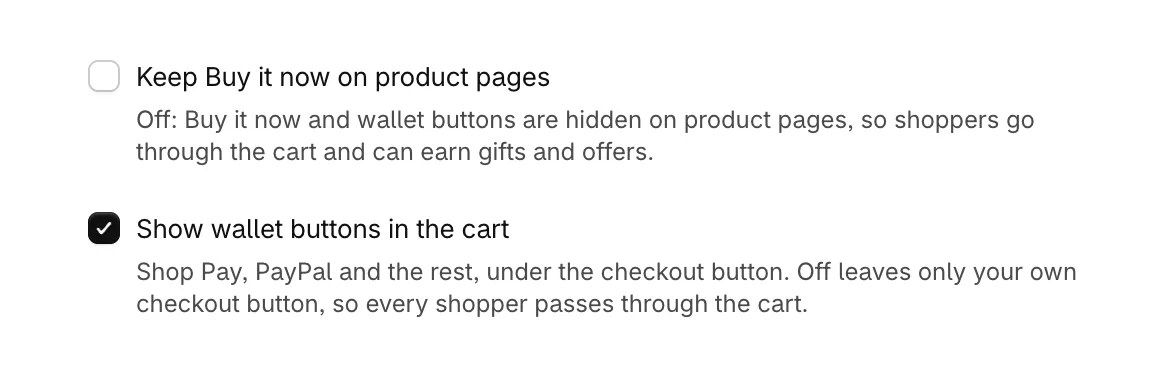
- Keep Buy it now on product pages is off by default. While it is off, the Buy it now button and wallet buttons are hidden on product pages, so shoppers go through the cart, where they can earn gifts and take offers. Turn it on to keep your theme's buttons.
- Show wallet buttons in the cart is on by default. Shop Pay, PayPal and the other wallet buttons your store offers show under the checkout button. Turn it off to leave only your own checkout button.
Was this helpful?
More in The cart
- Add your logo and an announcementPut your logo or your own title at the top of the cart, and a strip of text above it for a message shoppers should not miss.
- Set up the empty cartTurn an empty cart into a way back into your store, with your own message, collections to browse, offers and reward progress.
- Set up the total and checkout buttonWord the total and the checkout button your way, pick the button's icon, and choose how prices and free gifts read.
- Add an order note boxLet shoppers leave delivery instructions or a gift message in the cart, saved to the order note.