Ask shoppers to accept your terms
Add a tick box shoppers must check before they can check out, with a link to your terms.
 Attravo TeamUpdated 1 min read
On this page
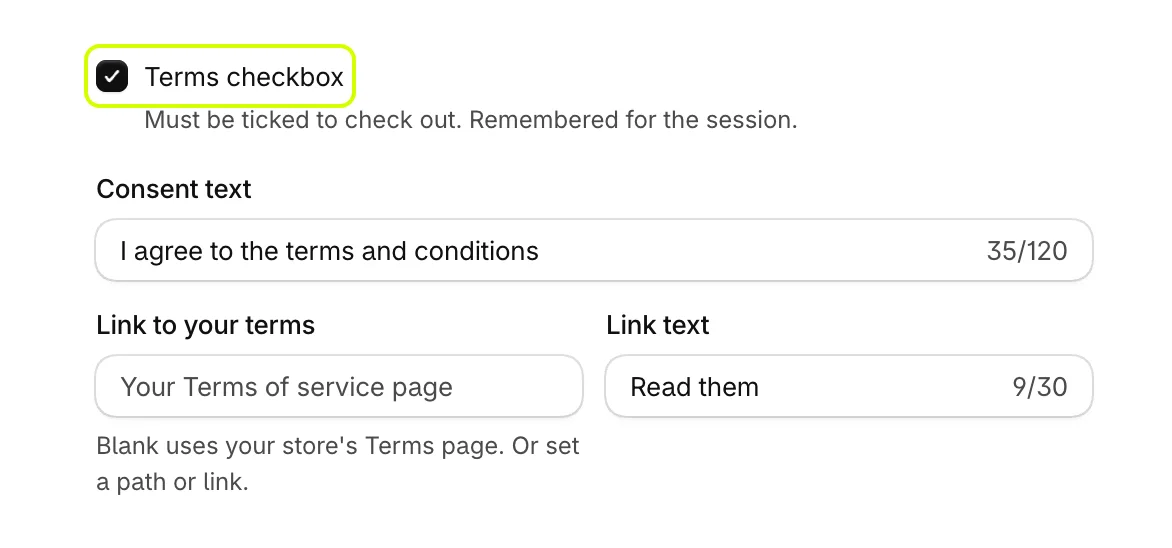
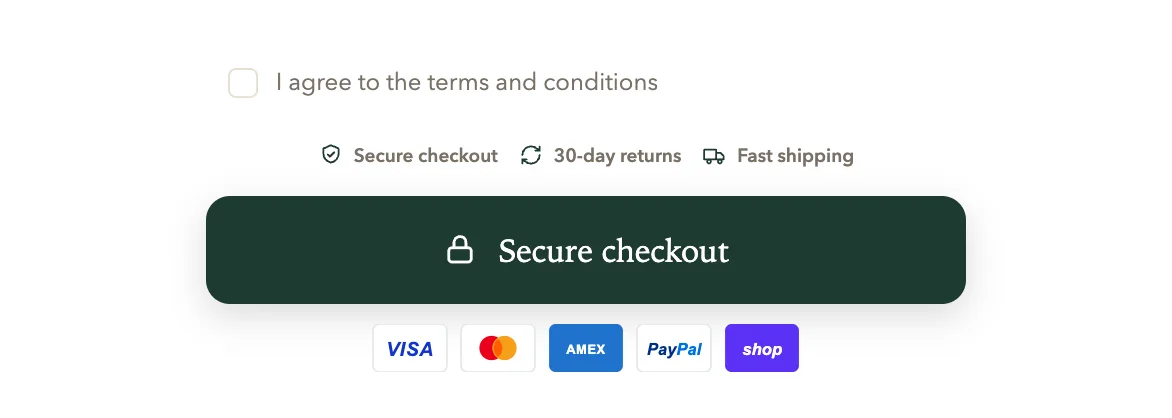
A terms checkbox asks every shopper to agree to your terms before checkout. The cart's checkout button waits until the box is ticked, and the cart remembers the tick for the rest of the visit.
Add the checkbox
- On Cart settings, open General.
- Turn on Terms checkbox.
- Change Consent text, the sentence beside the box. It reads I agree to the terms and conditions until you change it.
- Set Link to your terms. Leave it blank to use your store's Terms of service page, or enter a path such as
/pages/termsor a full link. - Change Link text, the words that open the link. It reads Read them until you change it.
- Select Save.
Move it
The checkbox sits above the trust badges and the checkout button. To place it elsewhere in the checkout area, see Reorder the checkout area.
Was this helpful?
More in The cart
- Choose how the cart opensUse the drawer alone or with a full cart page, keep it above chat widgets, and decide where Buy it now and wallet buttons show.
- Add your logo and an announcementPut your logo or your own title at the top of the cart, and a strip of text above it for a message shoppers should not miss.
- Set up the empty cartTurn an empty cart into a way back into your store, with your own message, collections to browse, offers and reward progress.
- Set up the total and checkout buttonWord the total and the checkout button your way, pick the button's icon, and choose how prices and free gifts read.