Add a dedicated quiz page
Give a quiz a full page with its own address, to link from your menu, ads, emails and social posts.
 Attravo TeamUpdated 1 min read
A dedicated quiz page has its own address, such as /pages/skin-quiz, so you can send shoppers straight to it from anywhere. The quiz fills the page, which keeps shoppers focused until their results. It's part of every plan.
Create the page
- In your Shopify admin, open Online Store > Pages and select Add page.
- Give it a title, such as Skin quiz, and save it.
Add the quiz to it
- Open Online Store > Themes and select Customize.
- Switch to your page in the page menu at the top, and create a template for it, so the quiz shows on this page only.
- Select Add section, open Apps and choose Quizz Dedicated Page.
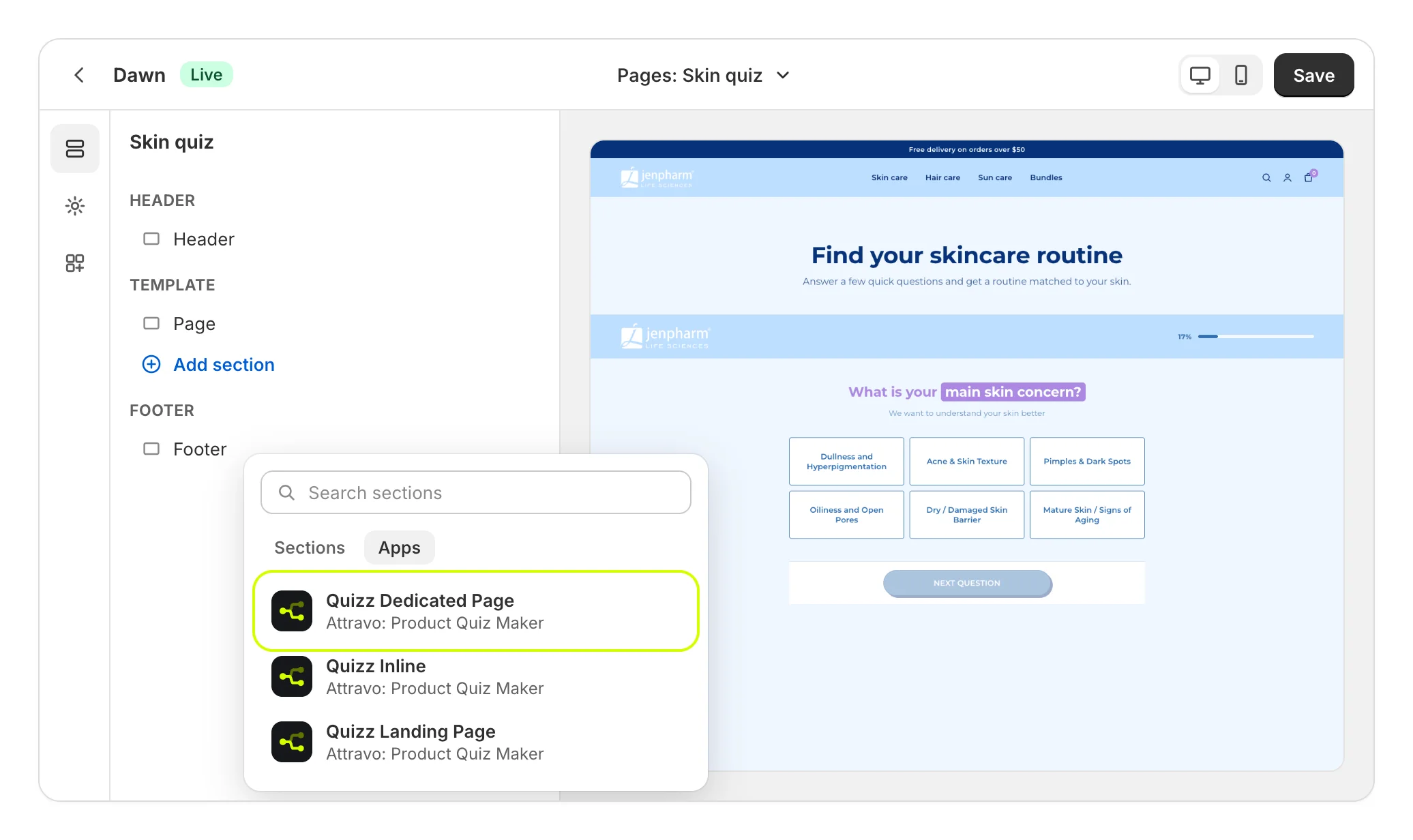
- Fill in the block's settings, then select Save.
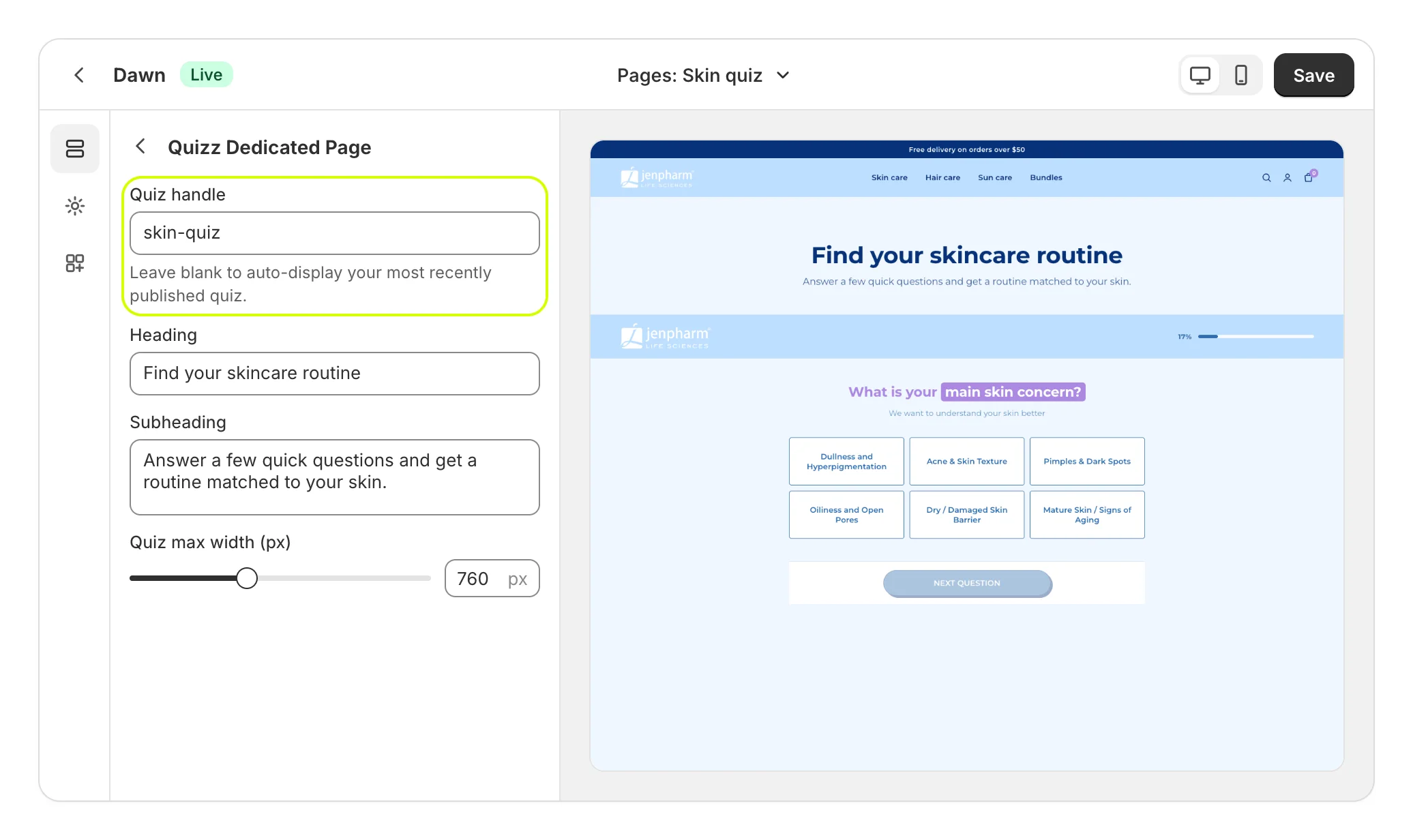
| Setting | What it does |
|---|---|
| Quiz handle | The quiz to show. Blank shows your most recently published quiz for this kind of block. See Choose where each quiz shows. |
| Heading | The page's heading above the quiz. |
| Subheading | A line under the heading. |
| Quiz max width (px) | How wide the quiz can grow, from 480 to 1200. |
- In your Shopify admin, open the page again and set its theme template to the one you created. Save.
Home has a shortcut too: under Where your quiz is live, Add to theme on Dedicated page opens the theme editor with the block added to your default page template. Use it only if every page on that template should show the quiz.
What shoppers see
The quiz takes the page: a bar with the progress at the top, the questions in the middle, and the buttons pinned to the bottom of the screen.
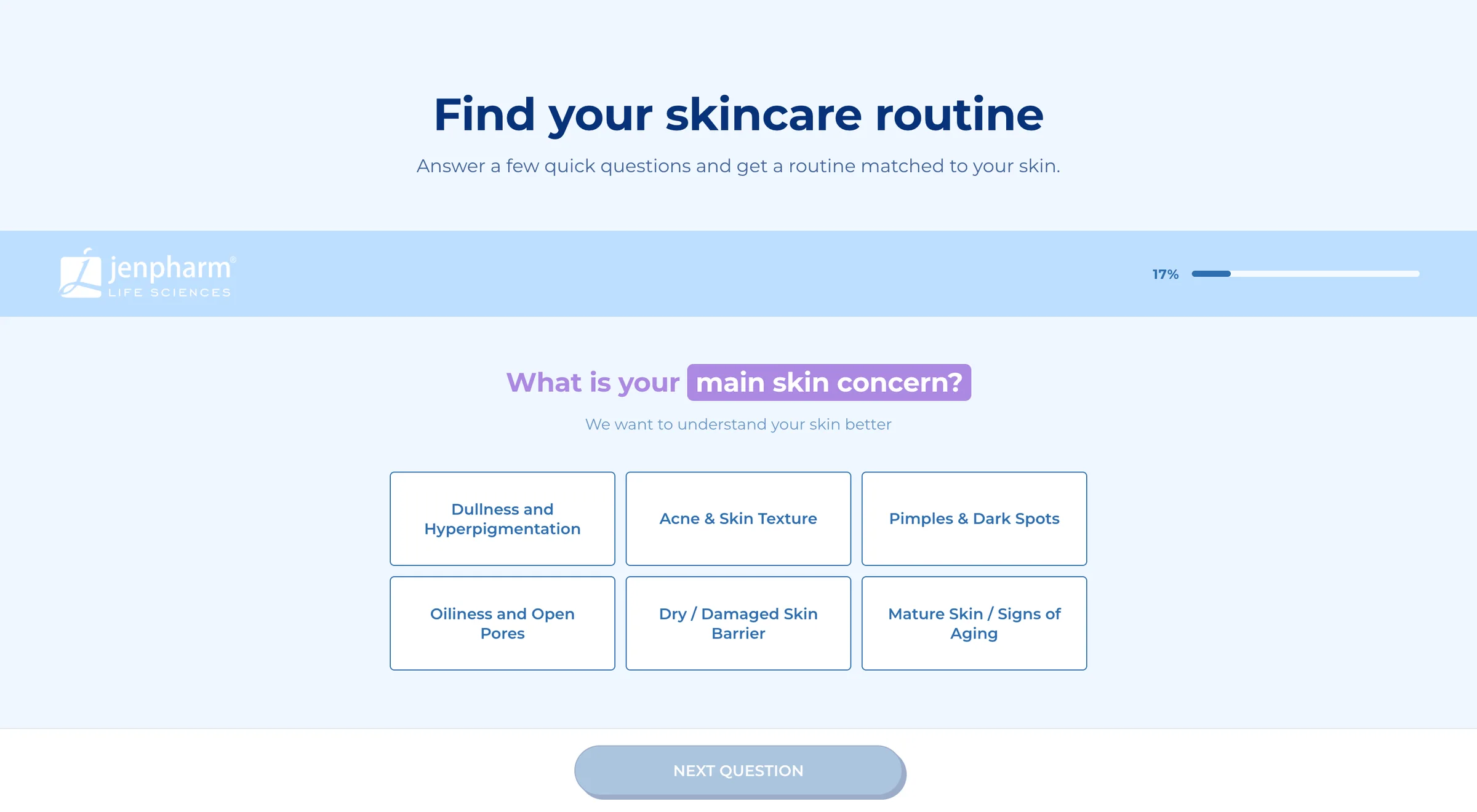
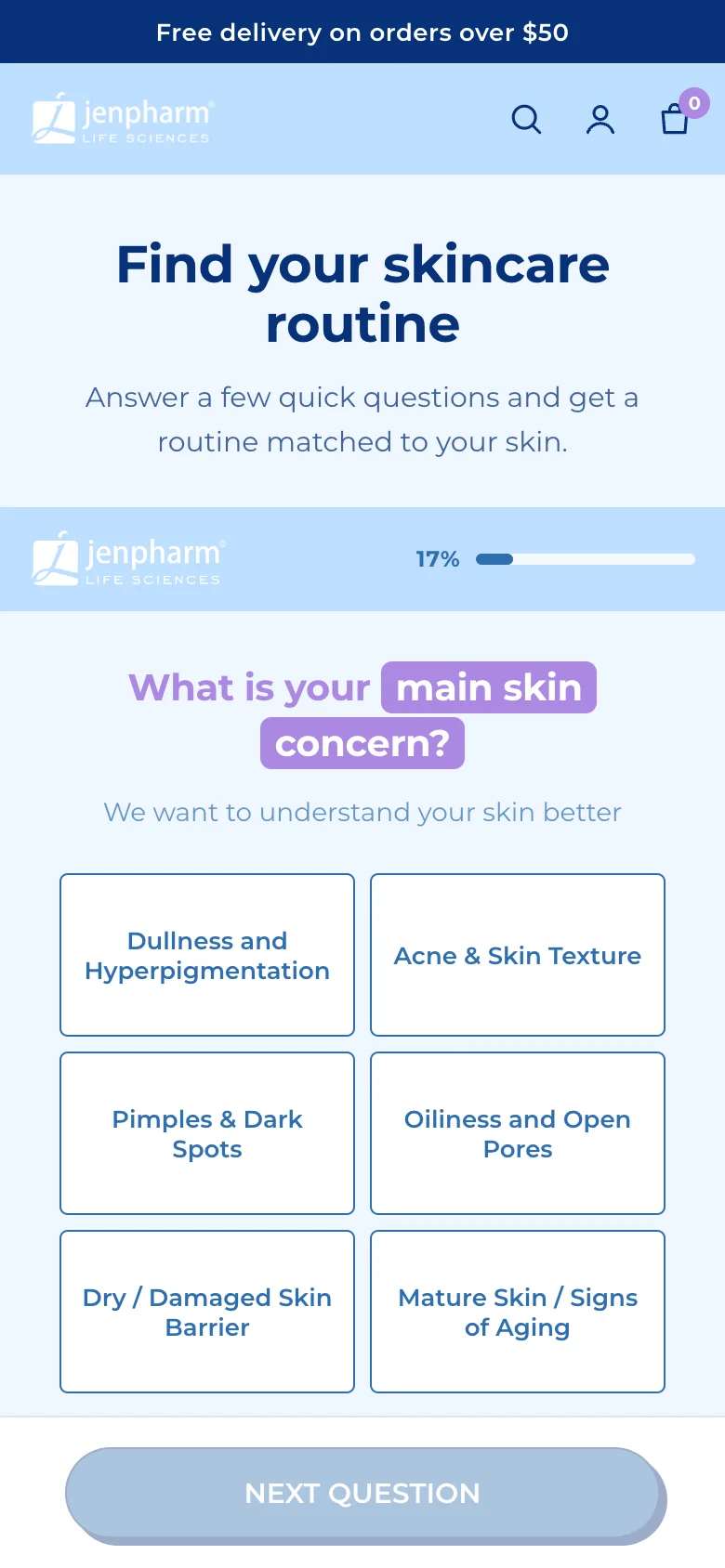
Each question has its own address, so the browser's back button steps back through the quiz.
Was this helpful?
More in On your store
- Choose where each quiz showsCompare the five ways to put a quiz on your store, and decide which quiz each block shows.
- Add a quiz inside a pagePlace a quiz inside your home page, a collection or any page, sized and spaced to fit your theme.
- Add a floating chat buttonPut a quiz launcher in a corner of every page, and choose when it appears and what it says.
- Open the quiz from a menu linkOpen a quiz in a popup from a menu item, a text link or any button, without touching code.