Show a question only after certain answers
Add rules so a question appears only when earlier answers match, and skip the questions that don't apply.
 Attravo TeamUpdated 2 min read
Rules let a quiz skip questions that don't apply to a shopper, so each person answers fewer, more relevant questions. A question with no rules always shows.
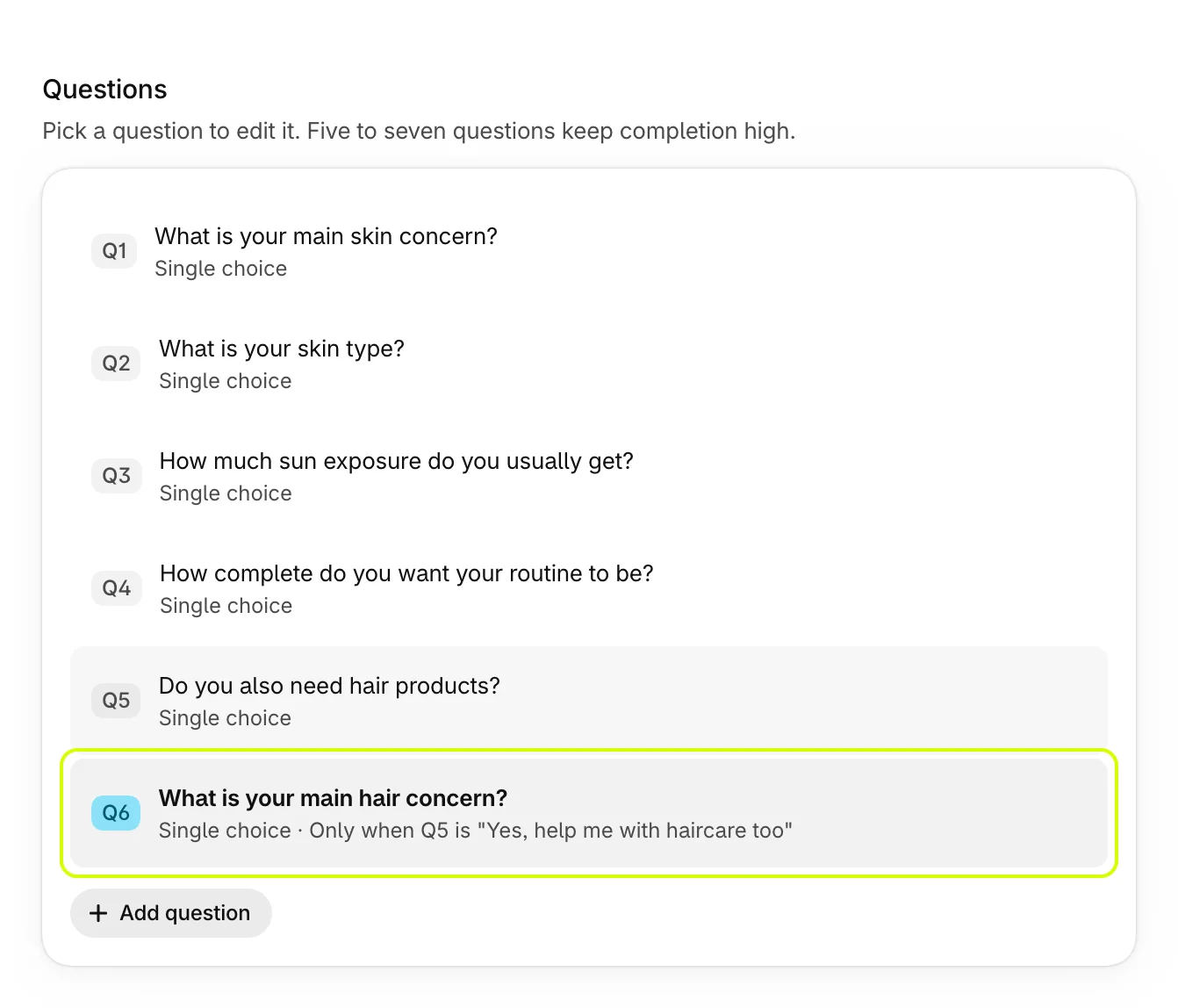
In the example below, a skincare quiz asks about hair only when the shopper says they want haircare too.
Add a rule
- In Questions, select the question that should only show sometimes. Rules can be added to every question after the first.
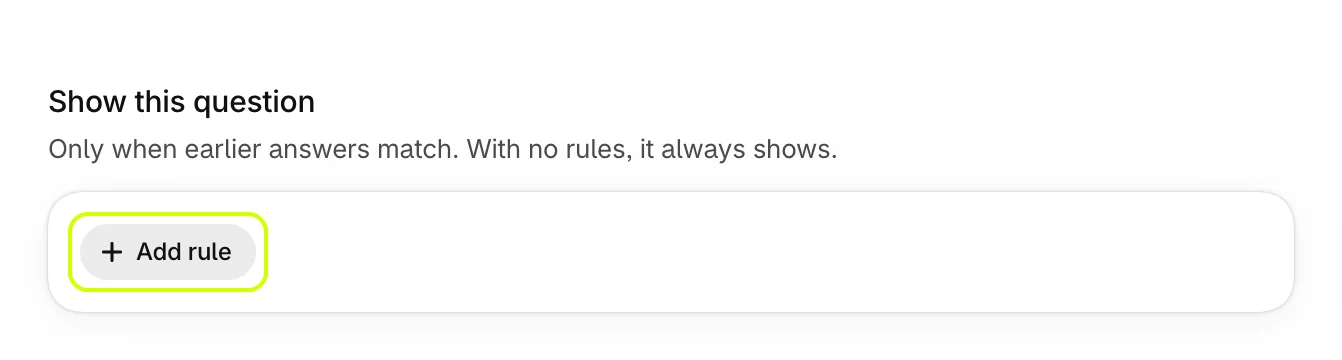
- Under Show this question, select Add rule.
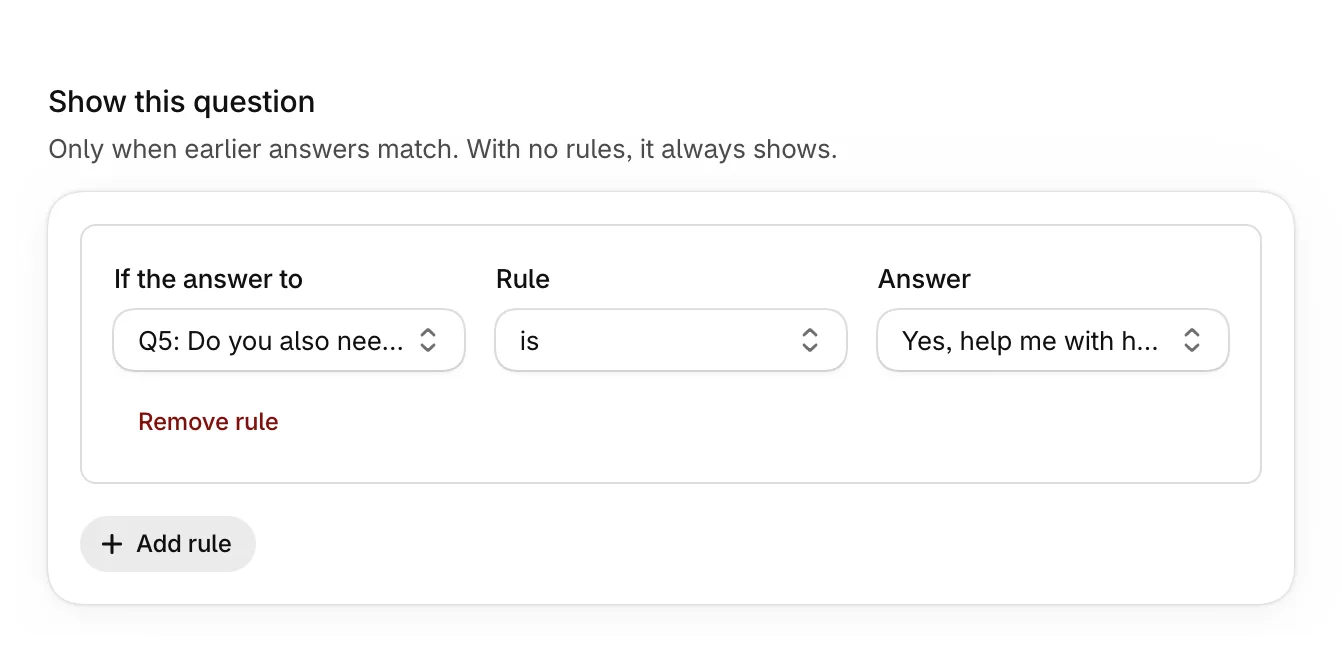
- Choose the earlier question in If the answer to, then a Rule, then the Answer.
- Select Save.
The questions list shows the rule under the question's type, such as Only when Q5 is "Yes, help me with haircare too".
The rules
| Rule | The question shows when |
|---|---|
| is | The earlier answer is the one you chose. On a multiple choice question, it's among the answers picked. |
| is not | The earlier answer is anything else. |
| includes | The answers picked include the one you chose. Use it with multiple choice questions. |
| doesn't include | The answers picked don't include it. |
When the earlier question has no answer choices, such as a short text question, Answer is a text box: type the answer to match, exactly as shoppers would type it.
A rule on a question the shopper never saw, because that question was skipped by its own rules, doesn't match, so the question stays hidden.
More than one rule
Add as many rules as you need. When a question has two or more rules, All rules must match for it to show.
Keep rules in order
A rule can only look back at questions before it. If you move a question so a rule points to one that now comes later, the rule says "This rule points to a question that now comes later, so it can never match." Move the questions back, or change the rule.
Was this helpful?
More in Build your quiz
- Start from a templatePick one of four ready-made quizzes, or start blank, and see what each template sets up for you.
- Add and edit questionsAdd questions, choose their type, write them, and move, copy or delete them.
- Set up answers and tagsWrite answers, tag them to match your products, add education boxes and choose how answers look.
- Preview your quizClick through your quiz with unsaved changes, on a phone or desktop, and see the results each set of answers gets.