Turn on the Quizz Core Script app embed
Switch on the app embed that loads your quizzes everywhere, and check it from Home.
 Attravo TeamUpdated 2 min read
The Quizz Core Script app embed loads Product Quiz Maker on every page of your store, so a button in your theme can open a quiz by its ID. It's also the quickest way for Home and the setup guide to see that the app is on in your theme.
Check it on Home
Open Home and scroll to Where your quiz is live. It reads your current theme each time you open Home, and says whether the app embed is on.
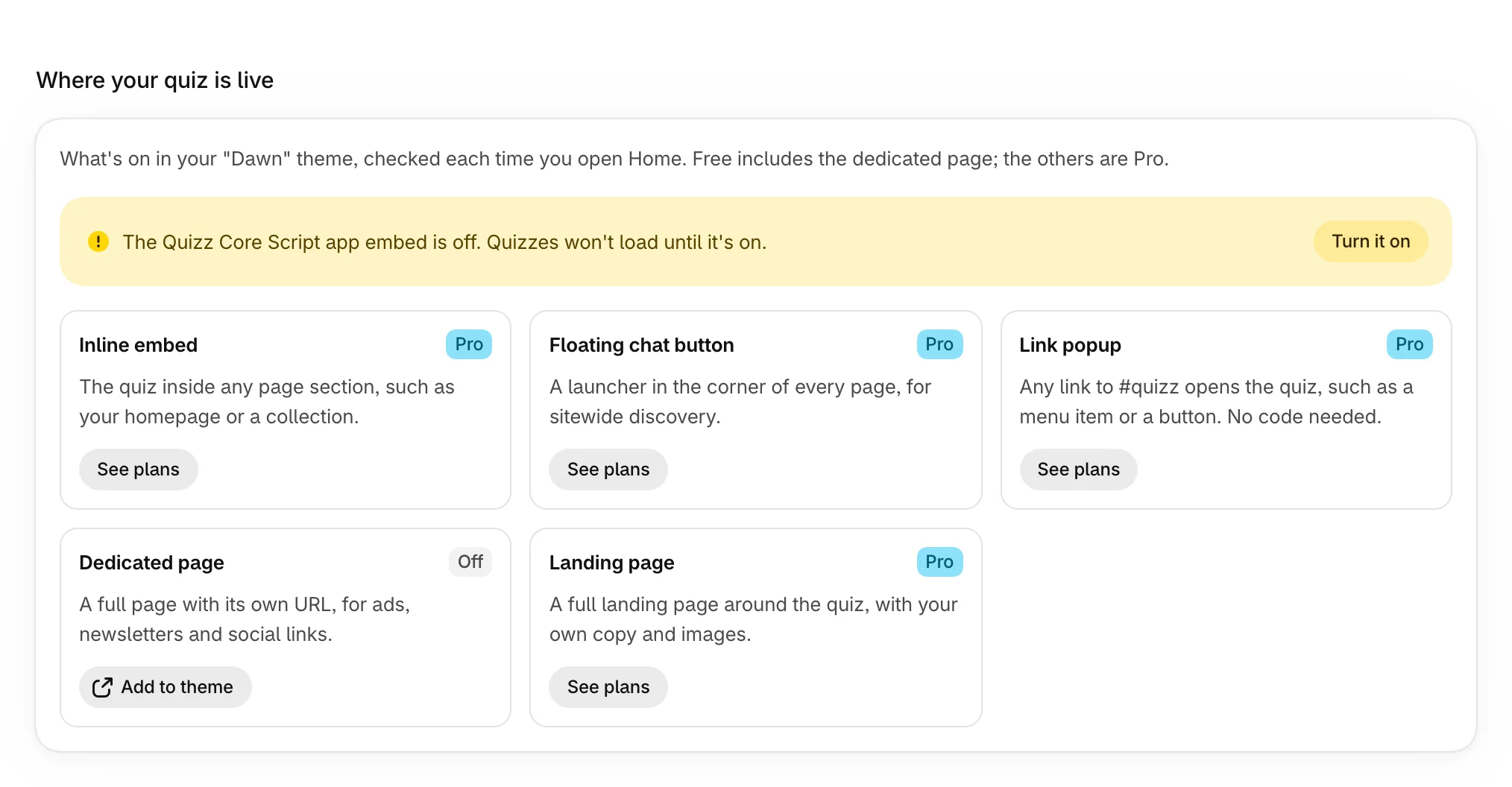
Turn it on
- In Where your quiz is live, select Turn it on. The theme editor opens on App embeds, with Quizz Core Script switched on.
- Check that the switch next to Quizz Core Script is on, and that Enable core script is ticked.
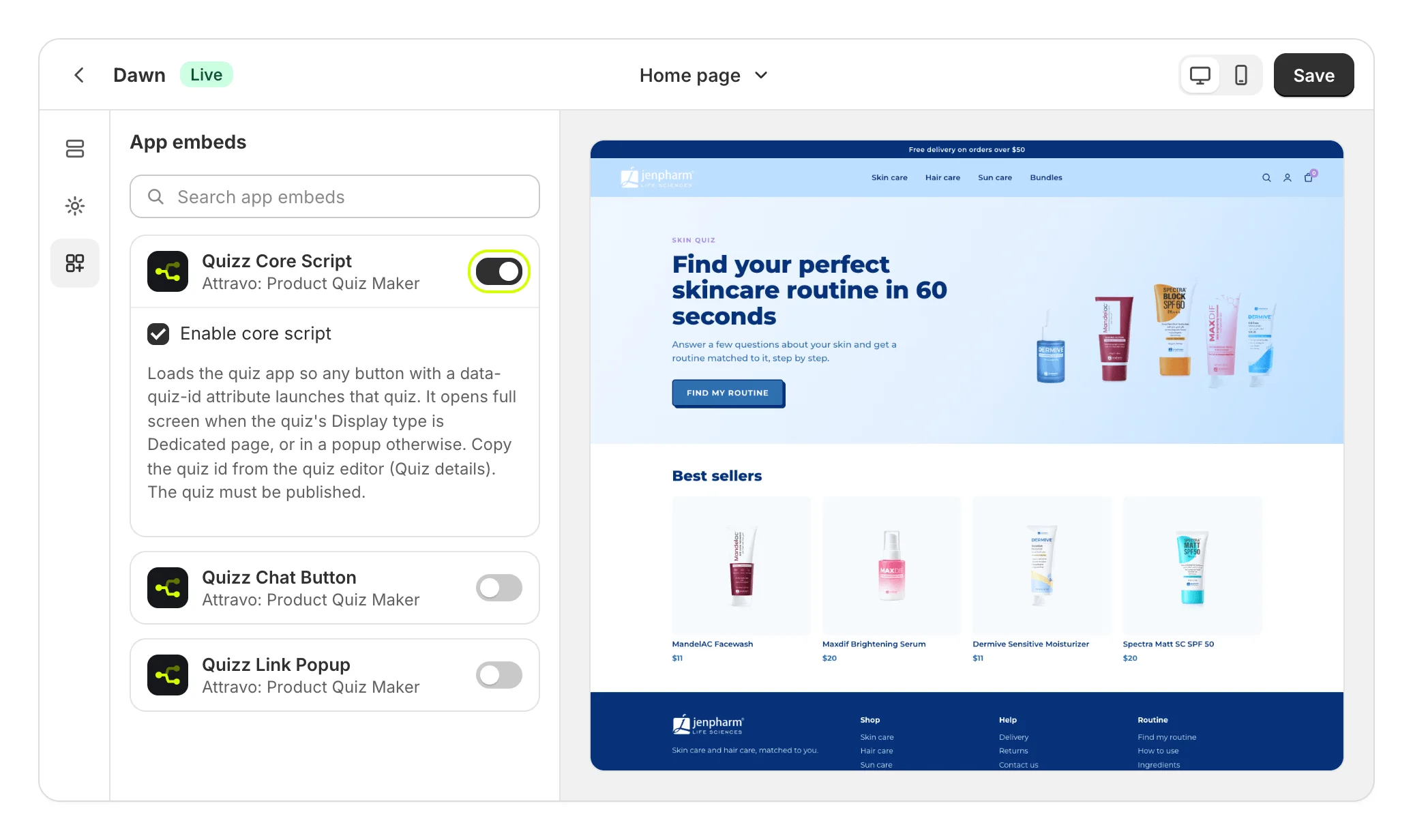
- Select Save.
To get there yourself, open Online Store > Themes, select Customize, then select App embeds in the left bar.
Check it worked
Open Home again. The banner now reads "The Quizz Core Script app embed is on, so your quiz can load."
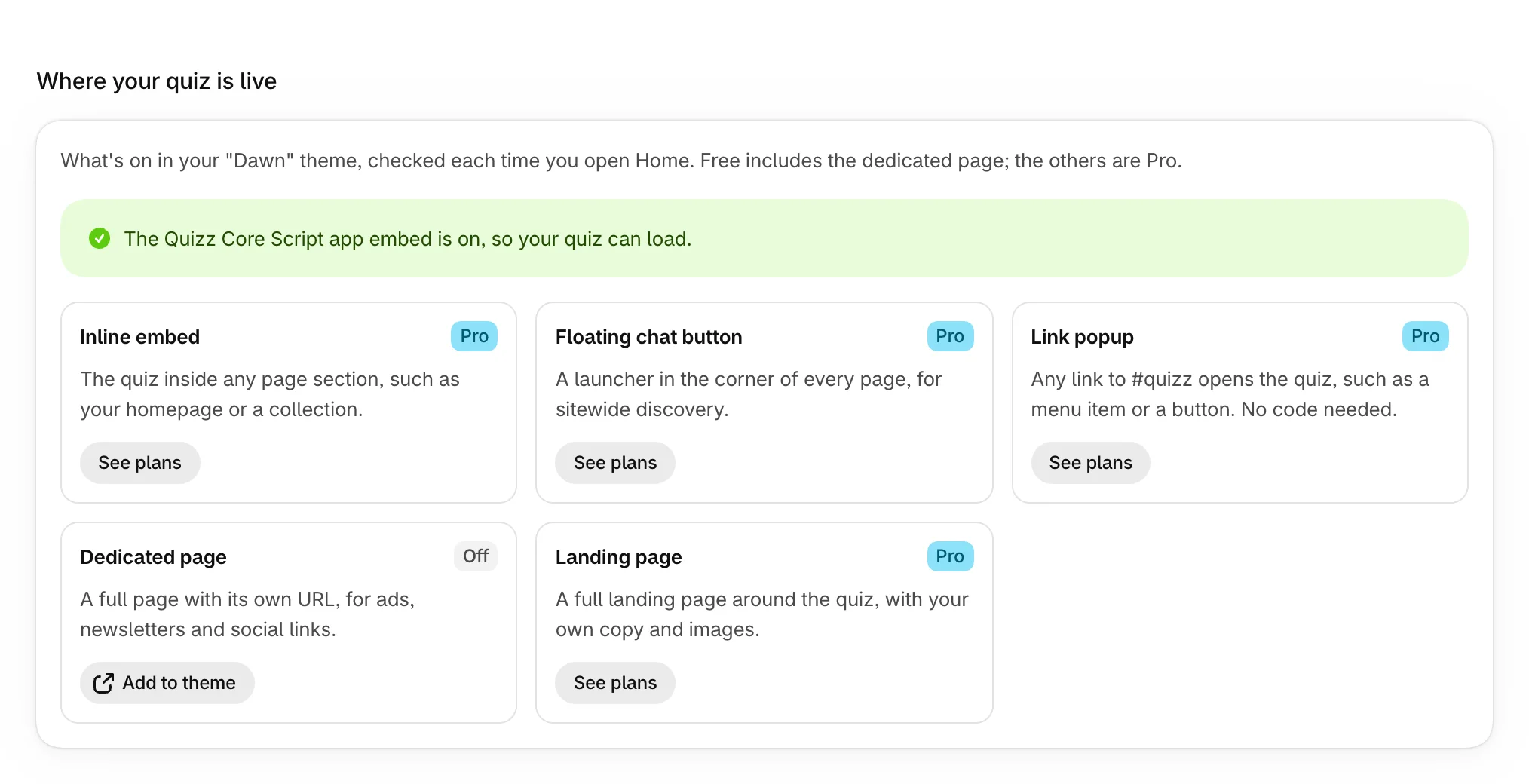
The cards below it show which quiz blocks are on in your theme. Each one's button opens the theme editor ready to add that block. See Choose where each quiz shows.
What it does
- Opens a quiz from any button that carries the quiz's ID. See Open a quiz from your own button.
- Lets Home see that the app is on in your theme.
- Shows nothing on its own. Shoppers see a quiz only where you add a block or a button.
Quiz blocks, such as Quizz Dedicated Page or Quizz Chat Button, load the quiz themselves, so they work on pages where you add them either way.
Was this helpful?
More in Getting started
- Install Product Quiz MakerInstall Product Quiz Maker from the Shopify App Store and find your way around the app.
- Finish the setup guideWork through the six steps on Home until your quiz is live, tracking sales and collecting leads.
- Create your first quizGo from a template to a published quiz on your store, with products chosen and a page of its own.