Add a floating chat button
Put a quiz launcher in a corner of every page, and choose when it appears and what it says.
 Attravo TeamUpdated 1 min read
The Quizz Chat Button puts a small launcher in a corner of every page, so shoppers can find the quiz from anywhere on your store. Selecting it opens the quiz in a popup. It's part of Pro.
Turn it on
- Open Online Store > Themes, select Customize, then select App embeds in the left bar.
- Turn on Quizz Chat Button, and fill in its settings.
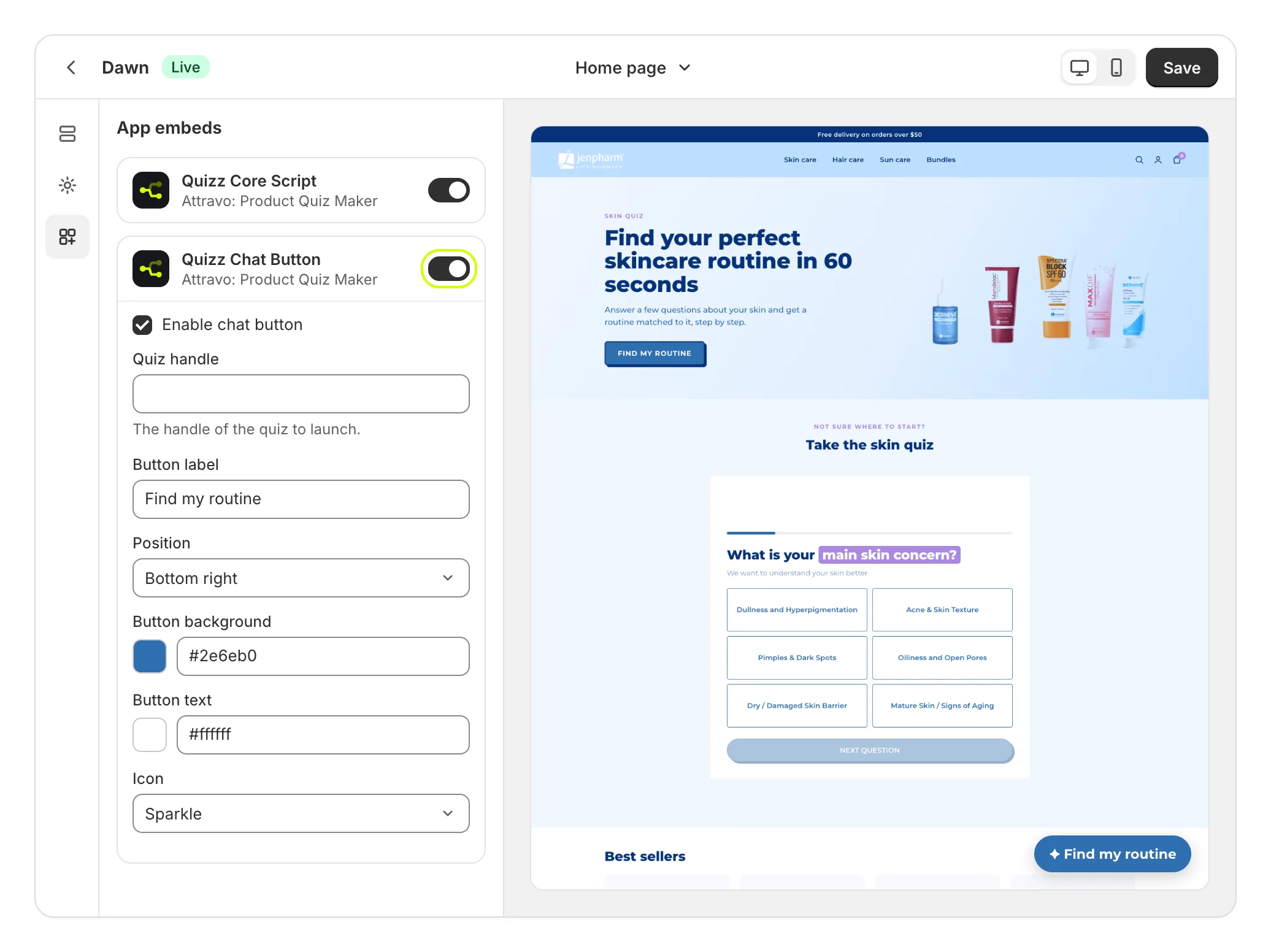
- Select Save.
On Home, Add to theme on Floating chat button opens the theme editor with it switched on.
The button
| Setting | What it does |
|---|---|
| Enable chat button | Shows the button. |
| Quiz handle | The quiz to open. Blank opens your most recently published quiz for this kind of block. |
| Button label | The words on the button. Blank shows "Need help? Take our quiz". |
| Position | Bottom right, Bottom left, Top right or Top left. |
| Button background and Button text | The button's colors. |
| Icon | Sparkle, Chat bubble, Wand or None. |
When it appears
| Setting | What it does |
|---|---|
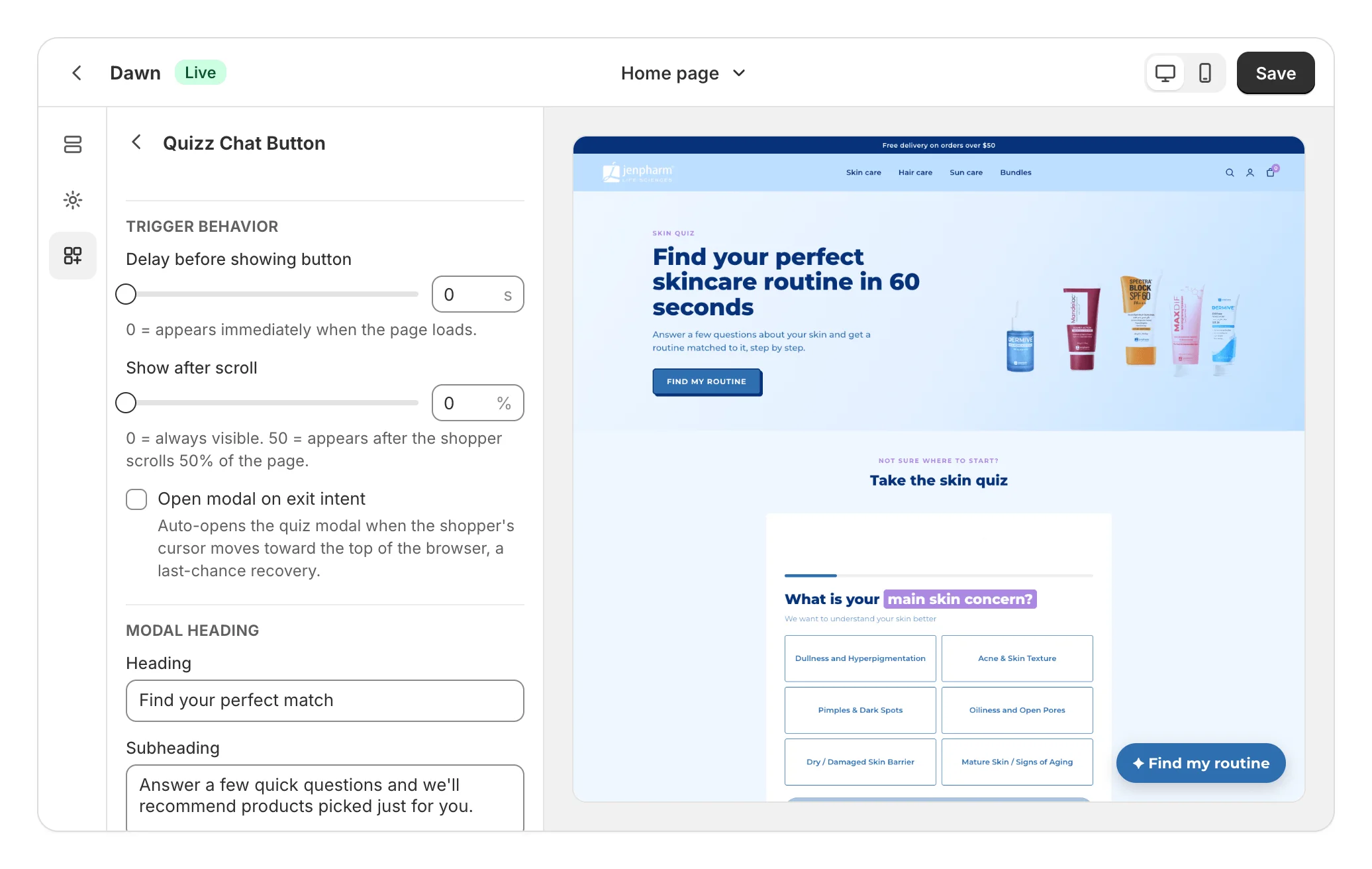
| Delay before showing button | Seconds to wait before it appears, up to 60. 0 shows it straight away. |
| Show after scroll | Shows it once a shopper scrolls this far down the page, in steps of 5%. 0 shows it always. When it's above 0, it replaces the delay. |
| Open modal on exit intent | Opens the quiz once per page when the cursor heads for the top of the browser, as a last chance before a shopper leaves. |
The popup
Heading and Subheading, under Modal heading, show above the quiz in the popup.
What shoppers see
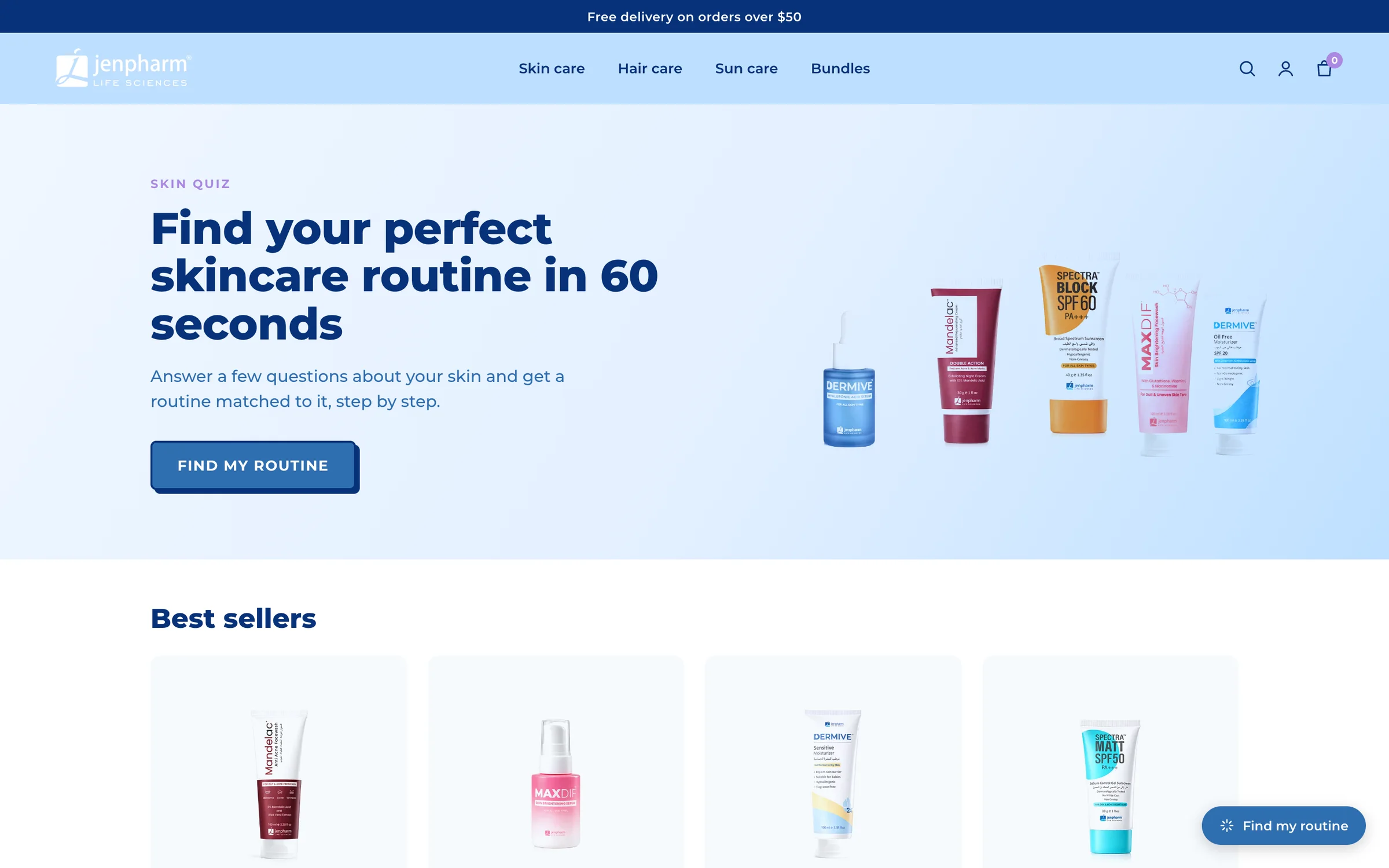
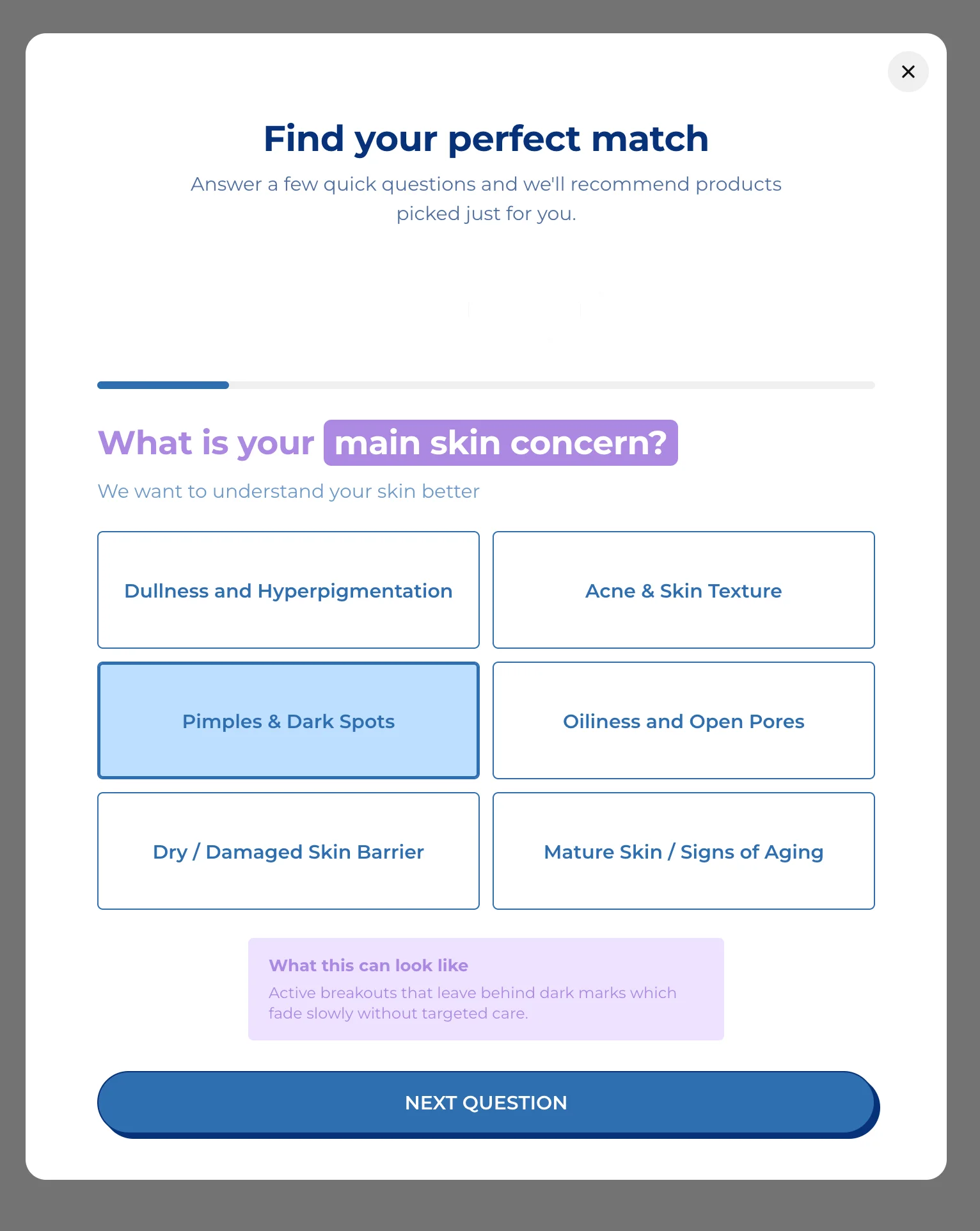
Selecting the button opens the quiz in a popup over the page. Shoppers close it with the close button at its top right.
Was this helpful?
More in On your store
- Choose where each quiz showsCompare the five ways to put a quiz on your store, and decide which quiz each block shows.
- Add a dedicated quiz pageGive a quiz a full page with its own address, to link from your menu, ads, emails and social posts.
- Add a quiz inside a pagePlace a quiz inside your home page, a collection or any page, sized and spaced to fit your theme.
- Open the quiz from a menu linkOpen a quiz in a popup from a menu item, a text link or any button, without touching code.