Ask for an email before results
Collect shoppers' emails, and their names and phone numbers if you like, on a step just before their results.
 Attravo TeamUpdated 2 min read
The email step asks for an email right before the results, when shoppers most want to see them, so a quiz grows your list while it sells. Every email lands in Leads, tagged with the answers that shopper picked.
Turn on the email step
- Open the quiz and select Email step.
- Tick Ask for an email before showing results.
- Fill in the settings below, then select Save.
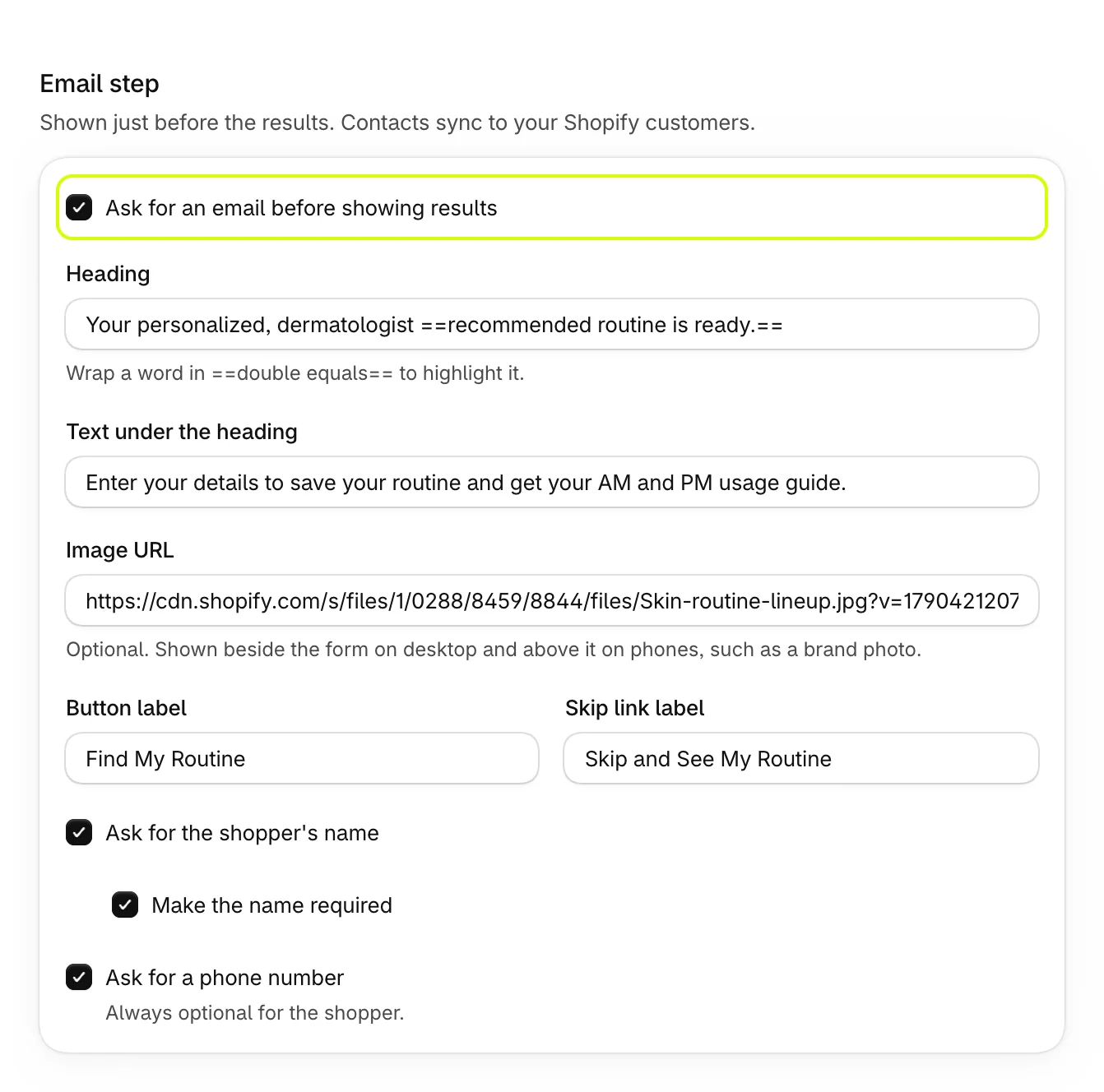
| Setting | What it does |
|---|---|
| Heading | The step's heading. Wrap words in double equals signs to highlight them. Blank shows "Get your personalised results". |
| Text under the heading | A line under the heading. Blank shows "Pop in your email to unlock your results and tailored offers." |
| Image URL | An optional picture, such as your products or a brand photo. It sits beside the form on a computer and above it on a phone. Upload it in Content > Files and paste its address. |
| Button label | The button that saves the details and opens the results. Blank shows Sign up. |
| Skip link label | The link for shoppers who'd rather not share an email. Blank shows Skip and take me to my results. |
| Ask for the shopper's name | Adds a name field. Tick Make the name required to make it a must. |
| Ask for a phone number | Adds a phone field. It's always optional for the shopper. |
Check it in the preview
Select Email step in the Live preview to see the step with your changes.
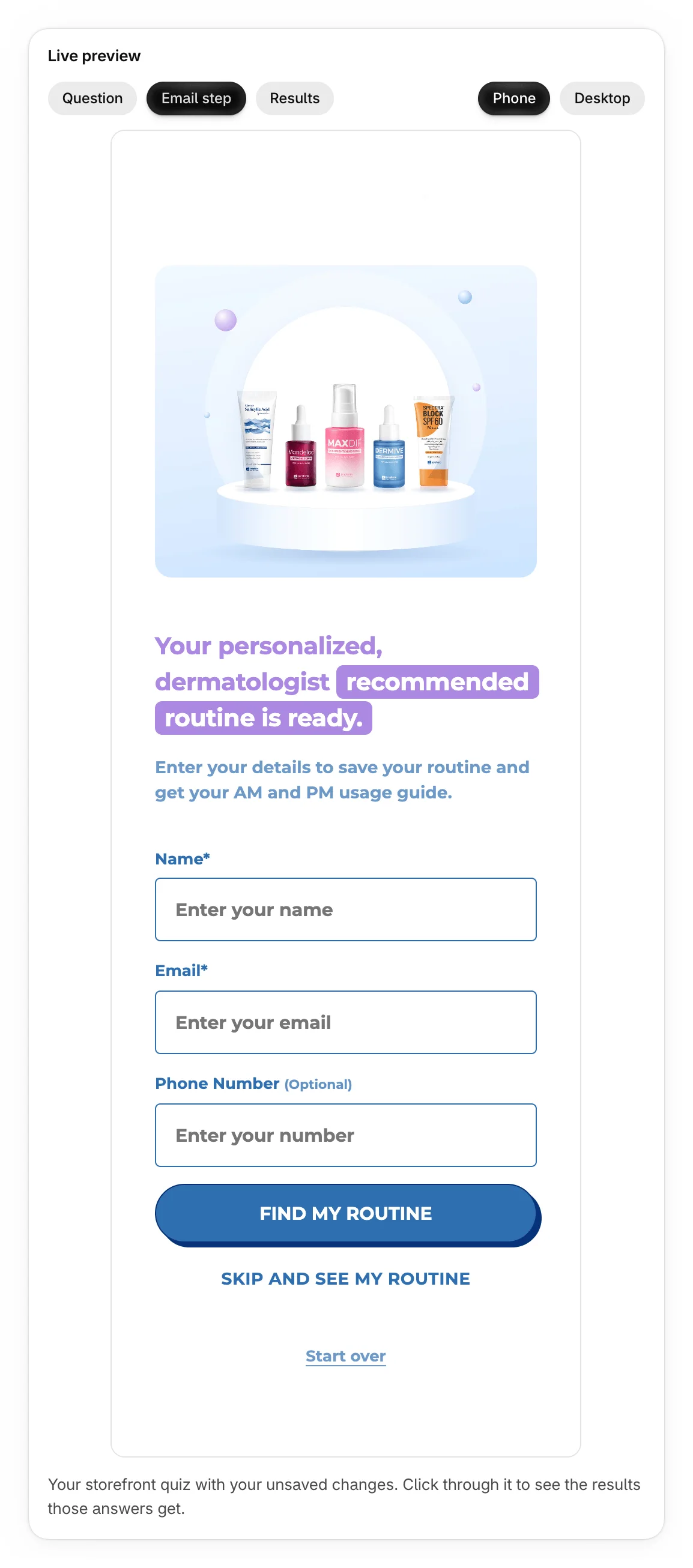
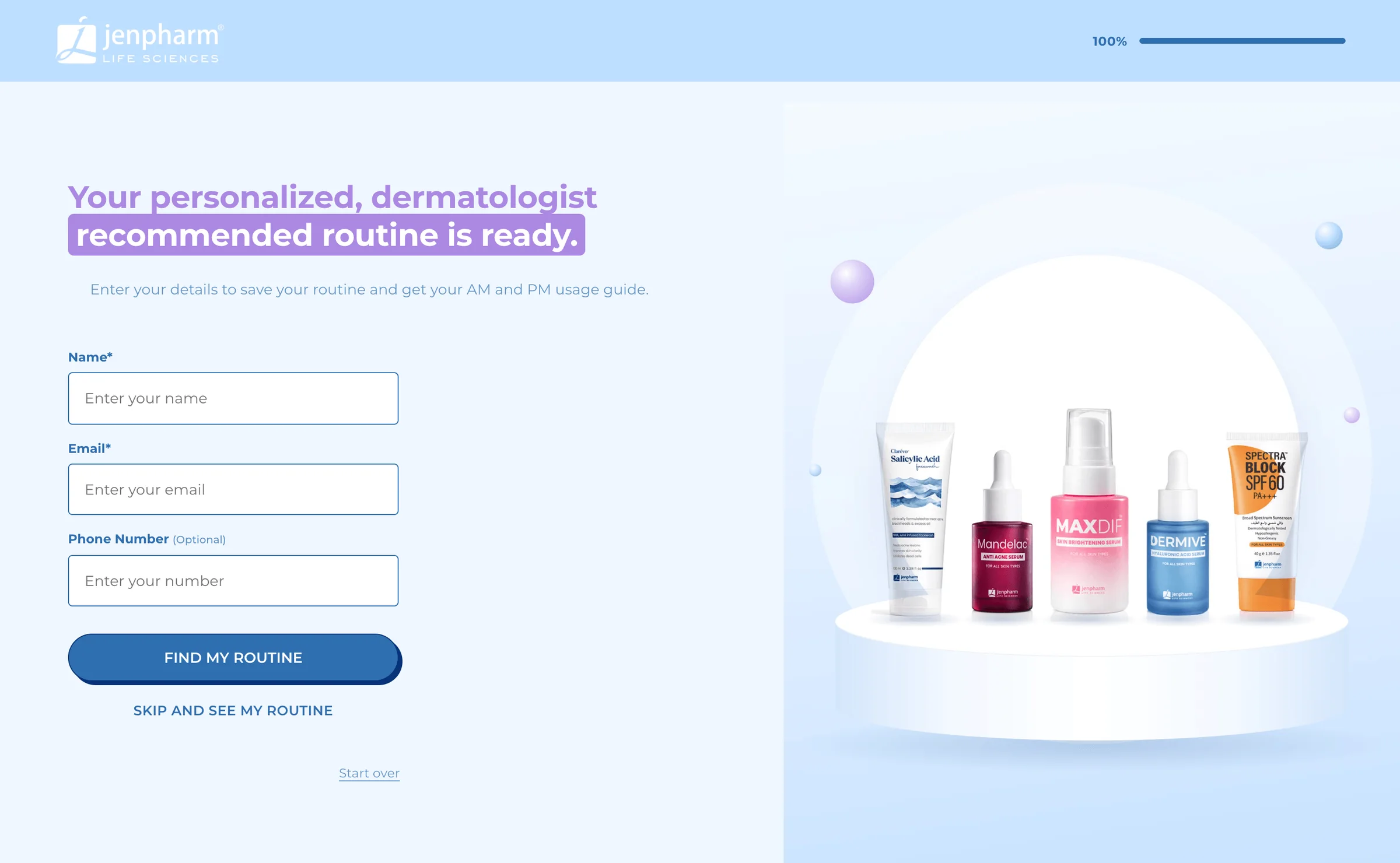
What shoppers see
After the last question, shoppers fill in the step and select your button, or select the skip link. The step never blocks the results.
The step is skipped by itself when an earlier question already asked for the email, such as an Email question. An Email question creates a lead too, with or without the email step.
Where the emails go
- Leads lists every email with its quiz and its answers' tags. See View and export your leads.
- Each lead also becomes a Shopify customer, tagged with their answers. See Add leads to your Shopify customers.
- On Pro, new leads also go to Klaviyo or Mailchimp. See Connect Klaviyo or Mailchimp.
Was this helpful?
More in Leads and email tools
- View and export your leadsSee every email your quizzes collected with the answers behind it, search them, and download them as a CSV file.
- Add leads to your Shopify customersTurn every quiz lead into a Shopify customer tagged with their answers, ready for segments and campaigns.
- Connect Klaviyo or MailchimpSend every new quiz lead to a Klaviyo list or a Mailchimp audience, with the answers they picked.