What shoppers see
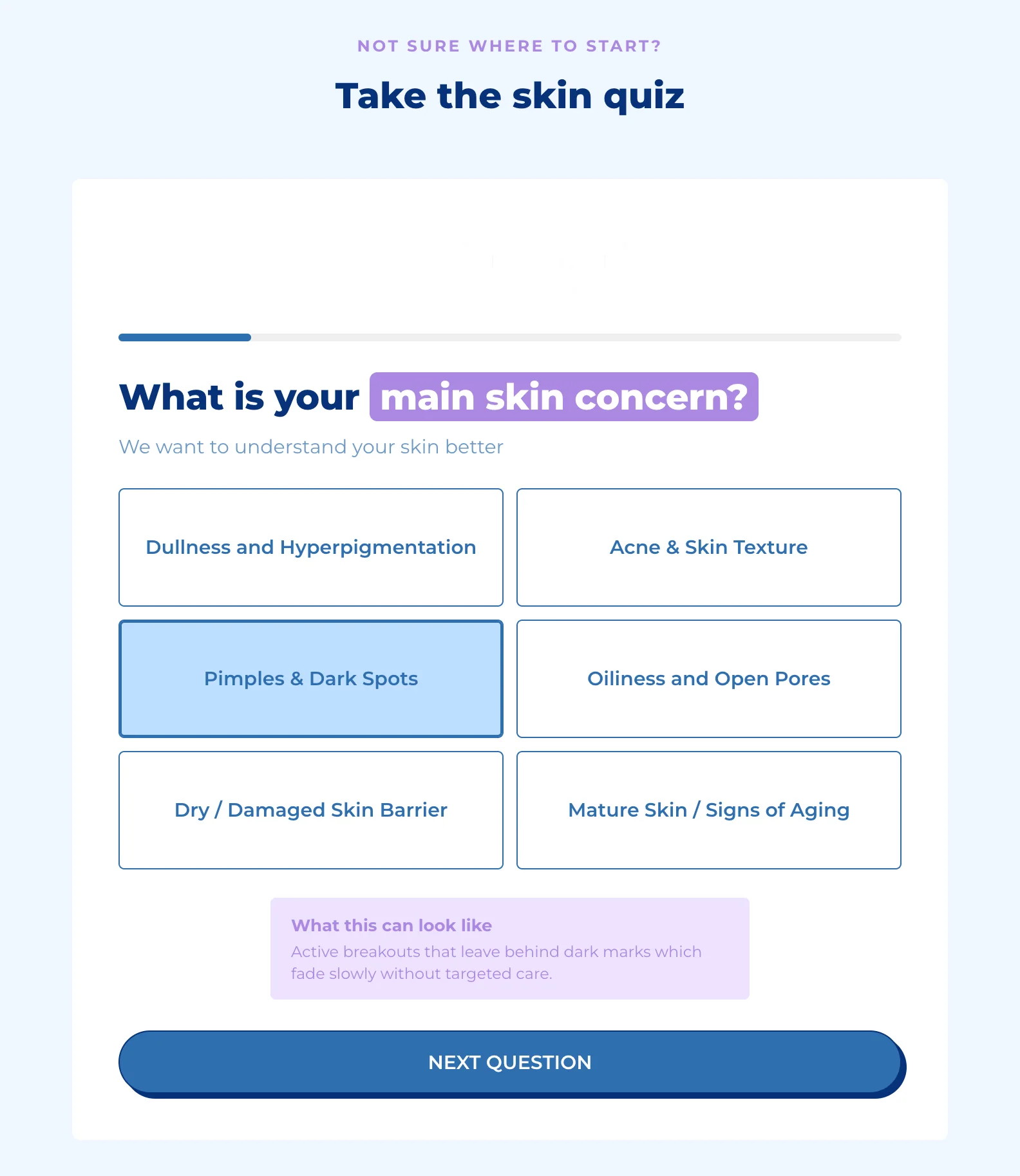
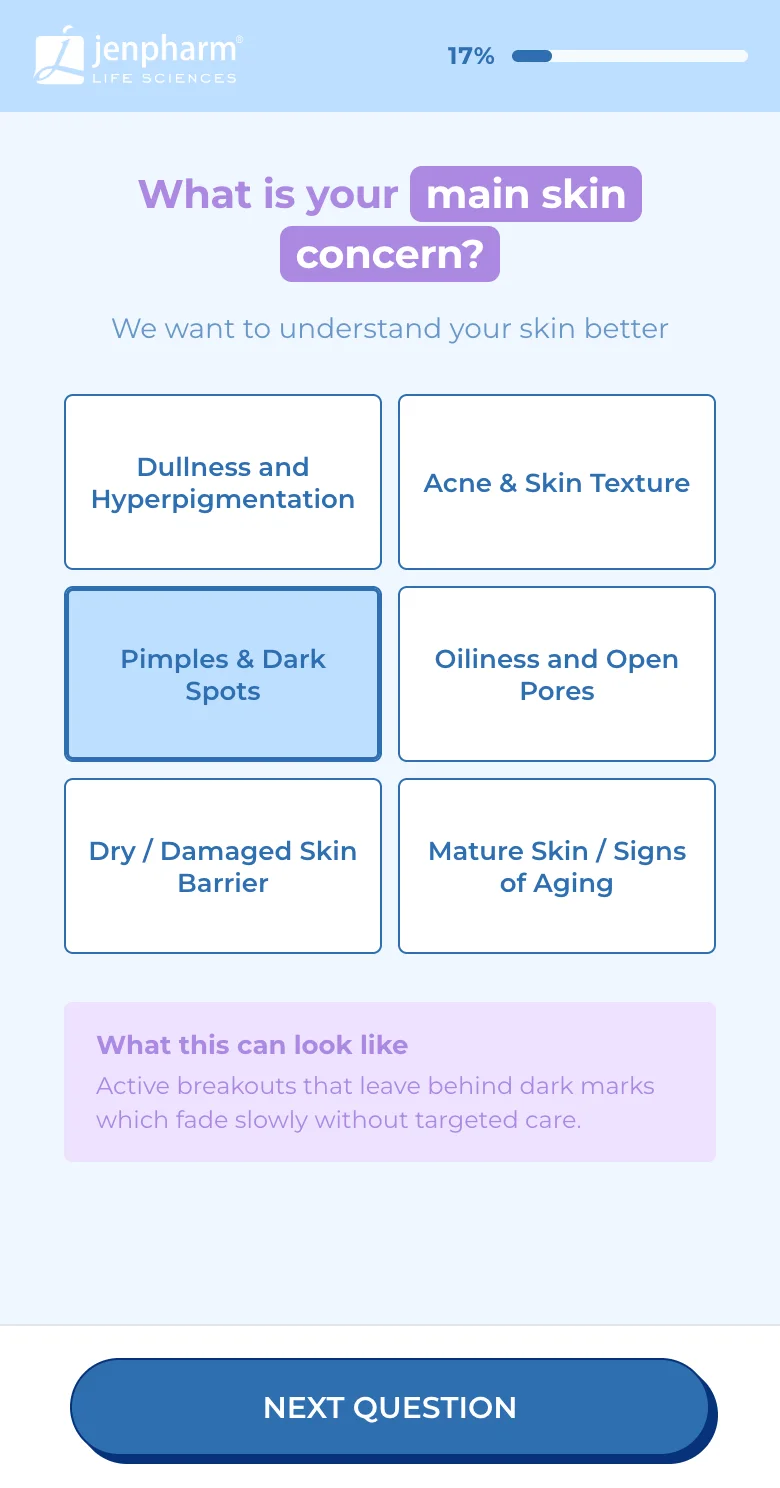
Walk through a quiz as a shopper does, from the first question to results, on a computer and on a phone.
 Attravo TeamUpdated 1 min read
Knowing what shoppers see helps you write better questions and spot what to change. Here's a quiz from start to finish, as it works on your store.
Answering questions
Shoppers pick an answer, then select Next question, or move on as soon as they pick when the question is set to. The last question's button says See results.
- A progress bar shows how far they are.
- The back arrow returns to the previous question.
- Start over appears once they've answered anything, to begin again.
When an answer has an education box, it appears as soon as that answer is picked.
The email step
When the quiz asks for an email before results, shoppers see your heading, the fields you ask for and your button, such as Find My Routine, with a skip link below it. The step is always skippable, and it's skipped by itself when an earlier question already asked for the email.
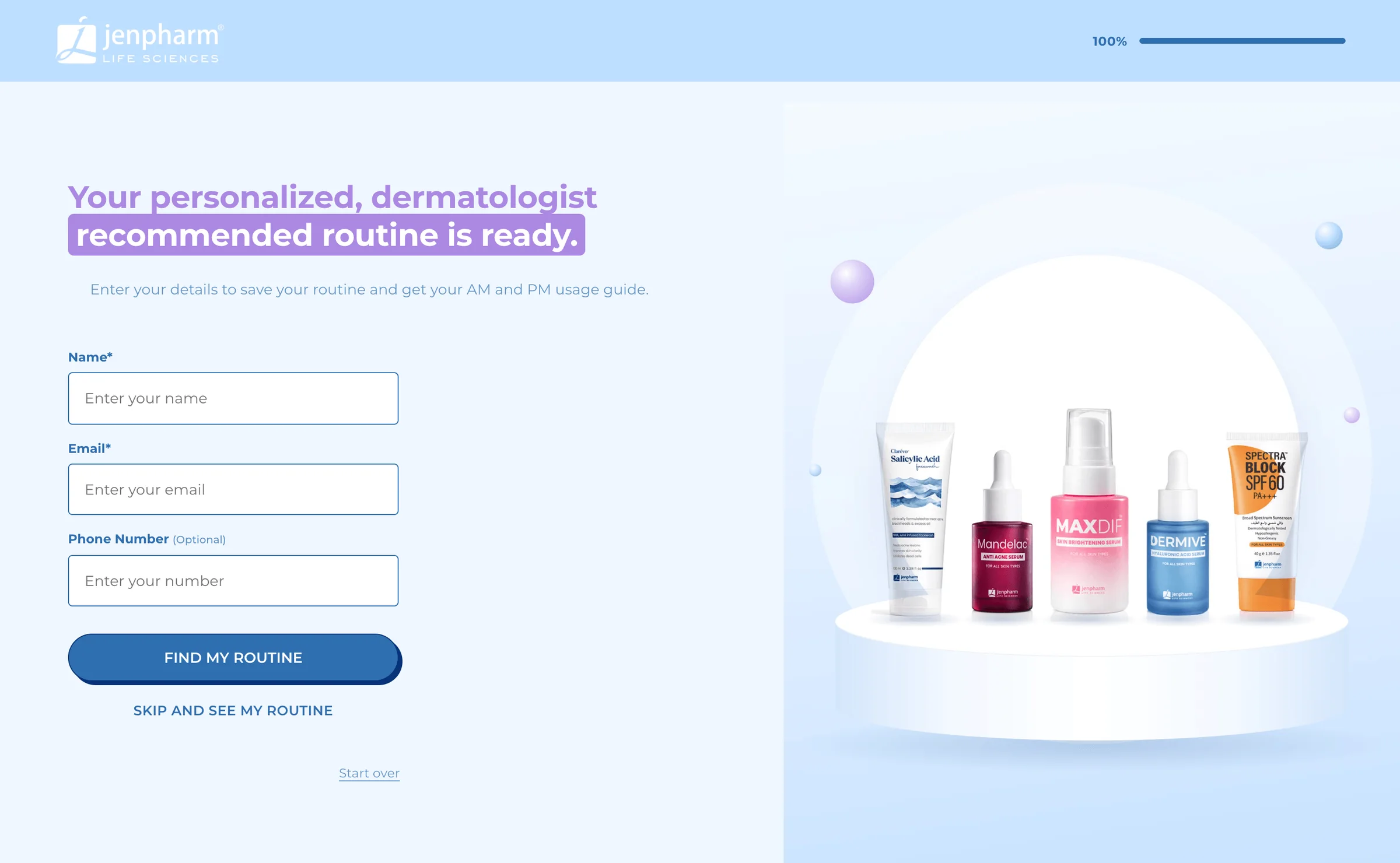
See Ask for an email before results.
Results
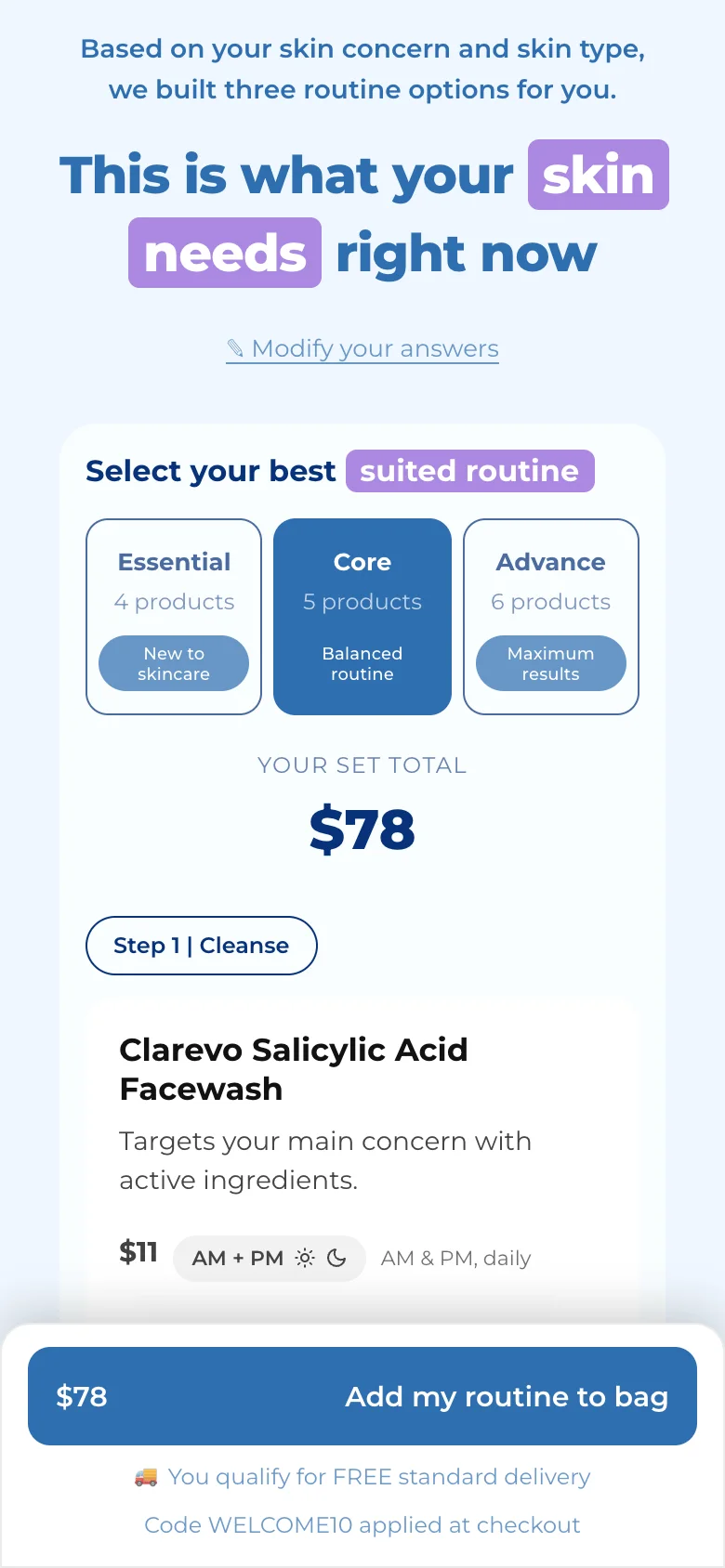
After a short "Hang tight, we're finding your matches", the results page shows the products that fit, with one button that adds them to the cart. Retake the quiz, or Modify your answers on a step-by-step set, starts again.
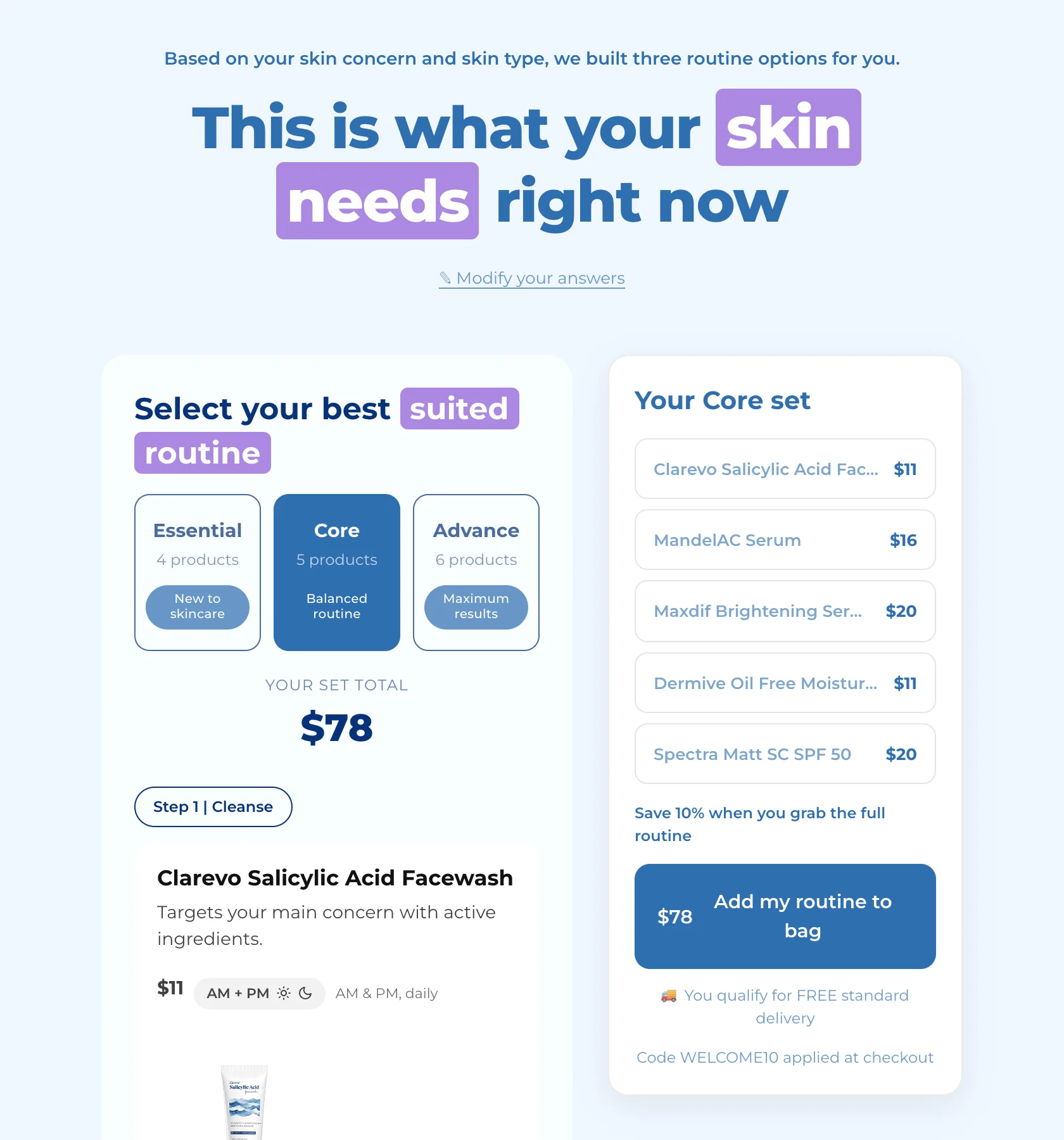
On phones, a step-by-step set's total and button stay pinned to the bottom of the screen.
If the results can't load, for example on a weak connection, shoppers see "We couldn't fetch your results" with Try again. Their answers are kept.
Coming back later
Each shopper's progress is saved in their browser for 7 days:
- Leaving mid-quiz and coming back resumes on the same question.
- Coming back after finishing reopens their results.
- Start over or Retake the quiz starts a fresh quiz at any time.
Prices
Prices show in your store's currency and money format, as in your theme. Whole amounts drop the ".00".
Was this helpful?
More in On your store
- Choose where each quiz showsCompare the five ways to put a quiz on your store, and decide which quiz each block shows.
- Add a dedicated quiz pageGive a quiz a full page with its own address, to link from your menu, ads, emails and social posts.
- Add a quiz inside a pagePlace a quiz inside your home page, a collection or any page, sized and spaced to fit your theme.
- Add a floating chat buttonPut a quiz launcher in a corner of every page, and choose when it appears and what it says.