It doesn't show on my store
Find out why a quiz isn't showing on your store, or shows the wrong quiz, and fix it in a few minutes.
 Attravo TeamUpdated 2 min read
On this page
When a quiz doesn't show, it's almost always one of three things: the quiz isn't published, the block isn't in your live theme, or the block is set to another quiz. Work through these in order.
Check what's on in your theme
Open Home and scroll to Where your quiz is live. It reads your current theme each time you open Home, and shows which blocks are on.
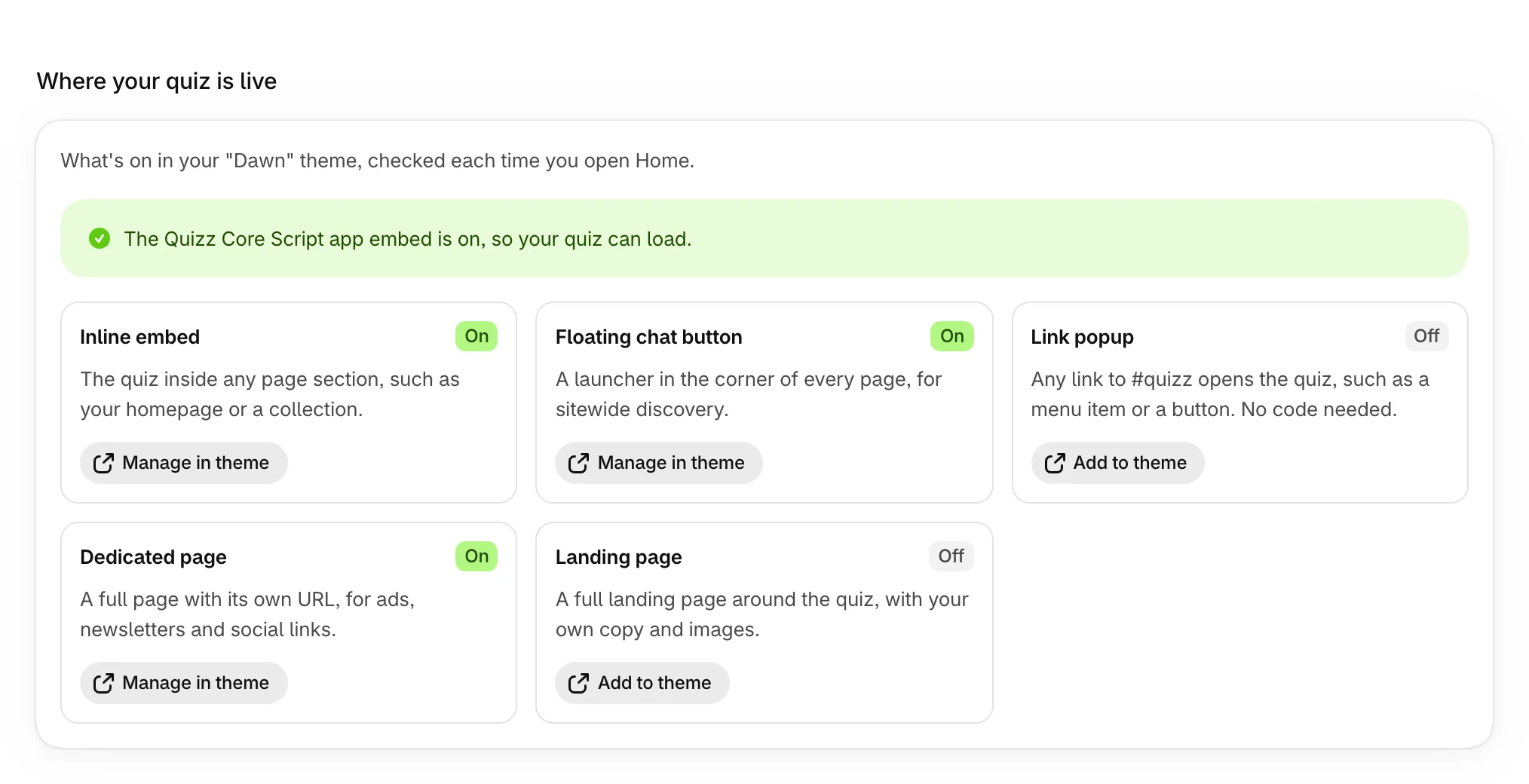
- If the block you expect says Off, select Add to theme on its card, add the block, and select Save in the theme editor.
- If you added the block to a theme that isn't published, publish that theme, or add the block to your live one too. Blocks and app embeds belong to one theme.
- After you switch themes, add your blocks again in the new one.
Check the quiz is published
Open Quizzes. Only quizzes marked Published show on your store. Open a draft and select Publish. See Publish and manage your quizzes.
When it says "Quiz not available"
The block is on your store but found no quiz to show.

A block shows the quiz its Quiz handle names, if that quiz is published. Otherwise it shows your most recently published quiz set to that kind of block, then one set to Every block you add. To fix it, do one of these:
- Paste the quiz's handle into the block's Quiz handle in your theme editor. The handle is under Placing it in your theme, in the quiz's Settings.
- Or, in the quiz's Settings, set Show this quiz in to that kind of block, or to Every block you add (recommended), and save.
See Choose where each quiz shows.
When another quiz shows
A block whose Quiz handle names a quiz that's unpublished, deleted or misspelled doesn't stop: it shows another published quiz instead. Compare the handle in your theme editor with the one in the quiz's Settings: lowercase, no spaces and no slash.
When your own button does nothing
Buttons with a quiz ID need the Quizz Core Script app embed. Home says whether it's on, with Turn it on when it's off.
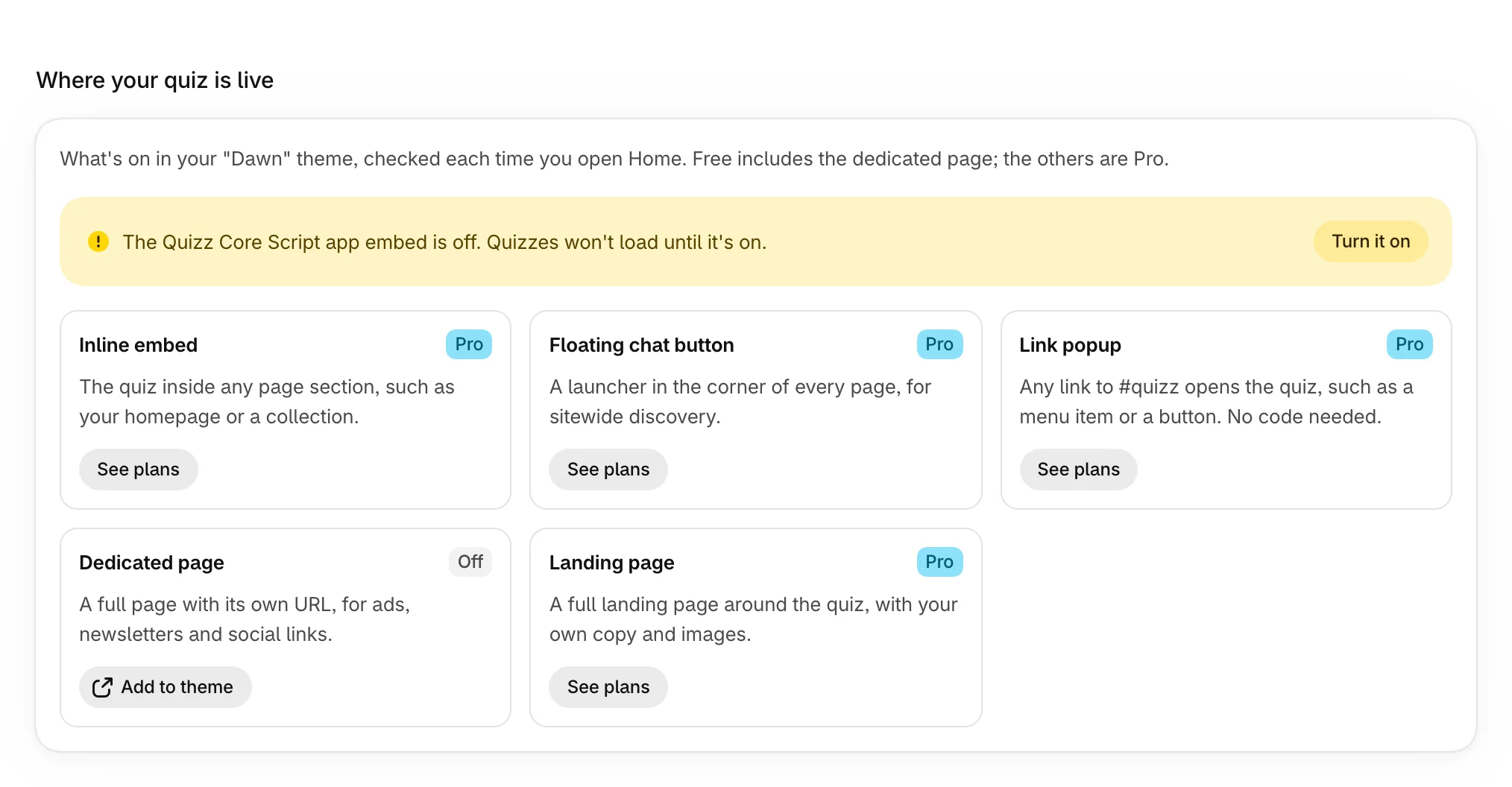
Then check that the button's data-quiz-id matches the Quiz ID in the quiz's Settings, and that the quiz is published. See Open a quiz from your own button.
When your changes don't show yet
Your store can show the previous version for up to a minute after you save, so reload after a minute. If you took the quiz before, your browser also reopens your last place in it for 7 days: select Start over, or open the page in a private window.
Was this helpful?
More in Troubleshooting
- Results show the wrong productsFix results that show the wrong products, the same products for everyone, or a product that never appears.
- Quiz orders don't show in AnalyticsWhy an order from a quiz shopper may not count yet, or at all, and how to make sure every quiz sale counts.
- Conflicts with other apps or themesFix a quiz your theme restyles, a theme without app sections, a page builder that hides it, or a link that won't open it.
- Common questions about Product Quiz MakerQuick answers about plans, speed, themes, phones, shoppers' answers and what happens to your data.