Set up answers and tags
Write answers, tag them to match your products, add education boxes and choose how answers look.
 Attravo TeamUpdated 2 min read
Answers are where a quiz turns into recommendations: each answer carries tags, and the products that share those tags are the ones a shopper sees. Getting the tags right is the single biggest thing you can do for good results.
How tags choose products
When a shopper picks an answer, each of its tags counts once for every product with the same tag. Products with the most matching tags rank first, and the results show the top ones.
- Tags match whatever their case: Acne and acne are the same tag.
- Separate an answer's tags with commas, such as
acne, salicylic, exfoliating. - Add the same tags to your products in your Shopify admin, under each product's Tags.
- When the quiz recommends from Selected collections, a collection's name also counts as a tag for its products.
For where the products come from, see Choose which products it recommends.
Edit an answer
Select a single choice, multiple choice or icon carousel question. Its Answers are under the question.
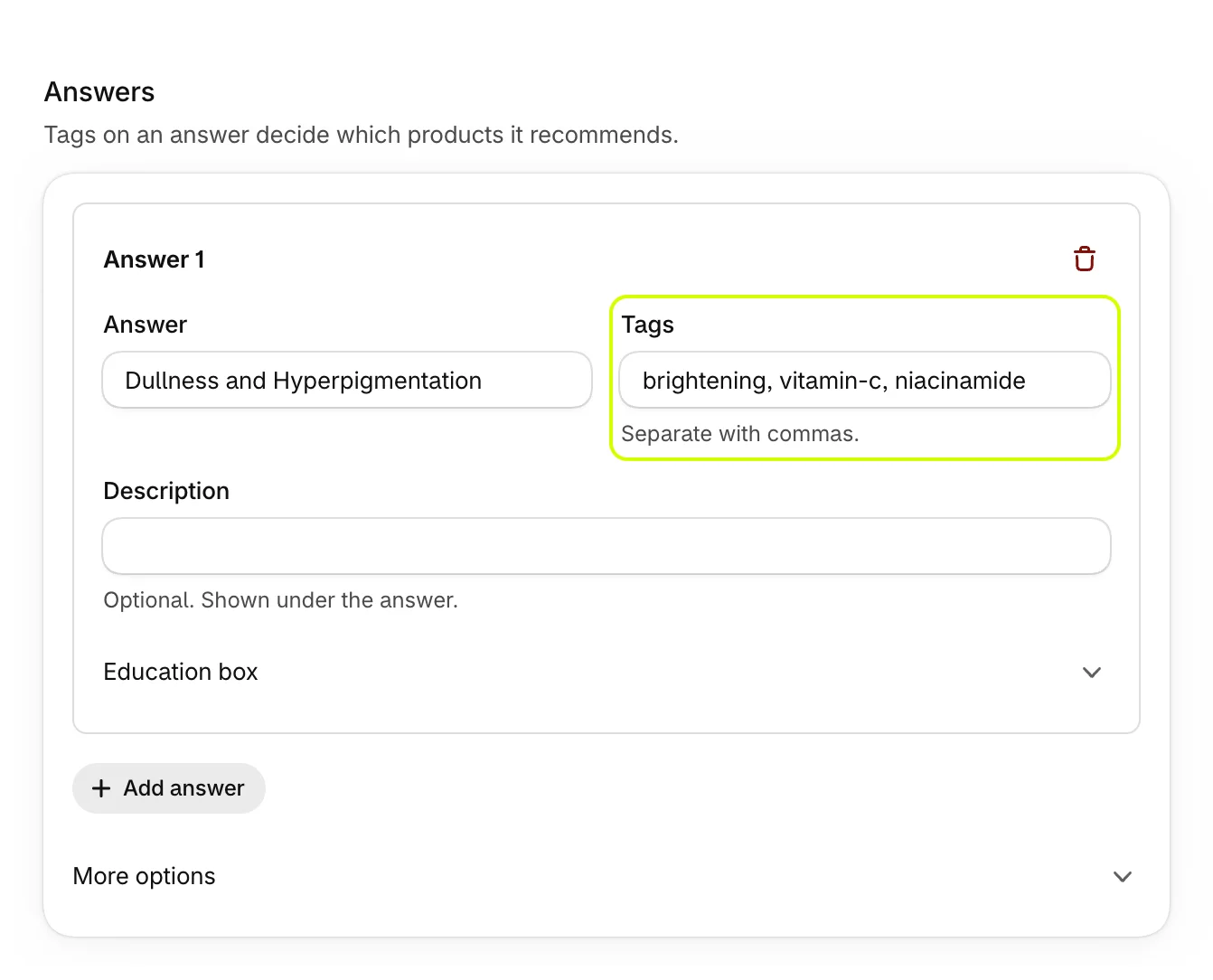
| Setting | What it does |
|---|---|
| Answer | What the shopper sees. |
| Tags | The product tags this answer counts for. |
| Description | An optional line under the answer. |
| Icon | Icon carousel questions only: an emoji shown on the card. |
Add answer adds an answer at the end, and the delete button at an answer's top right removes it.
Add an education box
An education box explains an answer when a shopper picks it, such as why a skin type needs a gentle cleanser. It builds trust right where the shopper is deciding.
- Under an answer, open Education box.
- Fill in Title and Text, and an Image URL if you like.
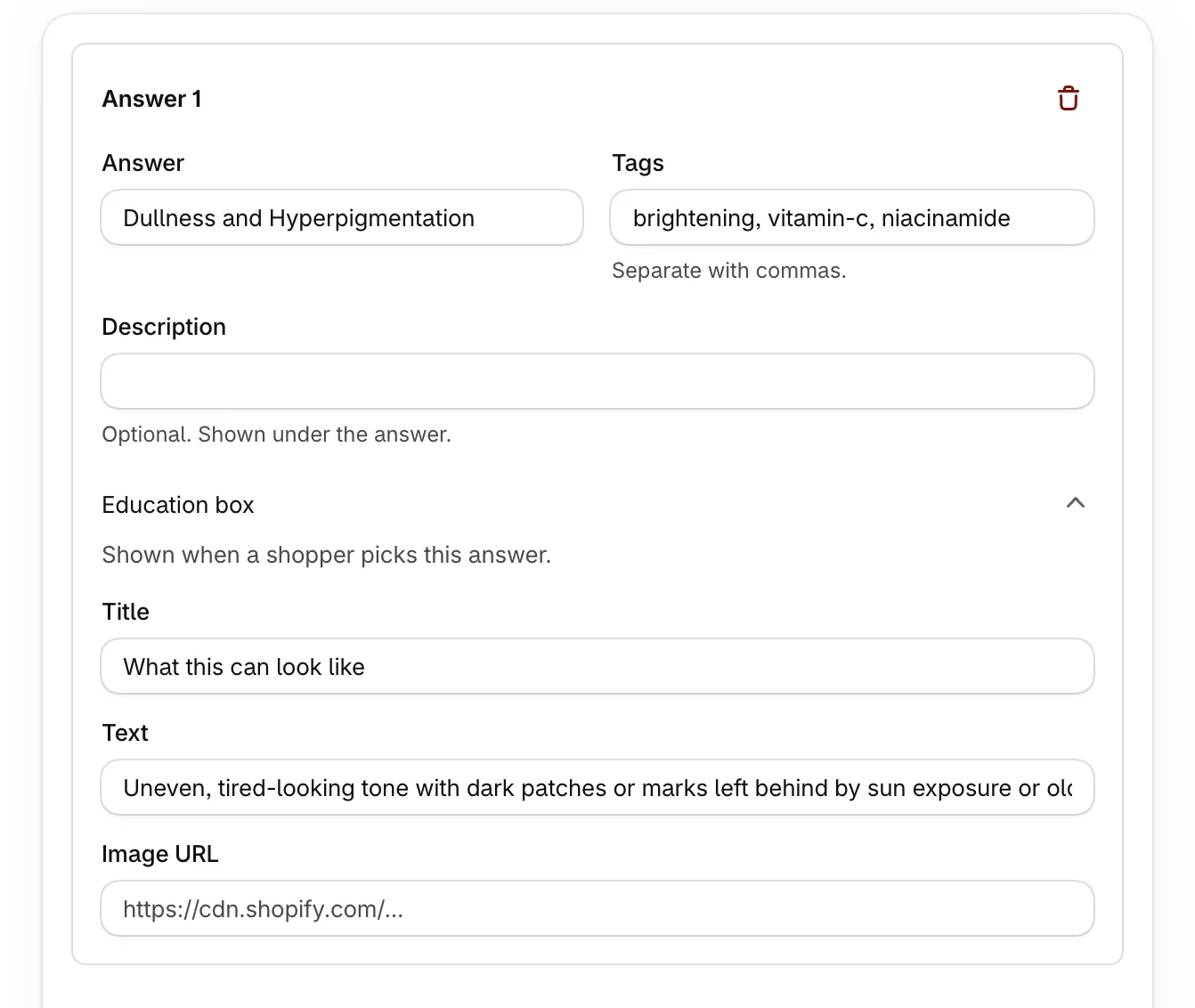
The box appears under the answers as soon as that answer is picked.
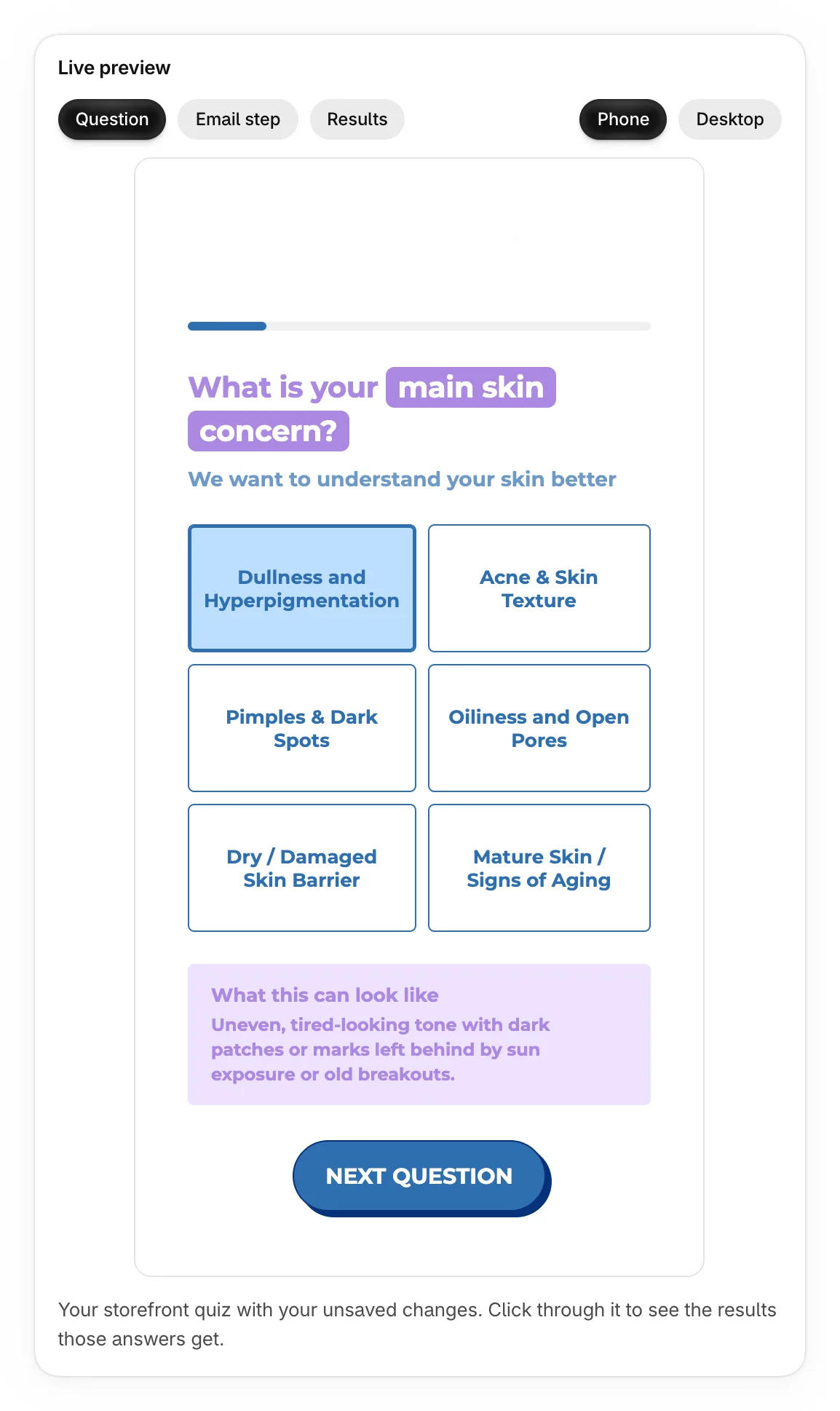
A question waits for Next question when the picked answer has an education box, so shoppers have time to read it.
Choose how answers look
Open More options under the answers.
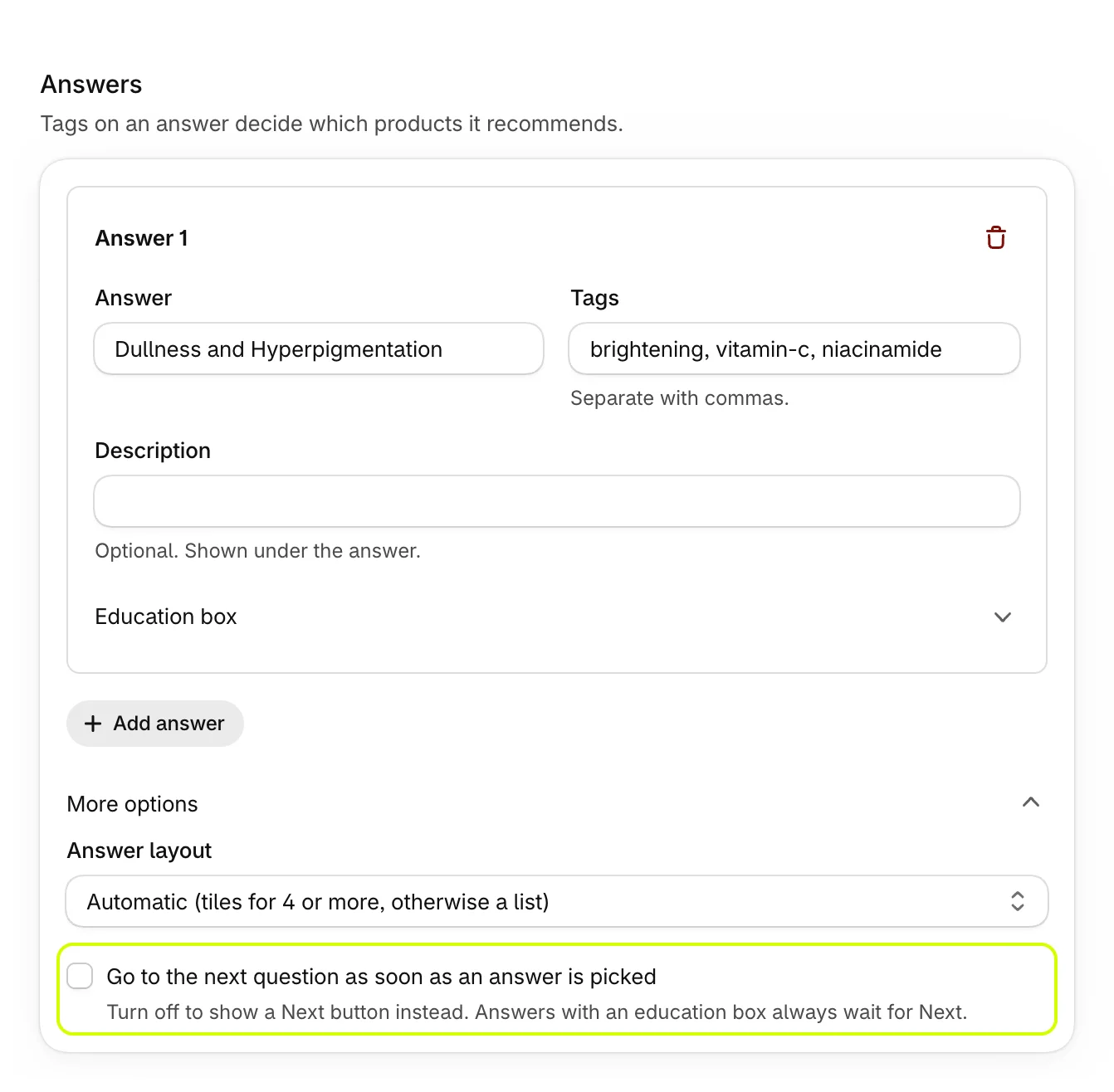
- Answer layout: Automatic (tiles for 4 or more, otherwise a list), Tiles, List or Compact pills. Compact pills suit short answers such as Yes and No.
- Go to the next question as soon as an answer is picked: for single choice questions, on by default. Turn it off to show a Next question button instead. Choosing this is part of Pro; on the Free plan, quizzes move on as soon as an answer is picked.
Icon carousel questions don't have More options: shoppers swipe through the cards and pick one.
Was this helpful?
More in Build your quiz
- Start from a templatePick one of four ready-made quizzes, or start blank, and see what each template sets up for you.
- Add and edit questionsAdd questions, choose their type, write them, and move, copy or delete them.
- Show a question only after certain answersAdd rules so a question appears only when earlier answers match, and skip the questions that don't apply.
- Preview your quizClick through your quiz with unsaved changes, on a phone or desktop, and see the results each set of answers gets.