Match your quiz to your brand
Choose a starting look, your theme's font and your colors, so the quiz feels like part of your store.
 Attravo TeamUpdated 2 min read
On this page
A quiz that looks like your store feels trustworthy, and shoppers finish what they trust. Each quiz has its own look, set in its Style section, and the live preview shows every change.
Start from a preset
- Open the quiz and select Style.
- Under Theme, choose a Preset: Modern light, Modern dark, Minimal or Editorial.
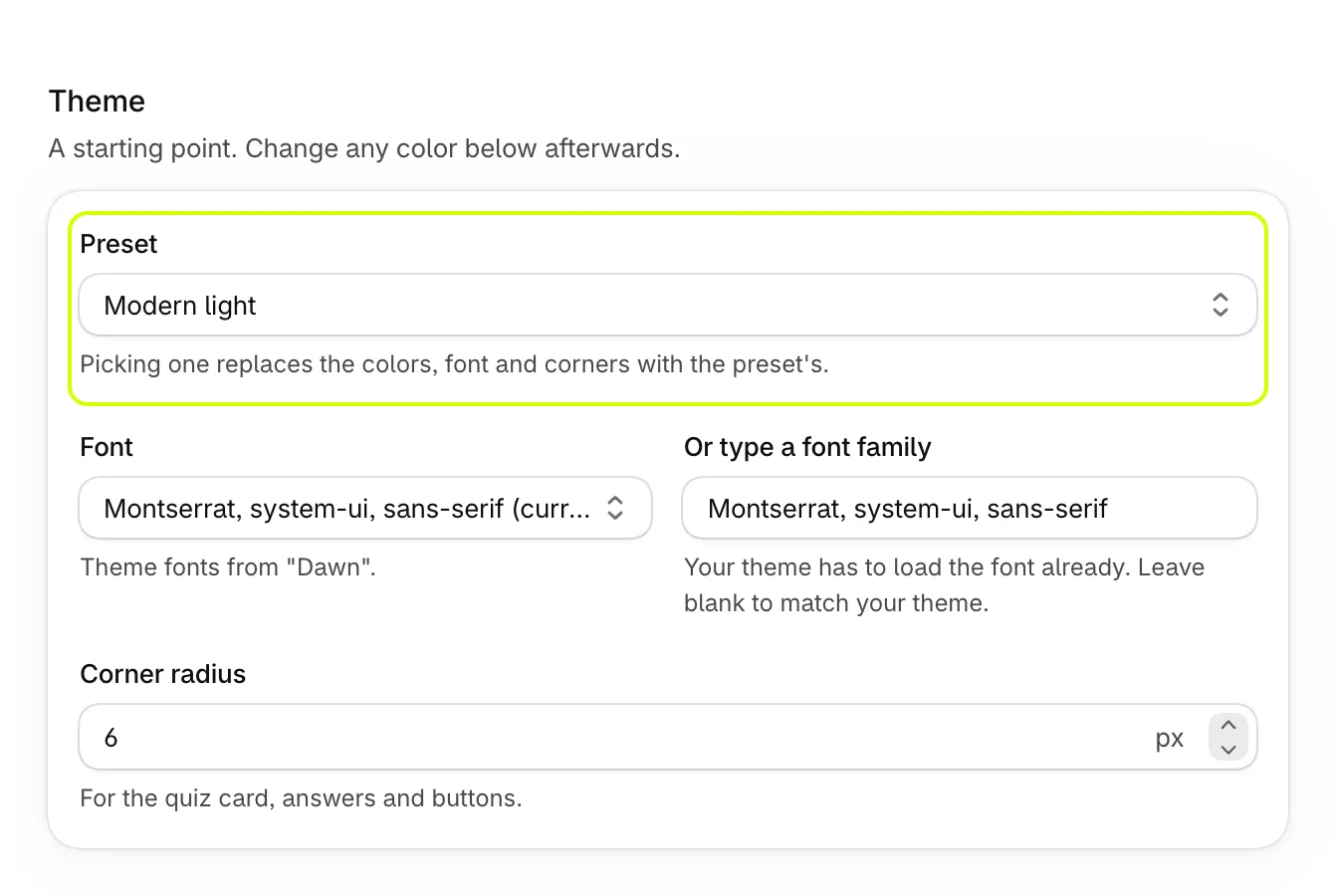
Picking a preset replaces the quiz's colors, font and corners with the preset's. Change any of them afterwards.
Choose the font and corners
| Setting | What it does |
|---|---|
| Font | Match my theme (recommended), your theme's own fonts, or a common web font such as Inter, Poppins or Playfair Display. |
| Or type a font family | Any font your theme already loads. Blank matches your theme. |
| Corner radius | How rounded the quiz card, answers and buttons are, from 0 to 40 pixels. |
New quizzes start with Inter. Choose Match my theme to use the font your store already uses.
Set the colors
Under Colors, select a swatch or type a color code.
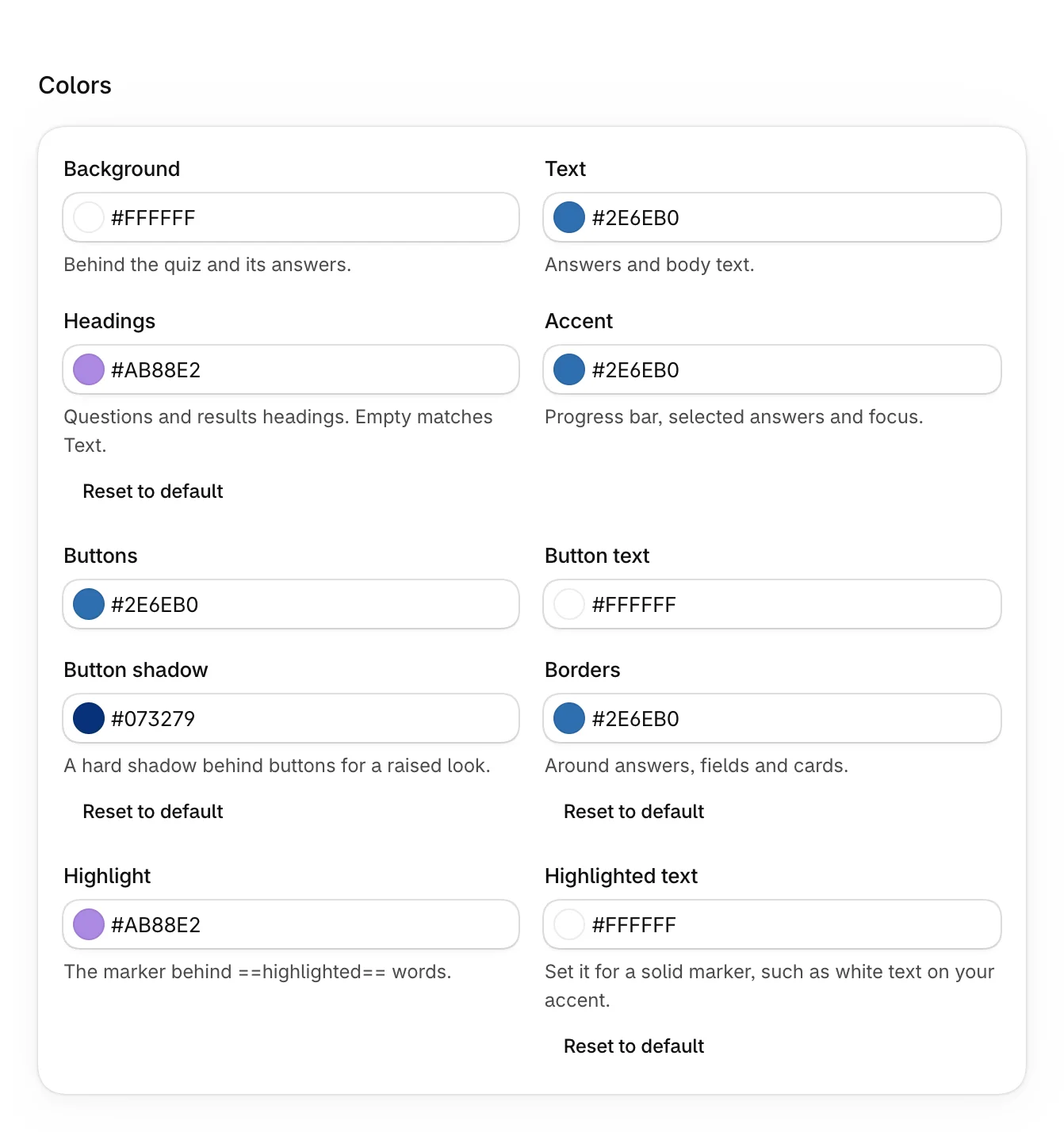
| Color | Where it shows |
|---|---|
| Background | Behind the quiz and its answers. |
| Text | Answers and body text. |
| Headings | Questions and results headings. Empty matches Text. |
| Accent | The progress bar, picked answers and focus. |
| Buttons and Button text | The main buttons. |
| Button shadow | A hard shadow behind buttons, for a raised look. |
| Borders | Around answers, fields and cards. |
| Highlight | The marker behind words you wrap in double equals signs. |
| Highlighted text | The color of highlighted words. Set it for a solid marker, such as white text on your accent. |
Colors that show Default follow the quiz's other colors. Reset to default puts one back.
Set a brand color for new quizzes
- Open Settings in the app.
- Under Brand, set Brand color, then select Save.
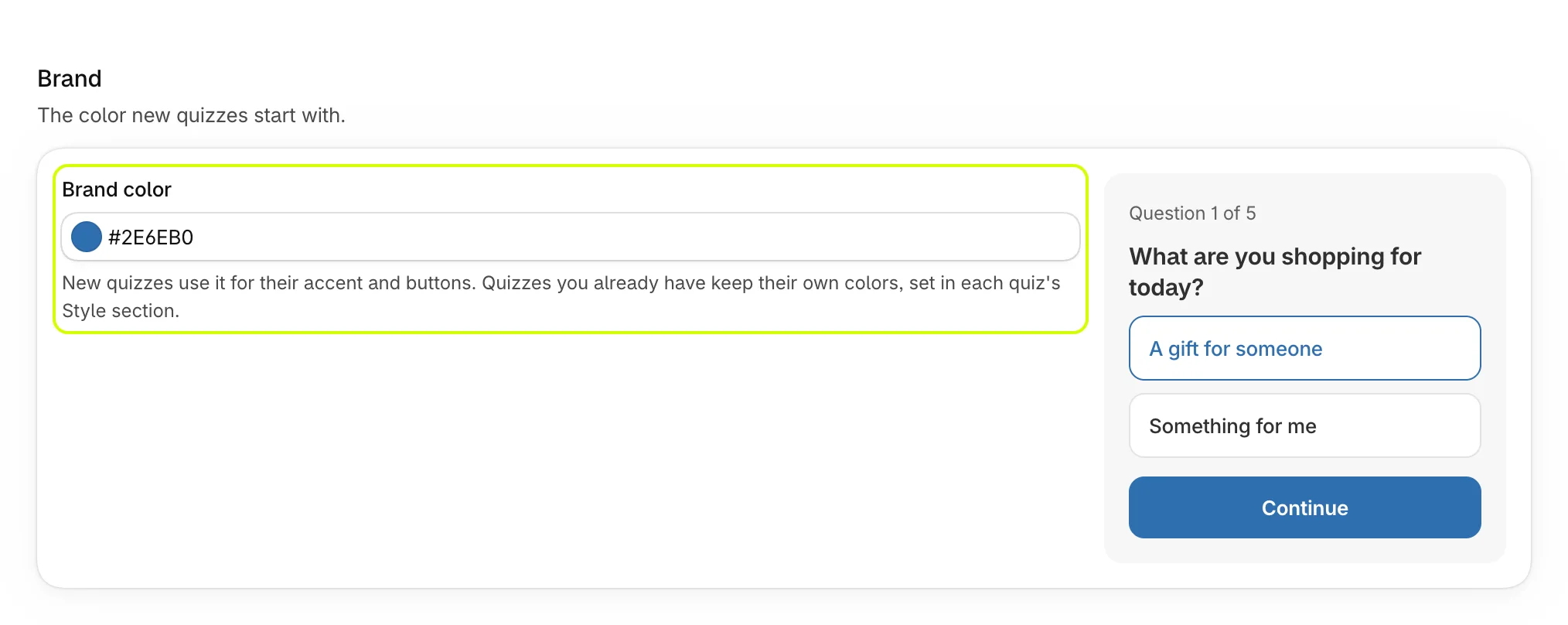
New quizzes use it for their accent and buttons. Quizzes you already have keep their own colors.
On phones
Quizzes fit any screen. On phones, answers stack to fit, the email step's image moves above the form, and a step-by-step set's total stays pinned to the bottom. Use Phone in the live preview to check. See What shoppers see.
For the full-page quiz, step-by-step results and education boxes, see Style full-page quizzes and results.
Was this helpful?