Choose where each quiz shows
Compare the five ways to put a quiz on your store, and decide which quiz each block shows.
 Attravo TeamUpdated 2 min read
On this page
A quiz can live on a page of its own, inside any page, behind a chat button, behind a menu link, or on a full landing page. Showing it where shoppers hesitate, such as the home page or a collection, gets it taken most.
The five blocks
| Block | Where the quiz shows | Plan |
|---|---|---|
| Quizz Dedicated Page | A full page with its own address, for ads, newsletters and social links. | Free and Pro |
| Quizz Inline | Inside any page, such as your home page or a collection. | Pro |
| Quizz Chat Button | A launcher in a corner of every page. | Pro |
| Quizz Link Popup | A popup from any link to #quizz, such as a menu item. |
Pro |
| Quizz Landing Page | A full landing page around the quiz, with your own copy and images. | Pro |
Each has its own article: Add a dedicated quiz page, Add a quiz inside a page, Add a floating chat button, Open the quiz from a menu link and Build a quiz landing page. You can also open a quiz from a button in your theme. See Open a quiz from your own button.
See what's on in your theme
Home shows each block's state in your current theme, checked each time you open it. On means the block is in your theme; Manage in theme or Add to theme opens the theme editor with that block ready.
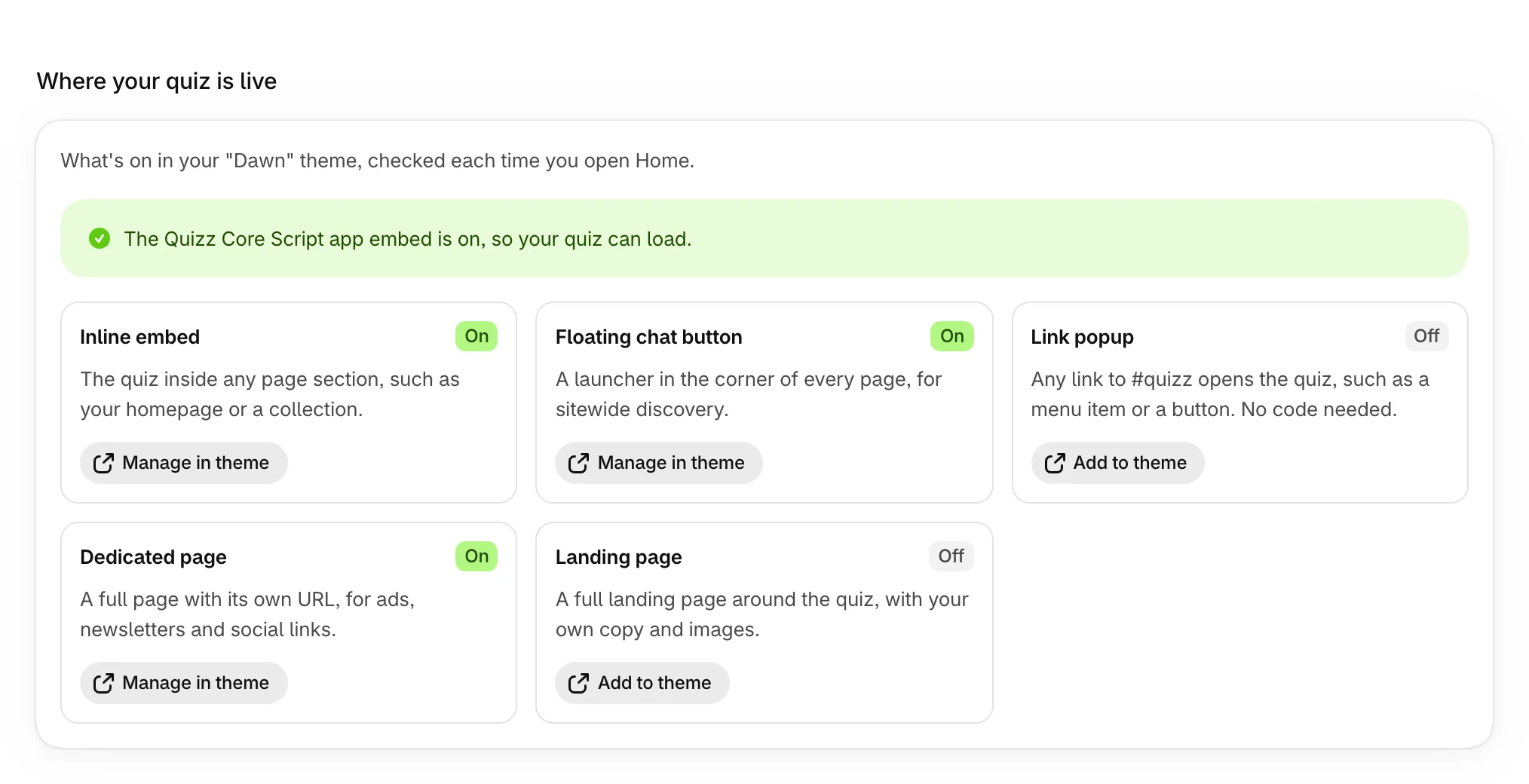
Choose the quiz a block shows
Every block has a Quiz handle setting. Paste a quiz's handle there to show that quiz, or leave it blank and let the quiz's own setting decide.
- Open the quiz and select Settings.
- Set Show this quiz in to the kind of block it's for, or to Every block you add (recommended).
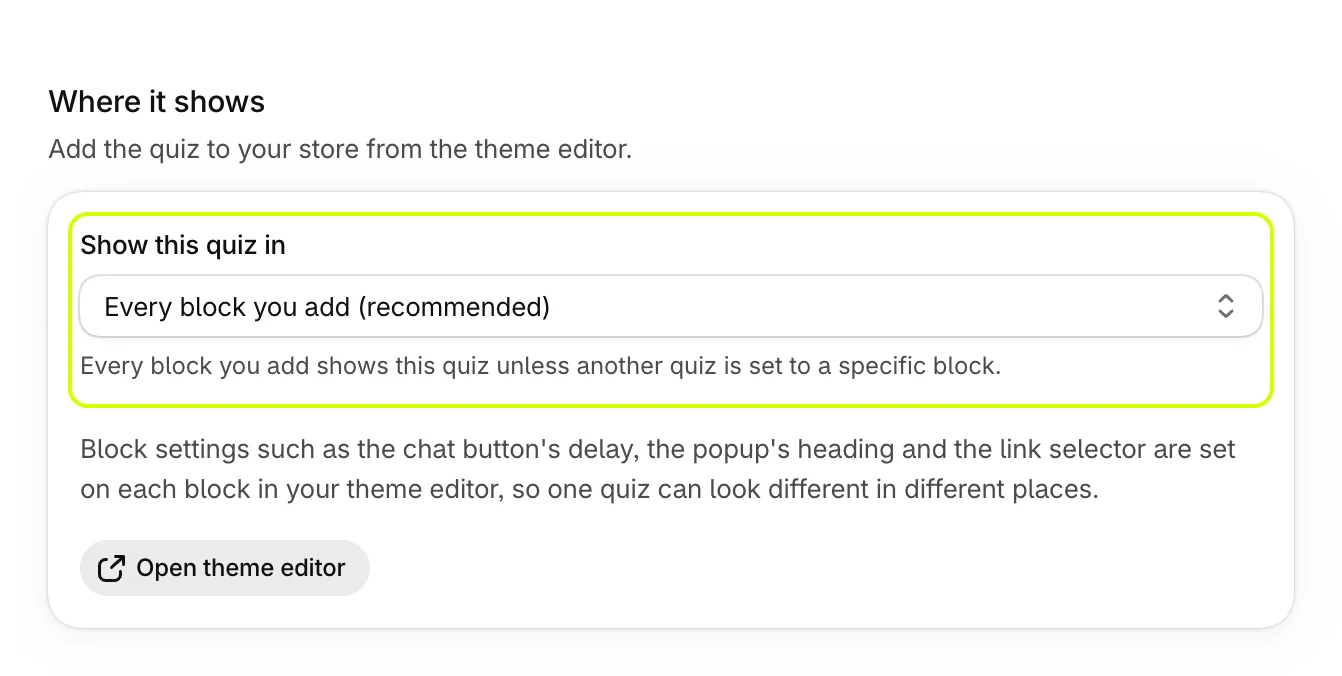
- Select Save.
The quiz's handle is under Placing it in your theme, ready to paste into a block.
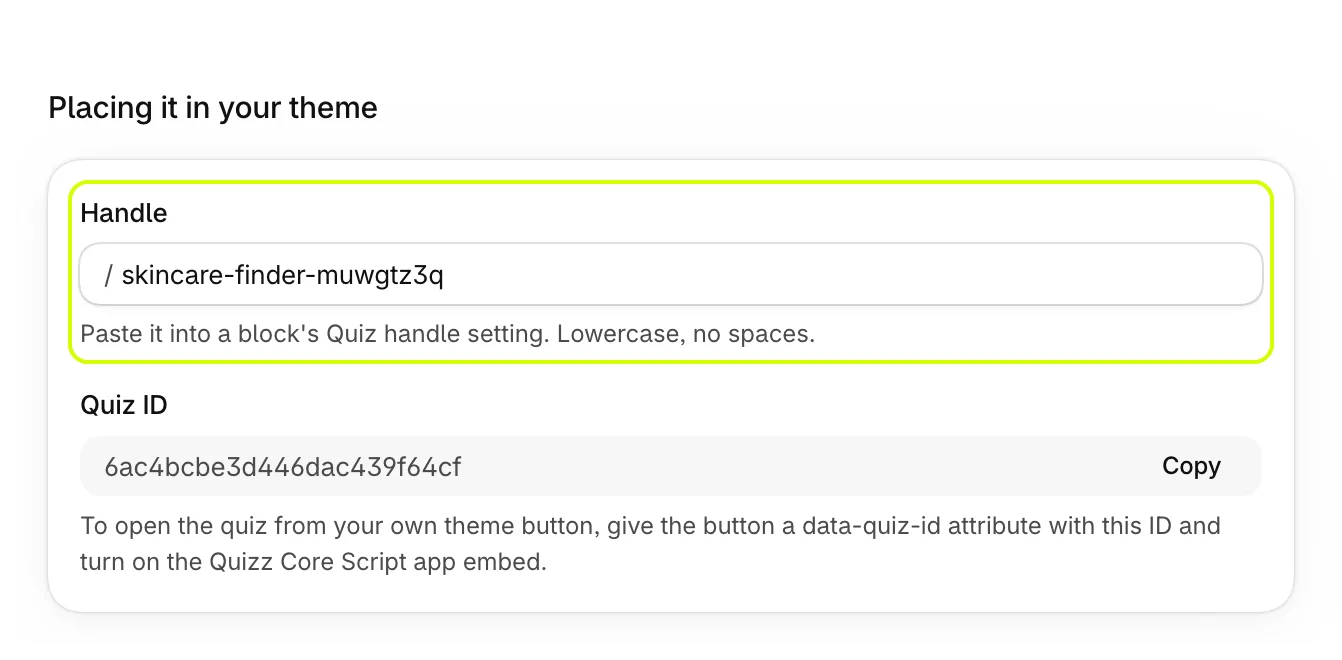
How a block picks its quiz
- If its Quiz handle names a published quiz, it shows that quiz.
- Otherwise, it shows the most recently published quiz set to that kind of block.
- Otherwise, it shows the most recently published quiz set to Every block you add.
- With none of those, it says "Quiz not available".

Was this helpful?
More in On your store
- Add a dedicated quiz pageGive a quiz a full page with its own address, to link from your menu, ads, emails and social posts.
- Add a quiz inside a pagePlace a quiz inside your home page, a collection or any page, sized and spaced to fit your theme.
- Add a floating chat buttonPut a quiz launcher in a corner of every page, and choose when it appears and what it says.
- Open the quiz from a menu linkOpen a quiz in a popup from a menu item, a text link or any button, without touching code.